

- What is AI scraping
- What are the consequences of AI scraping for the website
- How to check for AI scraping on the website
- How to reduce the load from AI scraping
- Is it possible to completely stop harmful AI scraping
You are monitoring an internet project: optimizing databases, compressing images, removing unnecessary code. The number of visitors is increasing, but suddenly you notice that the server starts to throw errors or you receive a letter from the provider about exceeding limits. Although you might immediately want to blame yourself for insufficient optimization, the reason could be inadequate protection of the site from AI scraping. While you are putting maximum effort into creating content and technical improvements, someone is stealing your materials in seconds, also causing abnormal loads. I checked this on my own web resource and will show you how to find such bots and limit them without harming SEO and GEO.

What is AI scraping
AI scraping is the automated collection of website content by artificial intelligence systems. This can be done by large AI companies like OpenAI and Anthropic, which train models, generate search responses, and open pages in response to user queries, as well as anonymous scrapers that disguise themselves as regular browsers.
AI scraping should not be confused with classic website parsing, which collects specific data, such as competitor prices. Instead, AI bots crawl the entire web resource, including old articles and archives, which loads the server differently than live visitors.
What are the consequences of AI scraping for the website
The main consequences of AI scraping for the website are hosting overload, content without back traffic, and copies of your materials on other resources.
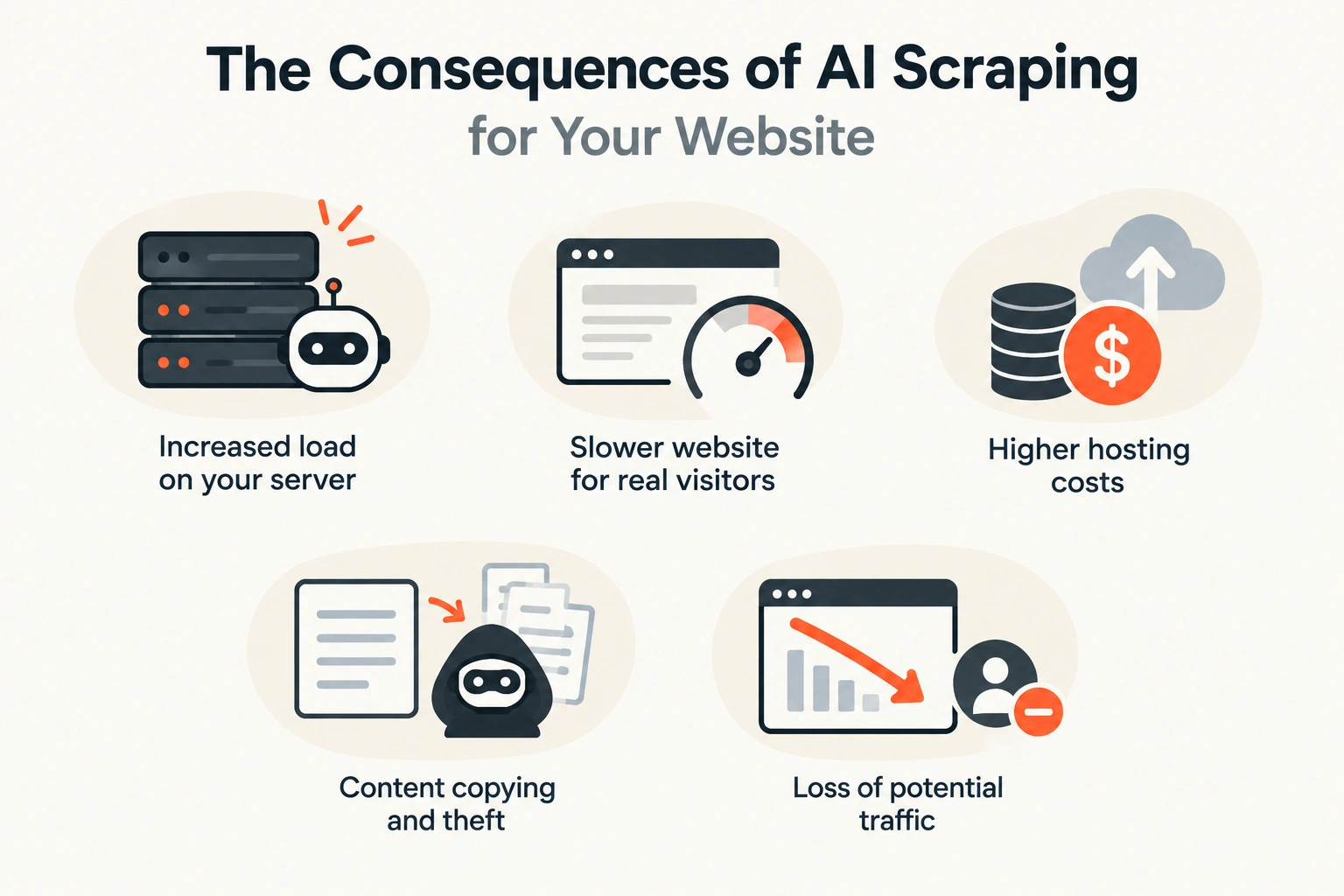
Each consequence is significant for an internet project of any size:
- Load on hosting. A person opens several pages and reads each for a few minutes, while a bot can browse thousands of addresses in an hour, including old and technical ones that are not in the cache. The server runs PHP and queries the database each time, causing the site to slow down for live visitors or even stop opening altogether.
- Content without back traffic. AI systems take texts much more often than they bring readers. According to TollBit data, European publishers receive about 179 visits from AI bots for every one visit from a live user.
- Content copying. The Media Copilot publication summarized a TollBit report, which described nearly 40 services that sell scraping services: many of them ignore robots.txt by default, and some even bypass paid access. As a result, your content ends up on other web resources and may rank better there.
You might think that your small site is not at risk, but bots do not search for specific web resources; they process lists of addresses. Search bots find pages through links and sitemaps. Common Crawl crawls over 2 billion pages every month for open archives that train language models. And scrapers have enough public SSL certificate logs to find a new domain in just a few minutes.
At the end of July 2026, the owner of a small wiki described on Medium how the bot meta-webindexer made 230,743 requests to the site with 4,814 articles in just a day and a half. Old versions and editing pages turned several thousand articles into hundreds of thousands of addresses, 98% of requests went to pages prohibited in robots.txt, and the bot took 47% of the outgoing traffic, causing the cloud server bill to nearly double.
How to check for AI scraping on the website
To check for AI scraping, compare three sources: the load chart in the hosting panel, the number of live visitors in Google Analytics, and the site request log. You can only talk about AI scraping when the load spikes coincide in time with series of requests from specific AI bots.
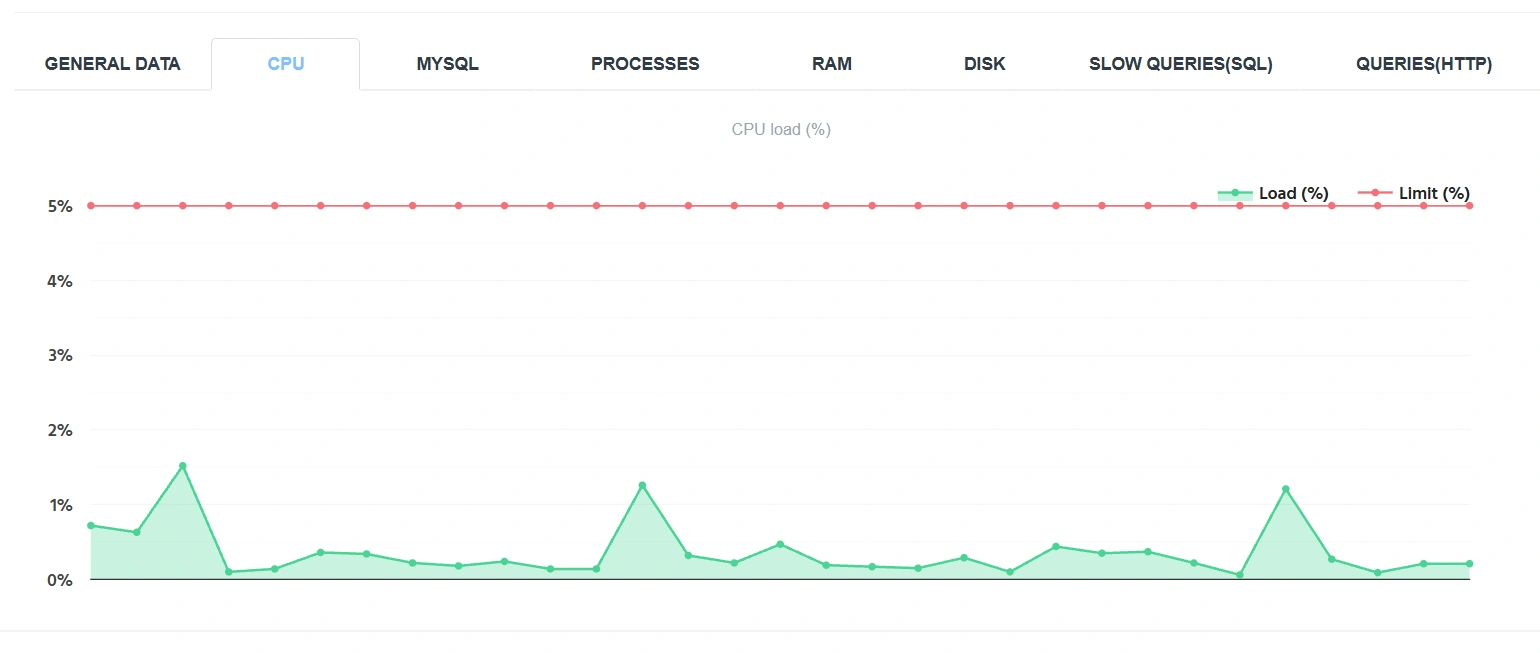
In the screenshot, the load chart of the hosting of one of the projects on Cityhost (published with the owner's consent).
So first, find the load spikes:
- Open the Cityhost panel → Hosting 2.0 → Management → Resources.
- Go to the CPU tab and select the longest available period.
- Note the date and time of each moment when the chart hit the limit.
On my site, the processor reached the 100% limit several times in a week, although the average load was 40%. So after this, compare such loads with the number of real visitors on your web resource during the same period:

- Open Google Analytics 4 → Explore → Free form.
- Set the period that covers your spikes.
- Add the parameter «Date and time (YYYYMMDDHH)» in «Rows», and the metric «Sessions» in «Values».
- Find the hours of your spikes in the table.
GA4 automatically excludes known bots, and most others do not execute JavaScript, so the counter only sees people. If the load spiked but sessions did not increase, the reason is bots or background processes on the site. In my case, GA4 recorded only 18 sessions in a week, while the server received 32,918 requests.
Important! Check the time zones: the hosting panel, GA4, and the request log may show time in different zones. In my case, the difference between the log and the panel was 4 hours.
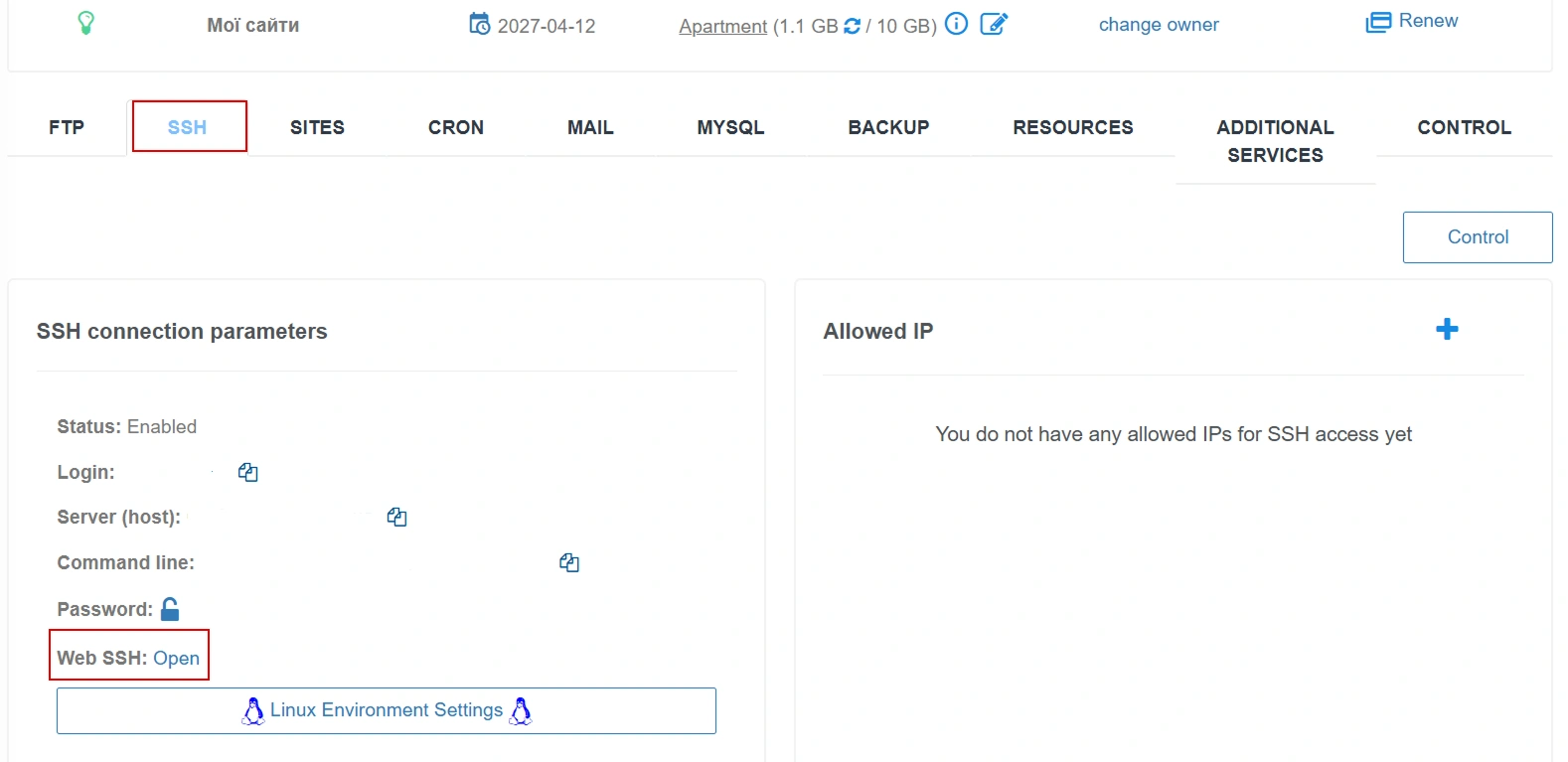
Then find out who is making the requests. In Cityhost, the log can be conveniently analyzed using the GoAccess tool, which is launched through Hosting → Management → SSH → Web SSH → «Web SSH: Open». A step-by-step guide is available on the page «Analyzing access logs using GoAccess».

We need section 6 — Operating Systems. Go to it by pressing the number 6 on the keyboard, and then press Enter to open the data. The percentage of requests from bots and their names can be viewed in the «Crawlers» line.
In the GoAccess screenshot for October 5, 3304 requests to the site were recorded, of which 596, or 18.04%, fell into the «Crawlers» category. However, not all these requests can be considered AI scraper activity: the visible part of the list does not show names like GPTBot, ClaudeBot, or PerplexityBot; instead, it shows GoogleApp, GoogleMobile, CFNetwork, TwitterBot, and facebookexternalhit. The category «Crawlers» does not determine whether a request is related to data collection for artificial intelligence. The «Unknown» category requires special attention: this category accounted for 657 requests, or 19.88%, but its name also does not allow determining their origin. Thus, this fragment of the report does not confirm AI scraper activity and does not exclude it — a complete list of User-Agent in the logs needs to be checked for conclusions.
Let's search for AI bots directly in the log file through the same SSH window:
- Switch the keyboard to English and press q to exit GoAccess. Keep the SSH window open.
- Paste this command and press Enter (replace MYSITE_NAME with your domain and ch50e2c72b with your hosting account name):
awk -F'"' 'tolower($6) ~ /gptbot|oai-searchbot|chatgpt-user|claudebot|claude-searchbot|claude-user|perplexitybot|perplexity-user|meta-externalagent|meta-externalfetcher|meta-webindexer|bytespider|ccbot|amazonbot/ {print $6}' /var/www/ch50e2c72b/logs/MYSITE_NAME.access.log | sort | uniq -c | sort -nr

In the command, we searched for 14 bot names and User-Agents:
- OpenAI: GPTBot, OAI-SearchBot, ChatGPT-User.
- Anthropic: ClaudeBot, Claude-SearchBot, Claude-User.
- Perplexity: PerplexityBot, Perplexity-User.
- Meta: meta-externalagent, meta-externalfetcher, meta-webindexer.
- Others: Bytespider, CCBot, Amazonbot.
Searching in the full User-Agent gave a more accurate result than the general category «Crawlers» in GoAccess: in the checked log file, only one request was found with the name OAI-SearchBot — the search bot from OpenAI. No other listed AI bots were detected by the command. Therefore, this data does not indicate mass scanning of the site by AI scrapers, and the share of «Crawlers» in the report cannot be equated to their activity.
Thus, checking for AI scraping is one of the most important stages. If you have the same situation, you do not even need to waste time fighting AI scraping; it is enough to properly optimize the site.
How to reduce the load from AI scraping
Remove unnecessary background tasks and enable caching, limit the crawling of conscientious bots through robots.txt, and slow down or block those who do not follow the rules at the server level, Wordfence, or Cloudflare. It is impossible to completely protect against AI scraping, but these methods help at least reduce the load on website hosting.
- Remove unnecessary background tasks
- Enable page caching
- Slow down overly active bots in Wordfence
- Add rules against AI scraping in robots.txt
- Block bots at the server level
- Enable training prohibition in Cloudflare
Remove unnecessary background tasks
WordPress runs background tasks through WP-Cron, which by default checks them on every page load. Thus, each bot request can also trigger another cycle of tasks. On my site, such tasks accounted for 14% of all requests: the Link Whisper plugin checked for broken links every 5 minutes, and the Action Scheduler queue ran every minute.

So I recommend:
- Install the WP Crontrol plugin.
- Open Tools → Cron Events.
- Find tasks that run every minute or every few minutes.
- In the Action column next to the function name, identify the plugin, for example, Wpil belongs to Link Whisper.
As a result, select these plugins and disable them if you are not using them, or limit their operation through the settings of each specific extension.
Enable page caching
Page caching saves the already generated page as a ready file. When a bot or person requests it again, the server does not run PHP and does not query the database, but simply delivers the file. On my site, the LiteSpeed Cache plugin works for this purpose.

Against AI bots, caching works worse than against people. People mostly read popular pages that are already in the cache, while AI crawlers crawl the entire site, including old articles that no one has visited for a long time. However, they scan all pages, so those already in the cache will still help reduce the load on virtual hosting better than having no caching at all on the web resource.
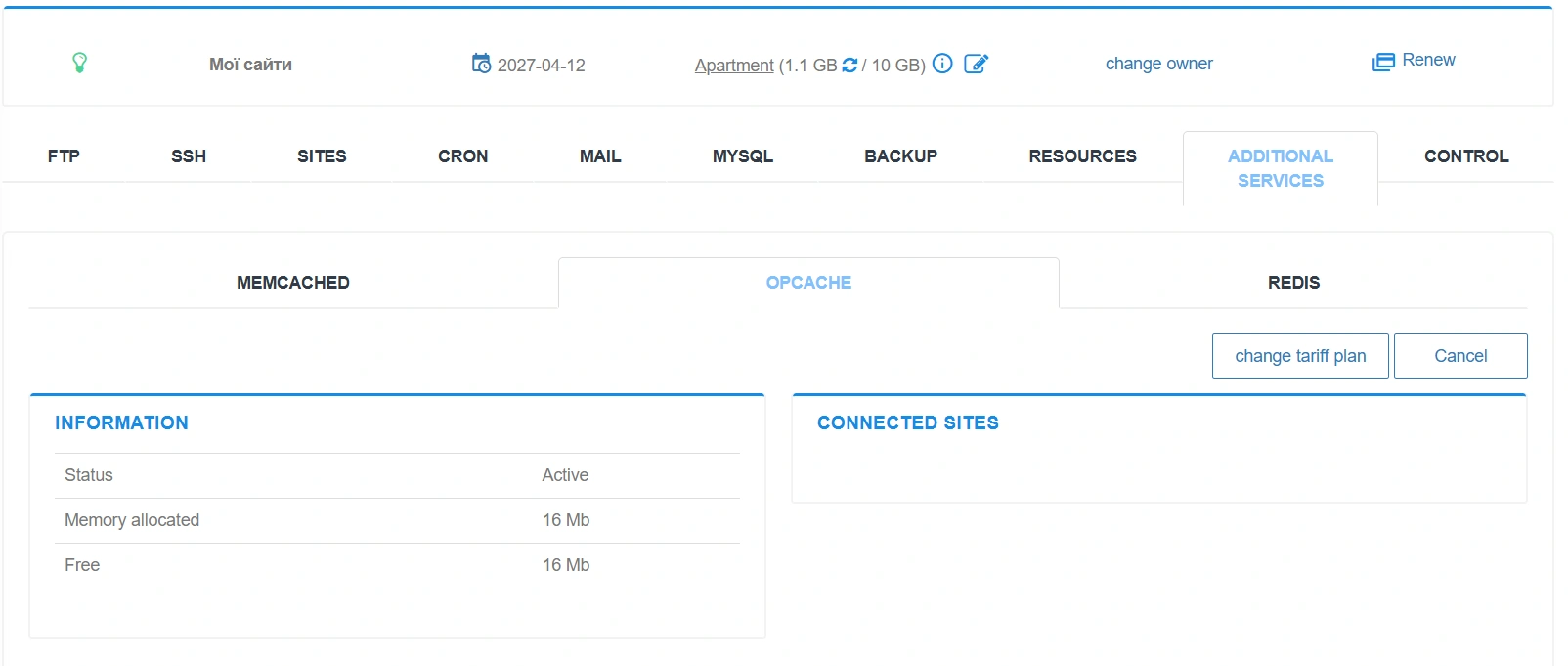
OPcache is another type of cache that stores compiled PHP code so that the server does not re-read WordPress files on each request. It speeds up page generation but does not replace caching because PHP and the database work the same way. In Cityhost, OPcache is enabled in the control panel through Management → Additional services → OPcache. For sites with frequent database queries, Cityhost also offers Memcached and Redis, which store query results in memory.
Read also: Caching services for websites: Memcached, OPCache, Redis
Slow down overly active bots in Wordfence
The free version of the Wordfence plugin, which I have been using for 2 years, can limit request frequency:
- Open Wordfence → All Options → Firewall Options → Rate Limiting.
- Check if Enable Rate Limiting and Advanced Blocking is turned on.
- Set 240 requests per minute for If anyone's requests exceed.
- Set 120 for both page views rules and 60 for both 404s rules.
- For each rule, select Throttle it and save changes.

These are the starting values recommended by Wordfence support. Throttle means that a bot that exceeds the limit temporarily receives a 503 response until it reduces its request frequency. Search engines understand such a response, so Wordfence recommends choosing this action. Limits for people are also important because scrapers that disguise themselves as browsers fall into this category. Also, make sure that in How should we treat Google's crawlers, the option Verified Google crawlers will not be rate-limited is selected.
Important! Rate limiting stops sudden spikes, not slow scanners. On my site, the scanner made about 10 requests per minute and did not exceed any limits.
Add rules against AI scraping in robots.txt
robots.txt is a request to bots, not a strict rule: according to TollBit data, in the fourth quarter of 2025, 30% of AI scraper requests ignored its prohibitions. However, search and training bots from large companies mostly adhere to these rules. I divided the bots into two groups: those that bring readers through AI search were allowed access, while those that collect content for training models were denied.
You can edit robots.txt through the hosting control panel or SEO plugins, such as Rank Math SEO. To my document, specifically regarding bots, I added the following lines:
User-agent: *

Content-Signal: search=yes, ai-train=no, ai-input=yes

User-agent: OAI-SearchBot

User-agent: ChatGPT-User

User-agent: Claude-SearchBot

User-agent: Claude-User

User-agent: PerplexityBot

User-agent: Applebot

User-agent: DuckAssistBot

User-agent: MistralAI-User

Allow: /

User-agent: GPTBot

User-agent: ClaudeBot

User-agent: Google-Extended

User-agent: Google-CloudVertexBot

User-agent: Applebot-Extended

User-agent: Bytespider

User-agent: CCBot

User-agent: Amazonbot

User-agent: FacebookBot

User-agent: meta-externalagent

Disallow: /
The Content-Signal line informs that the content can be used for search and AI responses but not for training models. Place it in the User-agent: * group next to existing WordPress rules.
Important! Google-Extended does not affect Google search and AI Overviews, but one rule covers both Gemini training and its responses with links to sources. Thus, by prohibiting it, you lose citations in Gemini as well. If visibility in Gemini is more important to you than protection from training, move Google-Extended to the Allow group.
Allowing in robots.txt will not help if the bot is blocked by server protection. In my logs, allowed OAI-SearchBot and PerplexityBot received a 403 denial for about a third of their requests. So after making changes, check the log to see what response the search AI bots receive. If it is indeed 403, contact hosting support to add them to exceptions.
Block bots at the server level
If a bot ignores robots.txt, block it at the server level: then it receives a 403 response before WordPress is launched. First, check the log, because on my site, GPTBot and CCBot already received 403 without any of my rules.
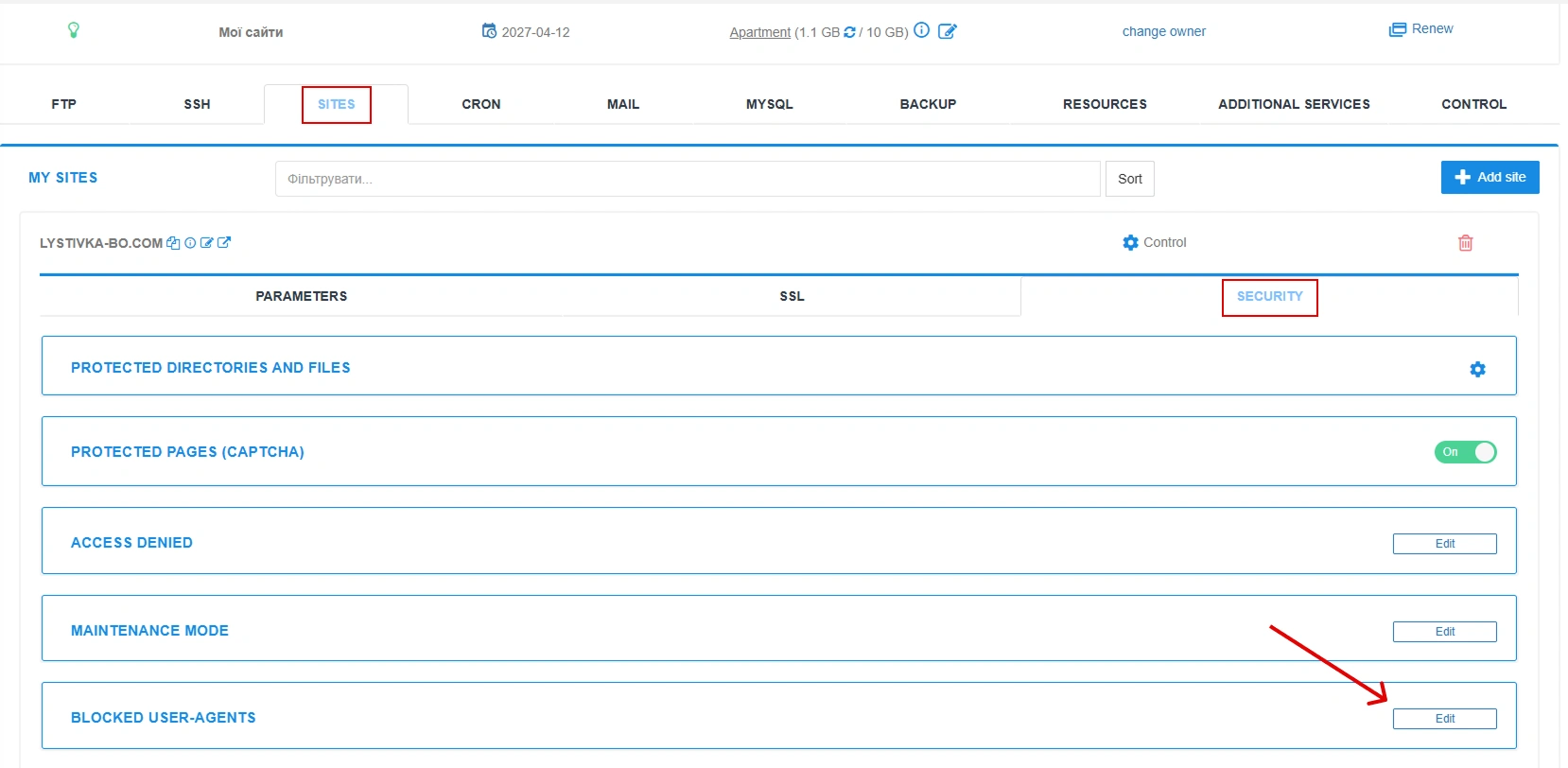
To do this:
- Open cp.cityhost.ua → the «Sites» tab.
- For the required site, go to the «Security» tab.
- In the «Blocked User-Agents» section, click «Edit».
- Add the bot's name to the end of the list and save changes.
Cityhost already blocks common harmful bots by default. You can check if the blocking worked in Web SSH with the command curl -I "https://your-site.com" -A "CCBot": the response should have a code 403.
Important! Do not add Googlebot, bingbot, and search AI bots to the list, otherwise the site will lose traffic from search and visibility in AI responses. And blocking scrapers that disguise themselves as browsers will not stop them by User-Agent.
Read also: Bad bots: how they harm the site and how to block them
Enable training prohibition in Cloudflare
Cloudflare stops bots before they reach hosting, and the necessary tools are available on the free plan, which I have been using for 1.5 years:

- Add the site to Cloudflare and change the domain's NS servers to those it provides.
- Open your domain → Security → Settings.
- In the group filter, select Bot traffic.
- Click Configure AI bot policies.
- For Training, select Disallow, and for Search and Agent, leave Allow (do not block).
- Click Save.
The Disallow option blocks training bots from Amazon, Anthropic, Meta, and OpenAI, while Googlebot, Applebot, and Bingbot continue to index the site for search.

The Enable Bot Preference Sync switch adds Cloudflare rules to the beginning of robots.txt. If you have already prohibited Google-Extended and Applebot-Extended in your own robots.txt as described above, leave it off to avoid rule duplication.
Important! As of September 15, 2026, the Block and Block on pages with ads options for Training also stop Googlebot, Bingbot, and Applebot. Therefore, for training prohibition, choose Disallow.
Is it possible to completely stop harmful AI scraping
No. Some bots disguise themselves as regular visitors, and it is impossible to identify all of them on a small site. Cloudflare described how Perplexity switched to the Chrome browser User-Agent and changed IP addresses after being blocked, and this was only discovered after analyzing data from millions of sites. However, the described methods still allow you to get rid of most bots.
Just don't rush into action. My test showed that the fear of AI scraping is often greater than the actual harm: AI bots accounted for only 3.2% of requests, while vulnerability scanners and background tasks in WordPress overloaded the processor. Therefore, do not block everyone indiscriminately. First, find out what exactly is loading your hosting, and address that specific issue, and only limit AI bots when you find them in the logs. And check the request log at least once a month to promptly notice new bots.