

- What is shared hosting and why did it require new solutions
- What CMS changed in the operation of websites
- Isolation of neighbors on a shared server
- What does this give for optimization
The early web was quite simple: websites consisted of static HTML pages that the server delivered upon request from the browser, and that was it. Over time, they began to accumulate videos, databases, large product catalogs, and collections of files. Personal accounts, shopping carts, online payments, and other features emerged, requiring more and more resources. Along with websites, hosting had to evolve: becoming more powerful and finding new ways to process requests. It was a kind of race — as soon as something new appeared on the web, servers had to learn to work with it.
In 1998, a typical website could consist of several HTML files. Ten years later, in 2008, a single WordPress page could already run hundreds of PHP functions and dozens of SQL queries. By 2018, complex JavaScript frameworks, numerous APIs, third-party services, videos, and personalized content were added to this. By 2028, websites will likely use AI even more actively, generating some content in real-time and adapting the interface to specific users. This is a huge evolution, and it continues.

What is shared hosting and why did it require new solutions
Shared hosting is one of the most common types of hosting. It hosts a lot of things — from personal blogs to small shop websites. Typically, hosting of this type immediately provides the option to install or obtain a pre-installed CMS. If you have been looking for hosting, you have probably seen offers like “WordPress hosting,” “Online stores on website builders,” etc.
At the beginning of the internet's history, to host a website, you needed to have your own server or rent it entirely. Shared hosting solved the problem of the high cost of such servers. If you want to sell, say, craft paper in a small shop, thousands of dollars for a personal server are simply not affordable. But besides that — you would never use all its capabilities. Excessive and expensive. Thus, the new type of hosting allowed hundreds of websites to be hosted on one server instead of one, significantly reducing costs.

Erols Internet rates for hosting in 1997–1998. Even the basic package with 25 MB of disk space cost $400 for connection and another $480 per year. Such prices seem outrageous, but at that time, business hosting was a complex and expensive service aimed primarily at companies. Source: JeremyPerson.com.
The essence is simple: instead of allocating a separate computer for each client, one server shares its resources among many websites. They all use the same processor, RAM, disk, and network connection. Why was this possible? There are two answers: load characteristics and the very idea of virtual hosting.
Most websites create a small load most of the time. Visitors come unevenly, and peak periods for different projects usually do not coincide. Therefore, the resources of one large server can be distributed among many websites: while one uses more power, others may simply not need it.
The second thing that made such a model possible was the mechanism of virtual hosting.
A significant role in the development of shared hosting was played by the HTTP/1.1 standard, published in 1997. It made the Host header mandatory, through which the browser informs the server which specific domain it is addressing. As a result, one server and even one IP address could serve many different websites. This not only reduced hosting costs but also helped slow down the depletion of IPv4 addresses.
The web server determines which domain the user has accessed and delivers the corresponding site. For the owner, it looks as if he has a separate space for his project, although the processor, memory, and disk are actually shared among dozens or hundreds of clients.
This model made the web truly accessible. Launching a website no longer meant buying your own server — it was enough to rent a small part of an existing one.

A separate page in the history of accessible web hosting is GeoCities — one of the most famous free hosting services of the 1990s. Users received 1 MB of disk space and could create their own page without purchasing a server or deep technical knowledge. Websites were distributed by thematic “neighborhoods”: for example, pages about technology settled in SiliconValley, while those about movies and celebrities were in Hollywood. As a result, GeoCities turned into a huge digital city with bright backgrounds, animated GIFs, visit counters, and signs saying “Under construction.” More about this legendary service and the internet of the 1990s is covered in our video.
But this system works well only when all “neighbors” consume approximately the same amount of resources. However, with the spread of dynamic websites and CMS, maintaining this balance became increasingly difficult. One project could create hundreds of PHP processes, constantly query the database, or sharply increase the load during spikes in traffic.
What CMS changed in the operation of websites
CMS became one of the most common types of dynamic websites. Unlike static pages, they generate HTML using program code, data from the database, and installed modules.
As users, we don’t care what happens inside the website. We notice problems, but we never think about internal processes unless the site hangs in the middle of buying train tickets.
Initially, most websites consisted of regular HTML files. If the text on a page needed to be changed, the administrator would open the file and edit it manually.
CMS (Content Management System) changed this model. Instead of a set of ready-made pages, the website became a program. Texts, page structures, and settings began to be stored in a database, while images and other files were stored in the website's storage. During each request, the CMS assembled a ready page from these components.
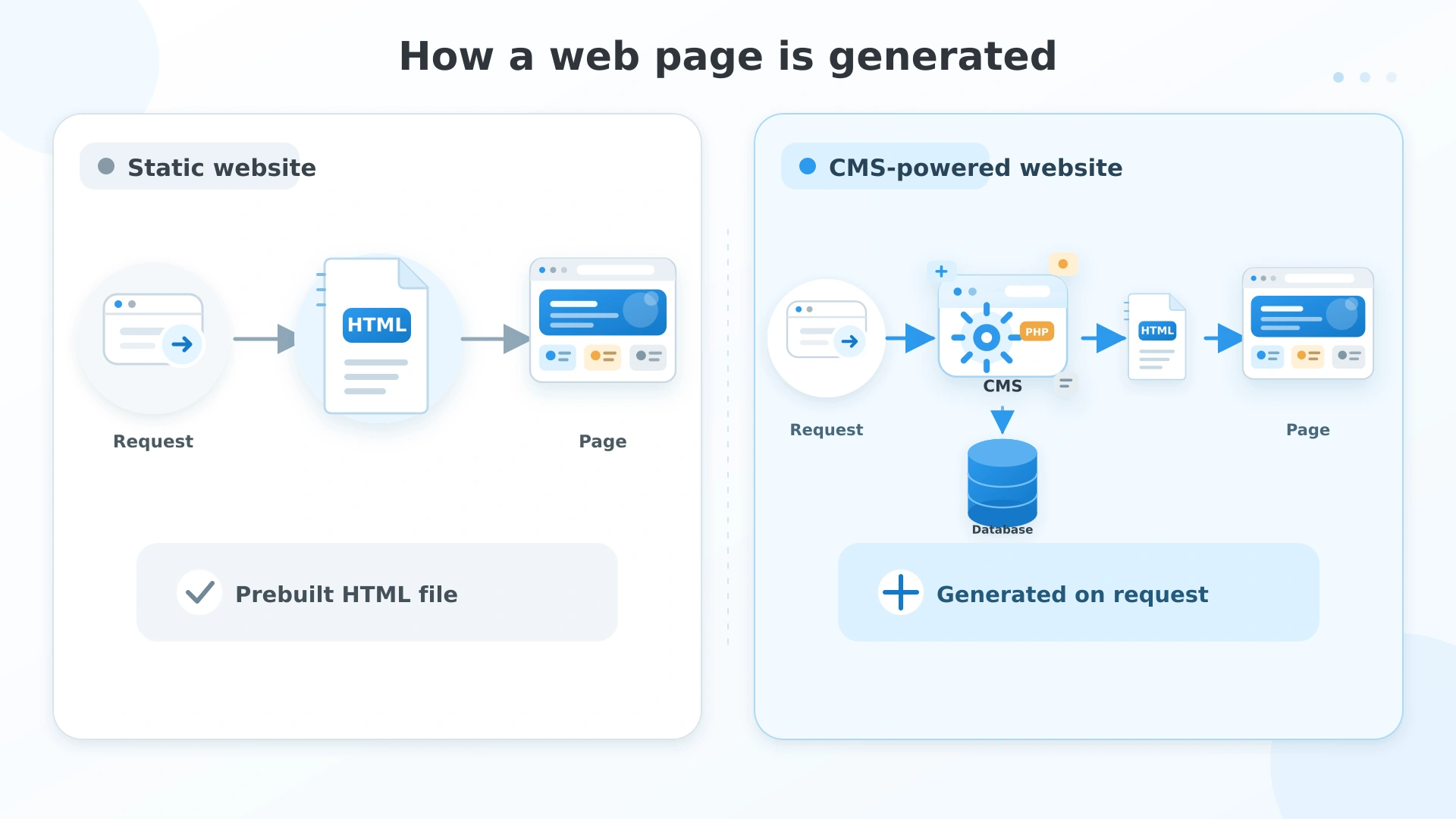
For the website owner, this meant that it was no longer necessary to know HTML to publish news or write an article. One could manage on their own or appoint a content manager who is not a web designer, is cheaper, and can handle it quickly. For the server, however, each page view suddenly became a much more complex task: we remember that the server did not just deliver the page, pulling it from the library; it recreated it. Therefore, it was necessary to improve these processes to save resources and simplify the path.
OPcache: saving CPU time
When a user opened a WordPress page, the same work was performed each time. It happened like this: PHP read dozens of files from the disk, converted them into an internal representation (bytecode), and only then executed.
So even if the website code did not change at all, the server performed the same preparatory work with each request. OPcache began to store the already compiled code in memory. Subsequently, PHP could execute the program immediately, bypassing several costly stages.
In fact, the server stopped “re-reading the book” every time before responding to the user.
The first opcode cache for PHP was created by Zend Technologies back in 1998. It was called Zend Optimizer (later Zend Optimizer+). In 2013, the co-founder of the company and one of the co-authors of modern PHP, Zeev Suraski, proposed to open the source code of Optimizer+ and include it in PHP 5.5. After integration, the component was named OPcache.
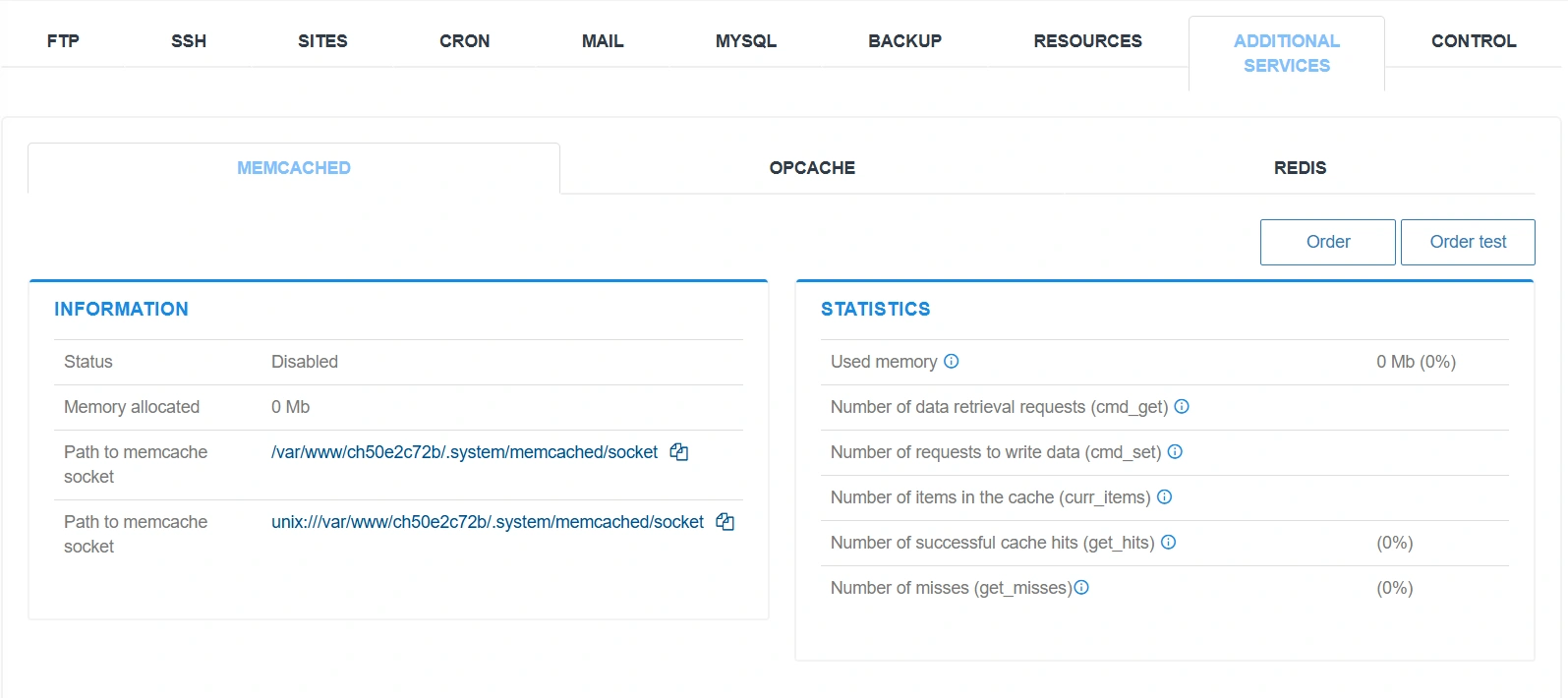
By the way, in the Cityhost.ua hosting control panel, there is an option to enable caching tools in the Sites — Additional Services section.
Read also: Caching services for websites: Memcached, OPCache, Redis
Page cache: savings on page regeneration
For most visitors, the main page is the same. But we again recall that the CMS can request the database anew each time, query plugins, and regenerate HTML.
So the next question was, why create a page from scratch that is almost always the same? It also needed to be cached. After the first request, the server saved the already prepared HTML, and the CMS did not need to start at all to show this page. Less load on the processor and databases, lightning-fast response from the website — everyone is happy.
But what if the page changed? For example, a new article appeared in the blog that needs to be displayed in the news block on the main page — and this is no longer the same page. And here, optimization had to find an answer to the question of when it is possible not to start the CMS at all, and when the main page needs to be regenerated again.
This gave rise to the meme about the hardest things in programming. The quote belongs to Phil Carlton (an employee of Xerox PARC): “In programming, there are only two really hard things: cache invalidation and naming.”
Object cache: savings on database queries
A dynamic website constantly queries the database, no matter what happens, from comments to changing a product category. And queries are again costly, but often pointless, because a certain page can be the same for months.
Object cache allows you to remember the results of individual database queries. If the application already knows what categories exist or what value a certain setting has, there is no point in bothering MySQL every time.
Here we can refer to another interesting story — Memcached, a system created not for CMS but which solved a similar problem. It was invented for Livejournal, a site with a huge number of personal diaries, where all our acquaintances once hung out. They had a problem: the database could not cope with the load, although a huge number of queries returned the same results. Engineer Brad Fitzpatrick and his colleagues wrote a small service that simply remembered responses in RAM. This solution quickly proved to be universal, and it began to be used by almost all large PHP projects.
Read also: Plugins for WordPress that should be installed right away — a checklist for launching a website
PHP-FPM: savings on processes
Even if the code was already compiled and some data was cached, there remained one more problem.
Initially, PHP usually worked through CGI (Common Gateway Interface). For each HTTP request, the web server launched a separate PHP process, executed the script, and immediately terminated it. Hundreds of visitors on the site meant hundreds of new processes, significantly increasing the load.
The first step was FastCGI. Its idea was simple: do not restart PHP for each request. Instead, the server maintained several already prepared PHP processes and simply passed new requests to them.
Later, PHP introduced PHP-FPM (FastCGI Process Manager) — a process manager that automatically created, terminated, and scaled a pool of PHP processes depending on the load.
As a result, the server stopped wasting resources on constantly creating new processes and could serve a large number of simultaneous visitors much more efficiently.
Isolation of neighbors on a shared server
In shared hosting, hundreds of websites run on one server and share resources. If one of them suddenly received a large spike in traffic or ran a faulty script, it could affect all neighbors.
In 2010, CloudLinux, led by Igor Seletskiy, proposed a solution. Although process isolation mechanisms already existed in Linux, CloudLinux adapted them to the needs of hosting providers. The LVE (Lightweight Virtual Environment) technology allowed setting individual limits on CPU, memory, disk, and the number of processes for each account.
After that, a problematic website could only slow itself down, while the server continued to operate normally. At this point, the hoster could offer to purchase additional resources for an account that systematically experiences overload.
What does this give for optimization
Now there will be an illustrative model. I asked AI to estimate how much resources a website could consume WITHOUT optimization if it worked with modern graphics, catalogs, and plugins. These are not exact figures, as everything depends on what CMS is on the site, what plugins, how many people visit it, etc. But the order of numbers may be similar.
Let’s take a hypothetical popular news website with a million page views per day. This is an average of about 12 views per second, but during peaks, it can be ten times more.
Assuming that without any optimizations, creating one page takes the CMS about 300 milliseconds. This time includes executing PHP code, working with plugins, querying the database, and generating HTML.
Over a day, this amounts to:
1,000,000 × 0.3 seconds = 300,000 seconds, or approximately 83 hours of total request processing time.
Now let’s imagine that the site uses a modern stack of optimizations.
- 95% of pages are served directly from the page cache and require only 2 milliseconds for processing.
- The remaining 5% are actually generated by the CMS, but thanks to OPcache, object cache, and PHP-FPM, their processing takes about 100 milliseconds.
The average processing time for a single request would then be:
95% × 2 ms + 5% × 100 ms = 6.9 ms.
For a million views, this is already:
1,000,000 × 0.0069 seconds = 6,900 seconds, or approximately 1.9 hours of total request processing time.
In this simplified model, the difference is over 40 times.
In monetary terms, the difference may not look like “a server for $50 versus a server for $2,” because the cost includes memory, database, disks, backups, network, and the ability to handle peaks. However, the order of magnitude is indicative: without these optimizations, a popular CMS website could require a farm of dozens of server cores, while the optimized version costs a few.
Read also: TOP-3 CMS for creating an online store
This is what allows hosting ordinary modern websites, which actually perform a lot of tasks all the time, on cheap small hosts, while users receive a website response in seconds rather than hours, as it used to be when the site was overloaded. Protection does not always work perfectly. We can still crash a site on the day of selling desired tickets, ordering a much-anticipated book, or if some hot news appears. And yet, for the most part, servers manage even with a large influx of visitors who are mass ordering something or scrolling.
It is hard even to imagine how many resources are collectively saved every day. However, now artificial intelligence has emerged, which consumes immense electricity, memory cards, and water for cooling. But probably, its development will also move towards optimization. Or not?