
- What is an information agent
- What are Google Information Agents in AI Mode
- How to set up Google Alerts in 2026
- Can RSS readers replace Google Information Agents
- What are chatbots with scheduled tasks capable of
- What professional brand and competitor monitoring services are available
- How to create an information agent in Make.com
- How to create an information agent: comparison of methods
On June 12, 2026, Google began rolling out information agents in AI Mode — a feature that monitors news in the background and alerts you as soon as something important appears. This changes the usual monitoring logic: you no longer enter queries into the search daily; the system searches for information, filters it, and sends you what you need. However, full access to this feature costs from $100 per month, so I checked other much cheaper methods: from classic Google Alerts to chatbots with scheduled tasks, and finally — I built my own information agent that does almost the same for two cents.

What is an information agent
An information agent is a program based on a language model that formulates what to pay attention to, scans sources in the background 24/7, filters out noise, and sends you a brief summary: what happened, why it’s important, and where it came from. The difference between an old notification and an agent is roughly like the difference between an alarm clock and an assistant who not only wakes you up but also brings coffee with a ready plan for the day.
For website owners, marketers, and SEO specialists, an information agent can save hours, increase efficiency, and prevent drowning in unnecessary information flow. Instead of checking ten websites every morning for news about Google updates or competitor releases, you delegate this routine to the system.
The only question is how autonomous a tool you are willing to afford — and how much it costs. Let’s start with what Google itself offered on June 12.
Also read: Will Google have to pay for content? How a British regulator's decision could change AI search
What are Google Information Agents in AI Mode
Information Agents are a feature within AI Mode, Google’s generative search based on the Gemini 3.5 Flash model, which creates a background agent to monitor a topic. The user simply specifies a topic, and the artificial intelligence independently scans the internet 24/7 and sends notifications with links as soon as it finds something relevant.
The key advantage of Information Agents in AI Mode is the clear and simple functionality. In AI Mode, you write a query in natural language, for example, “keep me updated on” or “alert me when,” and Google immediately creates an agent for this task.
According to Robbie Stein, Vice President of Google Search Products, the agent then works around the clock and sends detailed updates with links as soon as new information appears. Agents monitor blogs, news sites, social media posts, as well as real-time data on finance, shopping, and sports, and send push notifications to the Google app. All active topics are stored in the AI Mode history, allowing you to edit and turn them off.
The main barrier remains the price. As of July 6, 2026, the Information Agents feature is integrated exclusively into the Google AI Ultra subscription, costing $99.99 (4599 UAH) per month. Although Google announced an expansion of access for the AI Pro plan ($19.99/month) by the end of summer, there is no specific date yet.
The feature is technically available in all languages and in all markets where AI Mode is active — Ukraine is included in this list. However, access is currently tied to Ultra, and the best quality analysis is traditionally on English queries. So technically, you can get agents with an Ultra subscription, but paying $100 per month for one feature is a questionable decision in terms of cost.
How to set up Google Alerts in 2026
Google Alerts is the oldest free monitoring automation tool that requires no technical skills to use. As soon as a page with the specified word appears on the internet, the service sends an email (or can delay them, depending on the frequency you choose). It cannot analyze content, only compare text.
To test it in practice, I used three examples: a website owner in the hosting niche, my English-language project about mobile applications, and an owner of an online store selling remote-controlled cars in Ukraine.
A website owner in the hosting niche needs to know when changes occur in search engine algorithms, content management systems, plugins, or when new threats to web resources arise. To track news, we need to set up the following Google alerts:
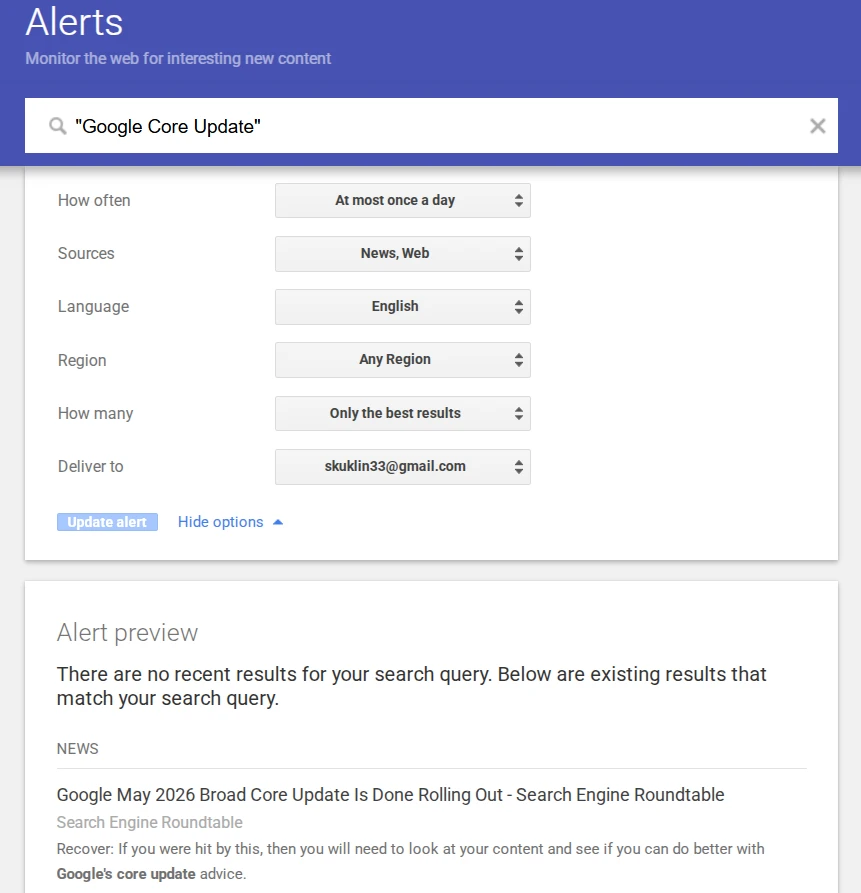
- On the Google Alerts site, enter the query in quotes in the search box so that the bot searches for the exact phrase: “Google Core Update.”
- Click Show options.
- Set: how often — “Once a day,” sources — “News” and “Web,” language — English, quantity — “Only the best results.”
- Click “Create alert.”
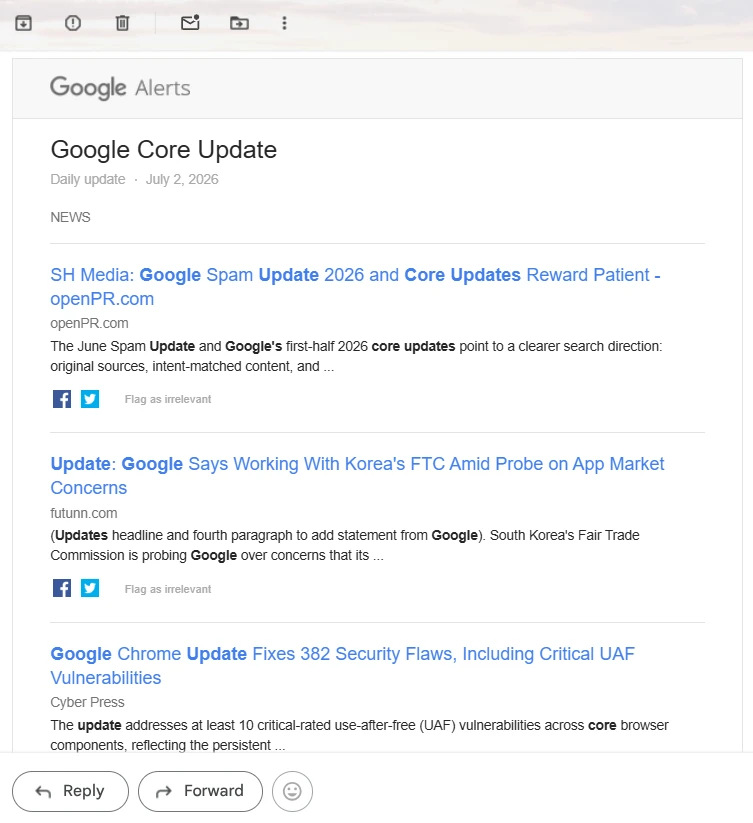
The screenshot shows an email with results/ Google indeed sends relevant news. However, it doesn’t always get to the point; for example, this message contains a completely different news item with the word Update, as well as about the Chrome browser update.
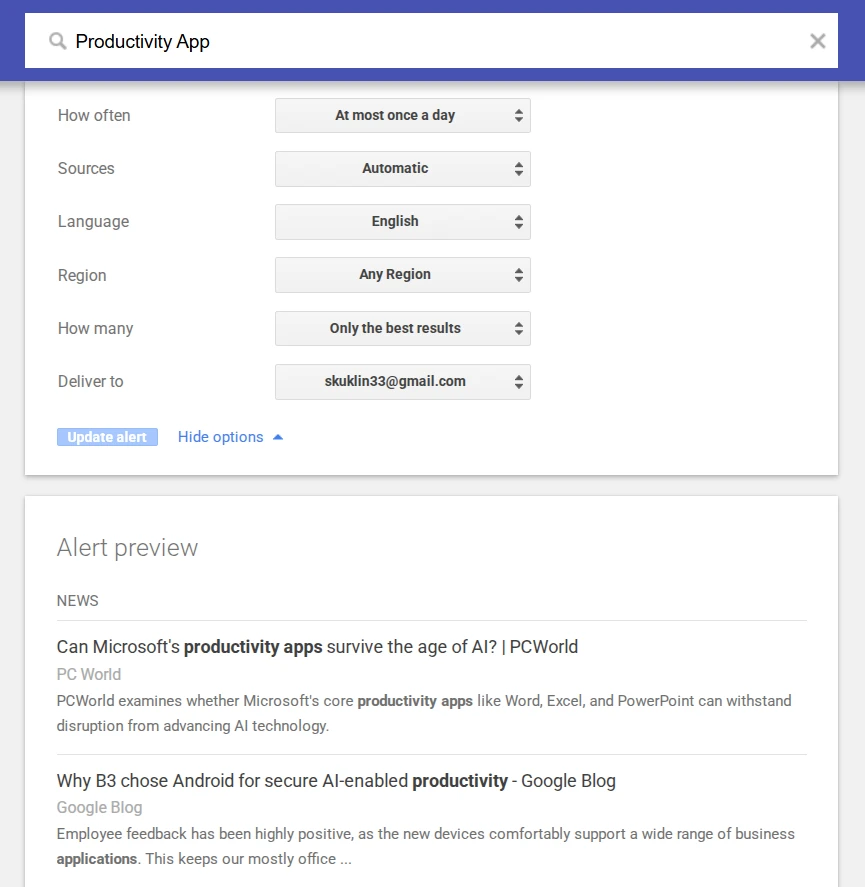
For my own English-language site about mobile applications, I need to see new features in existing apps and trends in the niche, find new projects. The settings are the same — exact phrase, English language, daily check.
For the owner of an online store in Ukraine, there are two separate tasks:
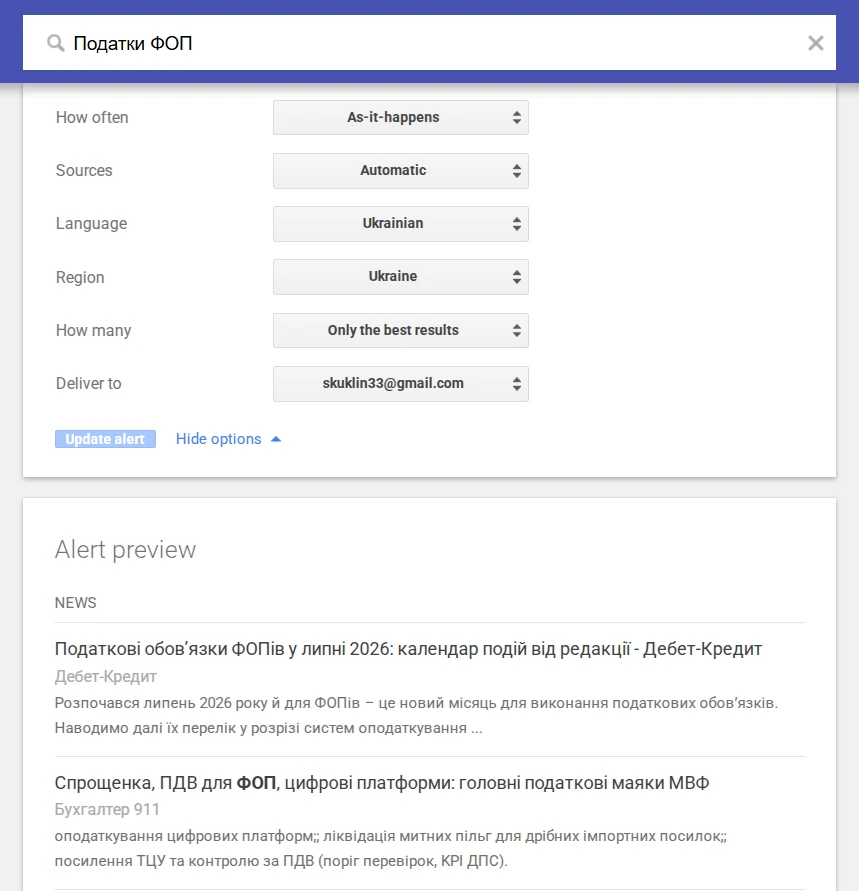
- Tax changes. We write the query “changes for FOP” or “taxes FOP,” language — Ukrainian, region — Ukraine. And we set the frequency not to “once a day,” but to “as results are found,” because tax news is often urgent.
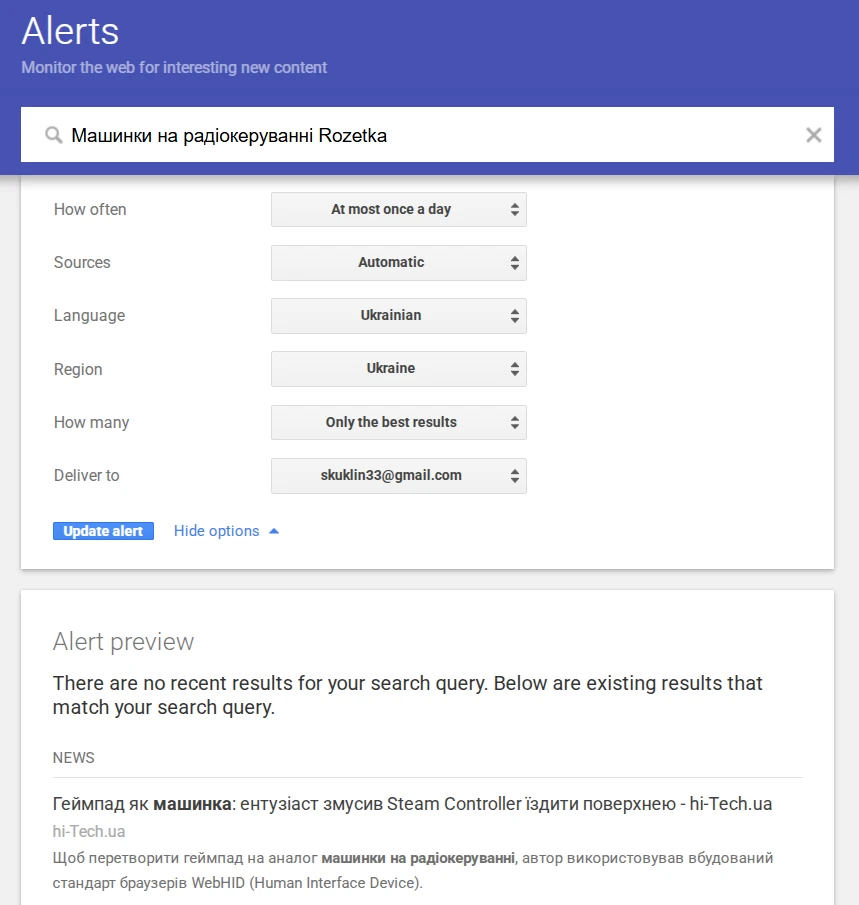
- Competitors on the marketplace. If the store sells, for example, remote-controlled cars on Rozetka, then we set up such an alert. Language — Ukrainian.
Google Alerts is indeed the simplest way to track news and competitors, but it has serious drawbacks. The bot sends many messages with so many links that even Gmail algorithms consider them spam. Additionally, there’s the volume: each email contains five or more news items, and all of them need to be opened and read manually. Moreover, the service won’t tell you whether the news is even relevant to your business and whether, for example, these changes in legislation are important for FOP group 3.
Can RSS readers replace Google Information Agents
An RSS feed is a technical channel where a website automatically posts the titles of all new materials immediately after publication, and the reader collects these feeds from various sites into one chronological line. I have already detailed how to choose an RSS reader and use it, so here I will only show the application to the same three tasks using Feedly.
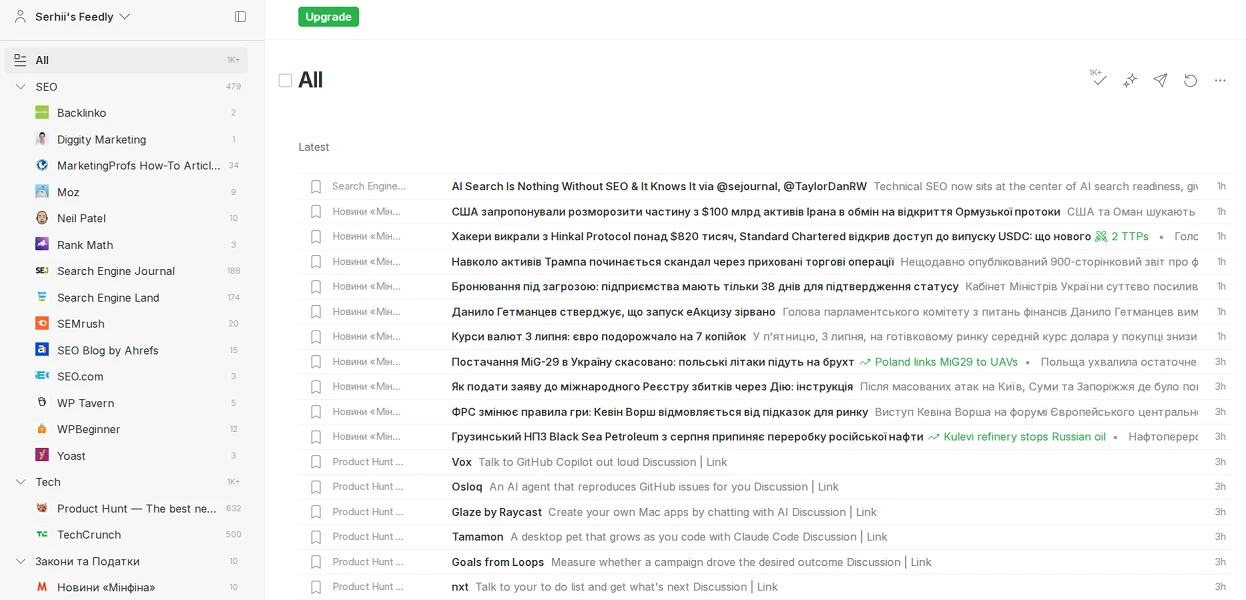
Among the advantages of RSS Readers for tracking news is the absence of spam in the mail, a clear hierarchy of folders, and prompt updates. However, you can see that in my folders, hundreds of unread news items have accumulated, and in a separate folder for another project, there are over a thousand.
The program collects hundreds of materials for you daily, but you still need to sit down, read, and decide how each piece of news affects your business. Therefore, RSS is more of a tool for those who want to see the full spectrum of news, while Information Agents are designed for those who only need the final conclusion.
What are chatbots with scheduled tasks capable of
The logical next step is to delegate monitoring not to a mechanical robot but to a language model that analyzes content. I set the same task for three chatbots — Gemini, ChatGPT, and Claude: to search for new mobile apps in my niches daily at 5:00 PM, analyze them, and give a verdict — write a separate review, add to a selection, make a short post, or skip.
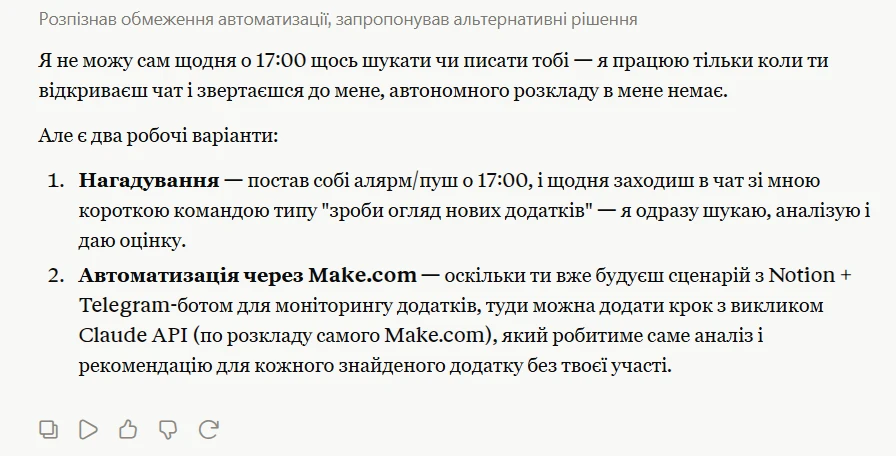
Claude immediately explained the limits of its capabilities: “I cannot search for something every day at 5:00 PM or write to you — I only work when you open the chat and address me; I don’t have an autonomous schedule.” It suggested two options — reminders or automation through Make.com.
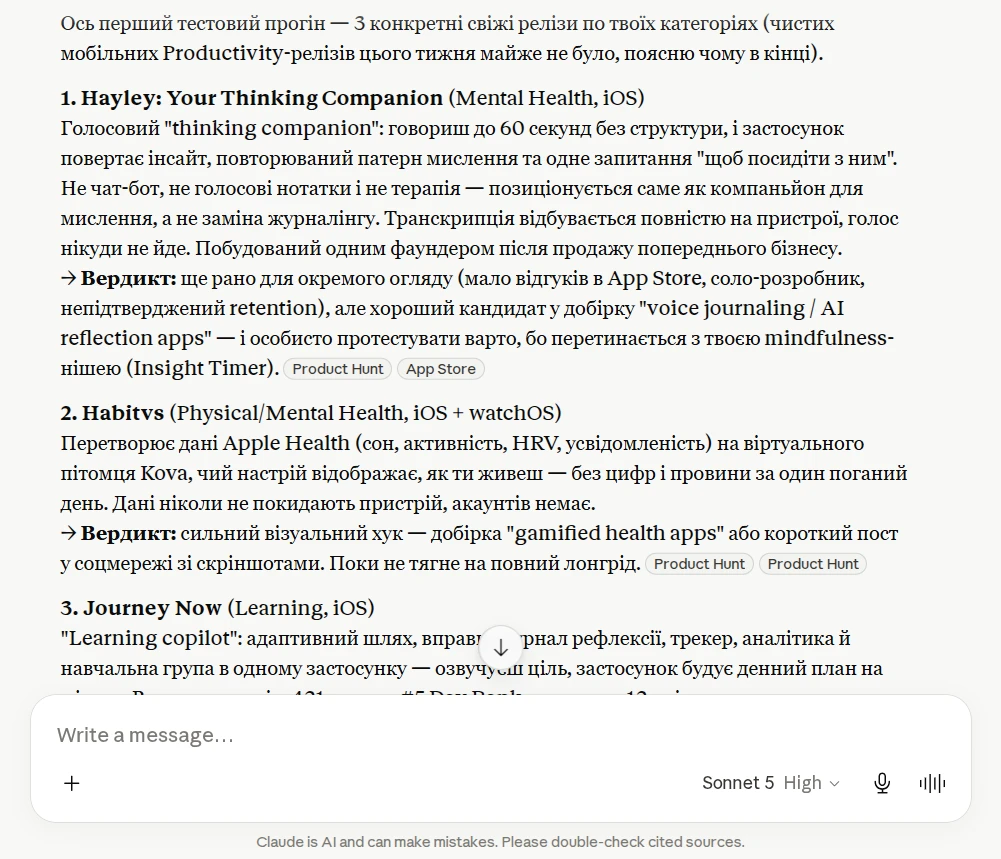
And immediately conducted a test: it found three fresh releases with verdicts according to my scale. The analysis was of high quality, but the problem remains — the bot would not do the same automatically at 5:00 PM.
Important! Claude has scheduled autonomous tasks, but only on paid plans and only through the desktop app Cowork or Claude Code, not the regular chat in the browser. If you have Claude Pro and the required desktop, I recommend testing this method.
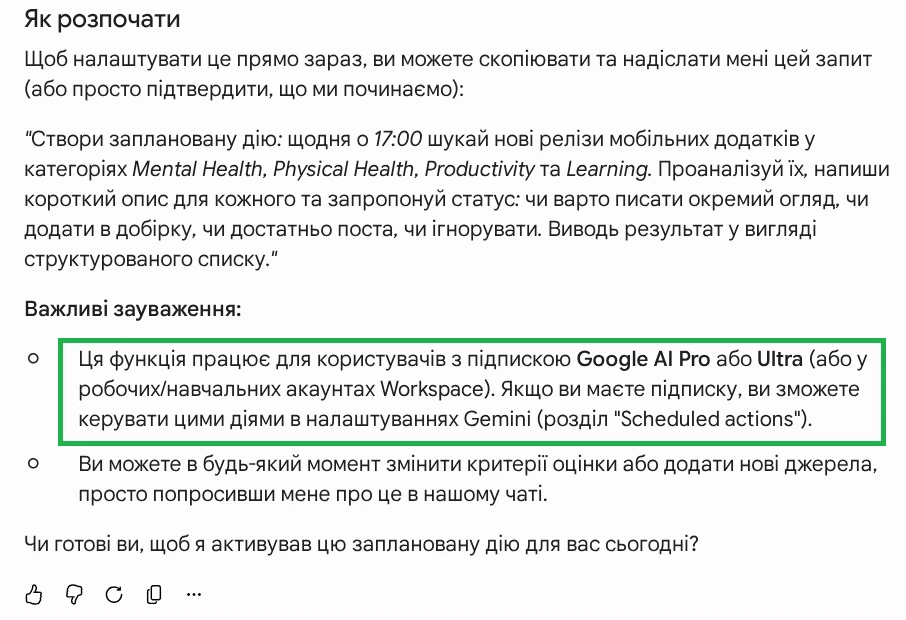
Gemini confirmed that it can perform the task through Scheduled Actions, and immediately clarified the condition: this feature works for users with a Google AI Pro or Ultra subscription. It allows you to set a task in natural language once and choose the frequency of execution, for example, daily at 8 AM. And it is available from $19.99 per month, which is significantly cheaper than $100 Ultra with full Information Agents, so it can be a good alternative until Google Information Agents are added to this same plan.
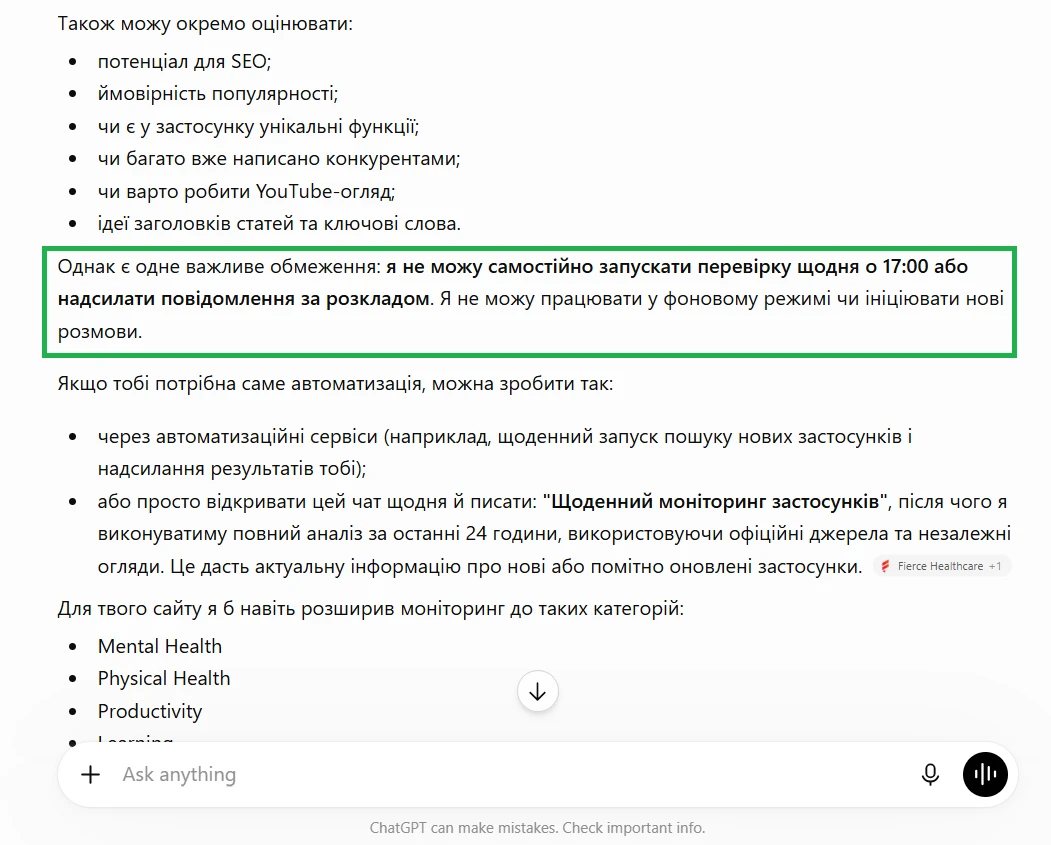
ChatGPT on the free plan responded directly: “I cannot independently initiate checks every day at 5:00 PM or send scheduled messages. I cannot work in the background or initiate new conversations.” As an alternative, it suggested either an external automation service or daily manual execution of commands in the chat.
Overall, chatbots with scheduled actions are one of the best ways to create an information agent that is as close as possible to Google Information Agents. But again, they are only available on paid plans starting from $19.99 per month. For free, you can only get quality manual analysis in any of the three chatbots: you log in daily and give the command yourself.
Also read: Safe dialogue with ChatGPT: what not to talk about with artificial intelligence
What professional brand and competitor monitoring services are available
The methods described above are universal tools for any topic. If your main task is to monitor a brand, reputation, or competitors at a professional level, there are specialized services.
On the Ahrefs service, there is a separate tool Alerts that monitors backlinks of competitors and mentions of your brand or keywords, as well as shows position changes for millions of keywords from the Ahrefs database. This is part of the standard subscription, which starts at $129 per month for the Lite plan. In 2026, Ahrefs is actively developing another product — Brand Radar, which tracks brand mentions not on the web but in AI responses from ChatGPT, Google AI Overviews, Gemini, and Perplexity. This is already a paid separate application with the main task of measuring the “AI visibility” of the brand.
Semrush also has two separate tools. Media Monitoring tracks mentions of the brand online with sentiment analysis (positive/negative/neutral). Its cost starts at $39 per month for 2 keywords. Brand Monitoring is a broader tool for tracking brands, competitors, and backlinks. The price starts at $79 per month for 3 queries, with filtering by sources (news, blogs, social media) and reach metrics. Both can be connected as separate applications without switching to the most expensive Semrush plans.
SEO specialists often use another specialized social listening tool, Brand24, which tracks mentions in social media, news, blogs, forums, and reviews, has AI sentiment analysis and anomaly detection (sudden significant increase in mentions). The price of paid plans starts at $249 per month with a 14-day free trial. Overall, the tool is great if your main task is reputation monitoring and quick response to negativity on social media.
In comparison with the tools I personally tested: all three services are significantly more expensive than Google Alerts or an RSS reader, but they provide ready sentiment analysis, social media reach, and structured reports for the team. However, they are more suitable for businesses with a marketing tools budget than for owners of small websites.
How to create an information agent in Make.com
Make.com is a visual no-code automation builder. You connect services together in the form of blocks: for example, news source → artificial intelligence → messenger. Each individual block is called a module, and the entire chain is a scenario.
I built and tested the service using my own site about mobile applications. The main goal is for the robot to find new apps in my niches, send them for analysis to Claude, and send a ready summary in Ukrainian to Telegram. The whole point of automation is to receive relevant news without spam from Google Alerts, plus additional AI analysis.
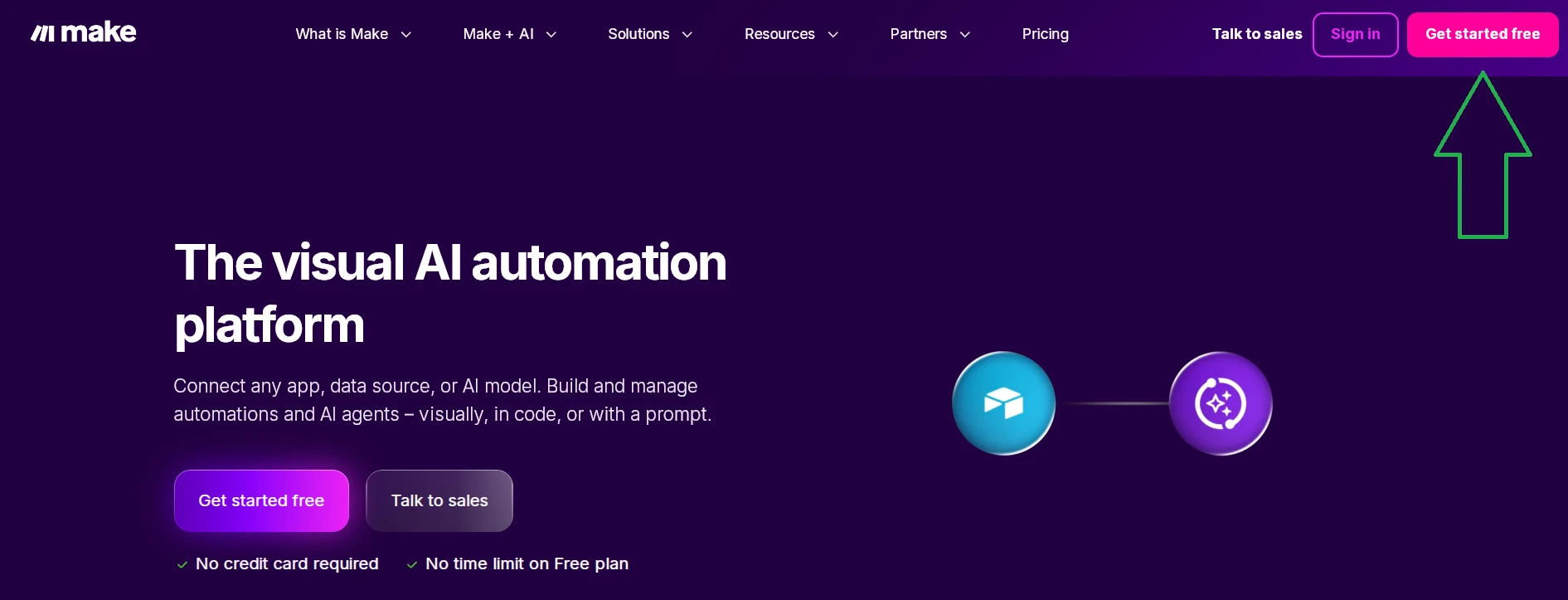
To create an information agent in Make.com, go to the main page, click Get started free, go through a quick registration (you can even use a Google account), and select Create scenario.
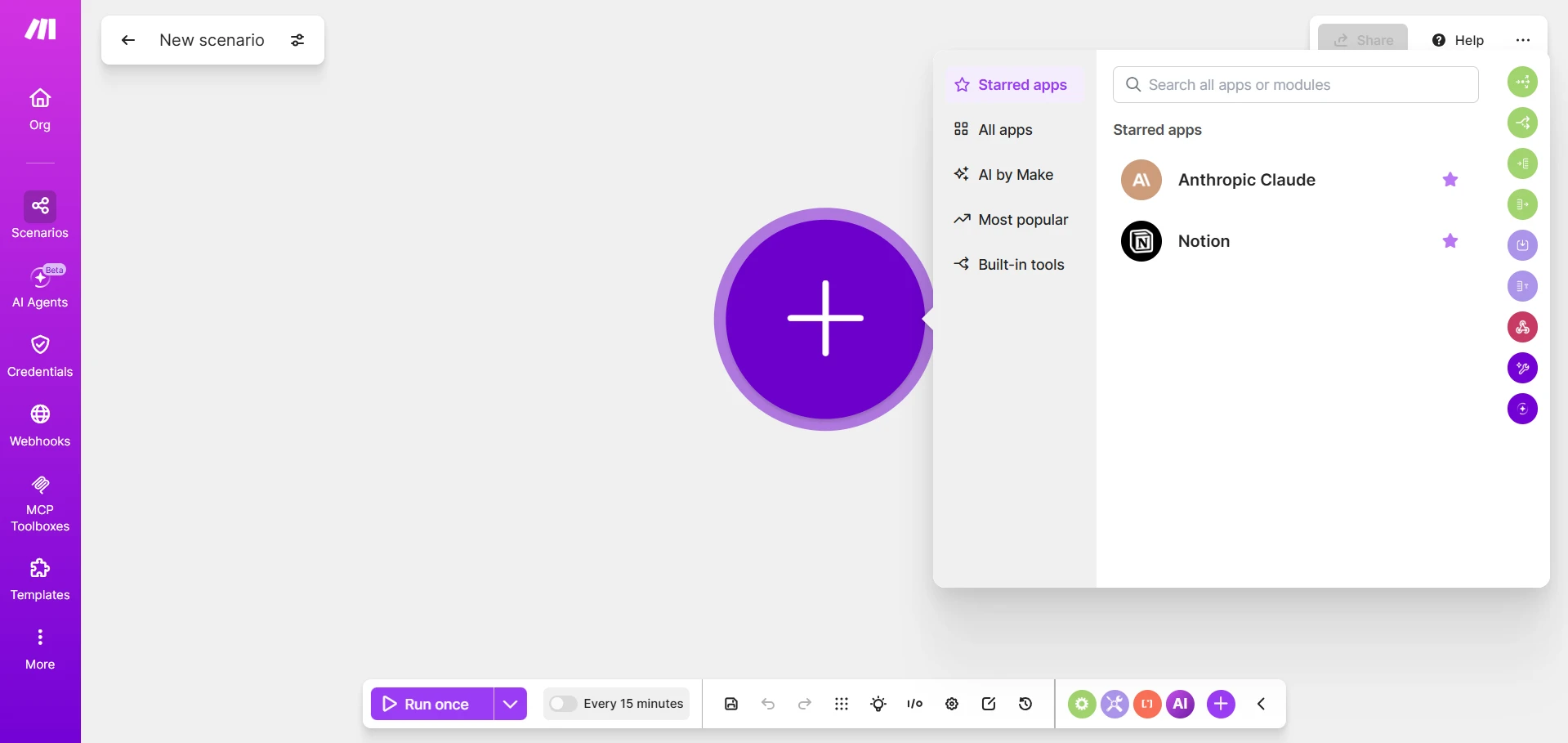
To understand the principle of creating an information agent in Make.com, let’s break down the simplest scenario:
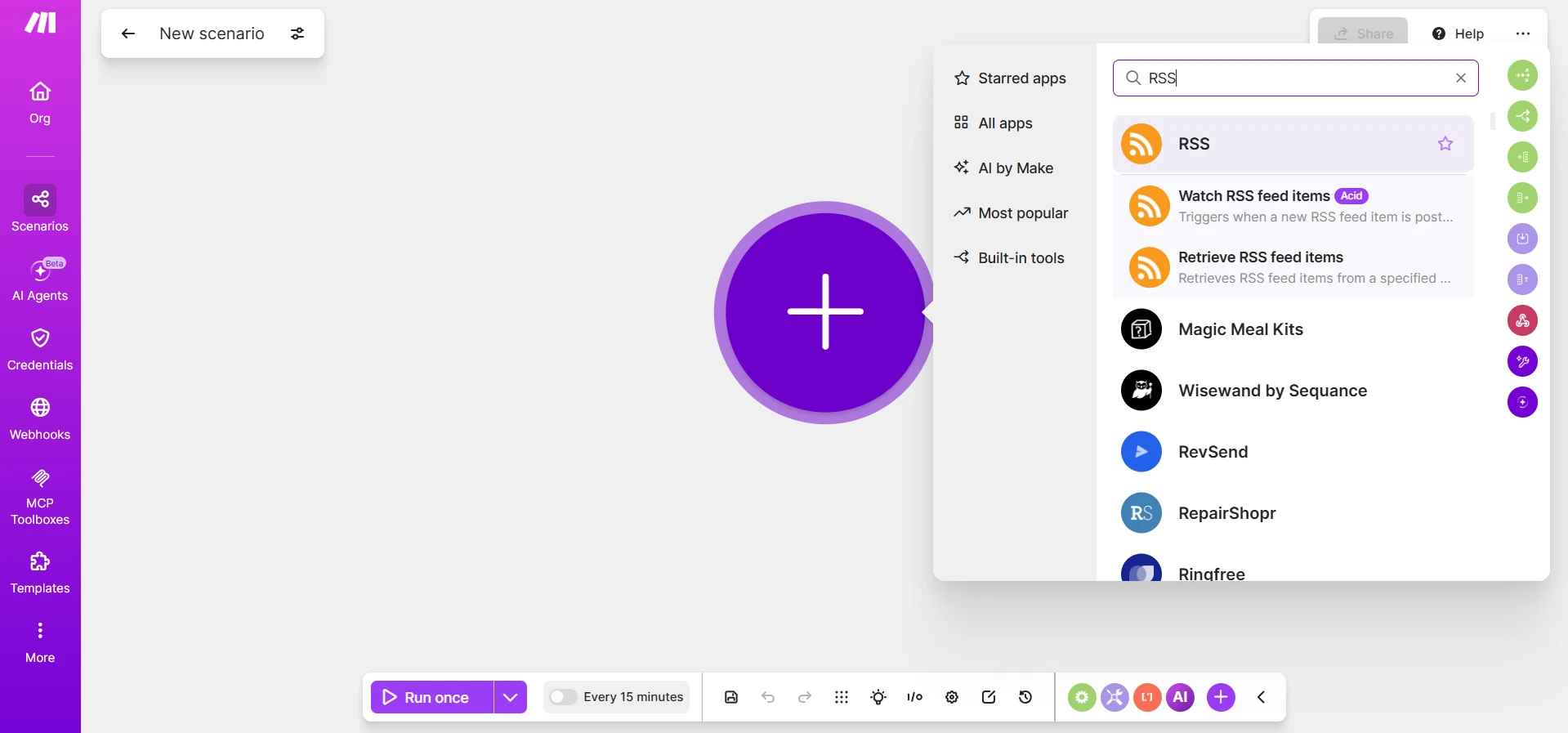
- Click on the plus → RSS → Watch RSS feed items.
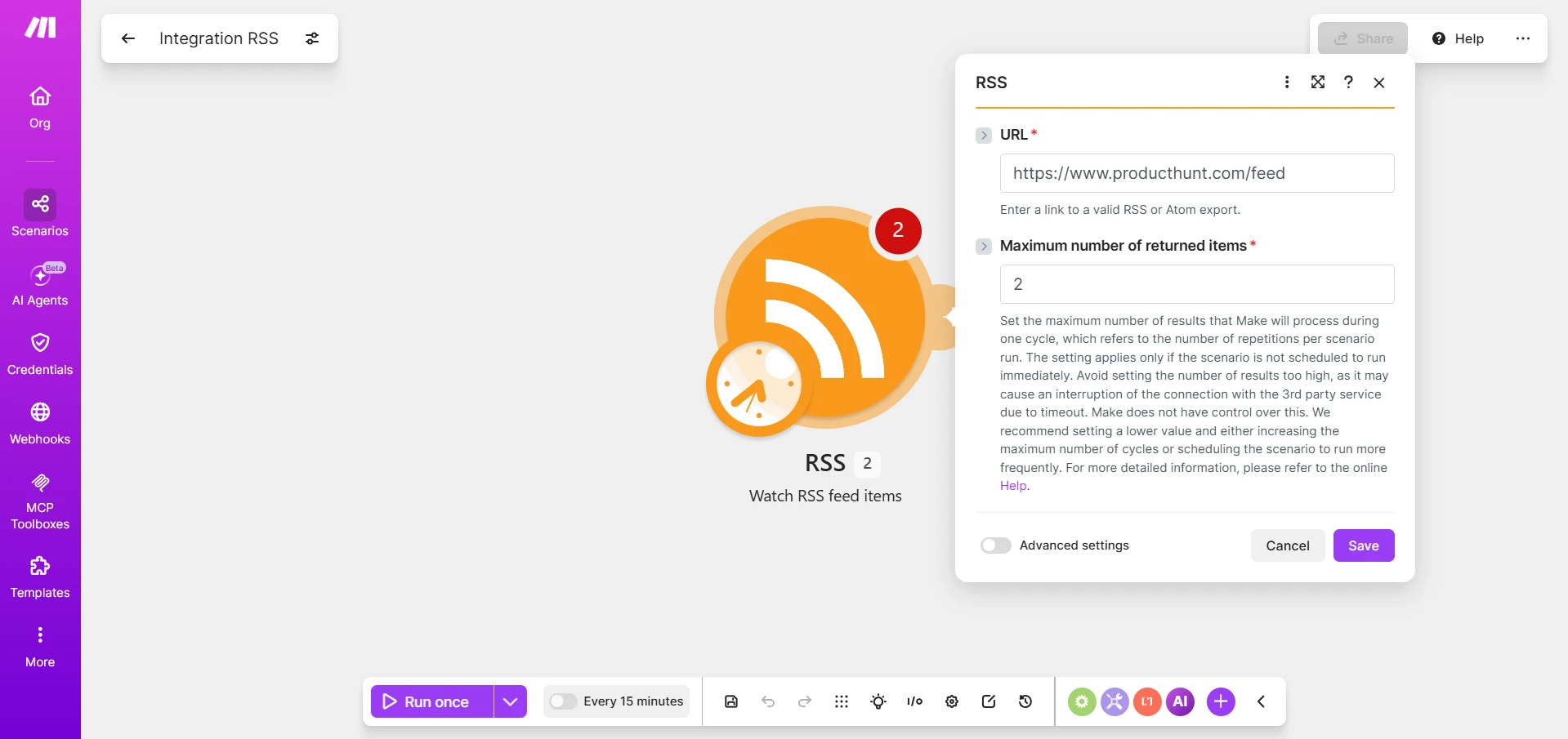
- Here, insert the RSS, for example, https://www.producthunt.com/feed.
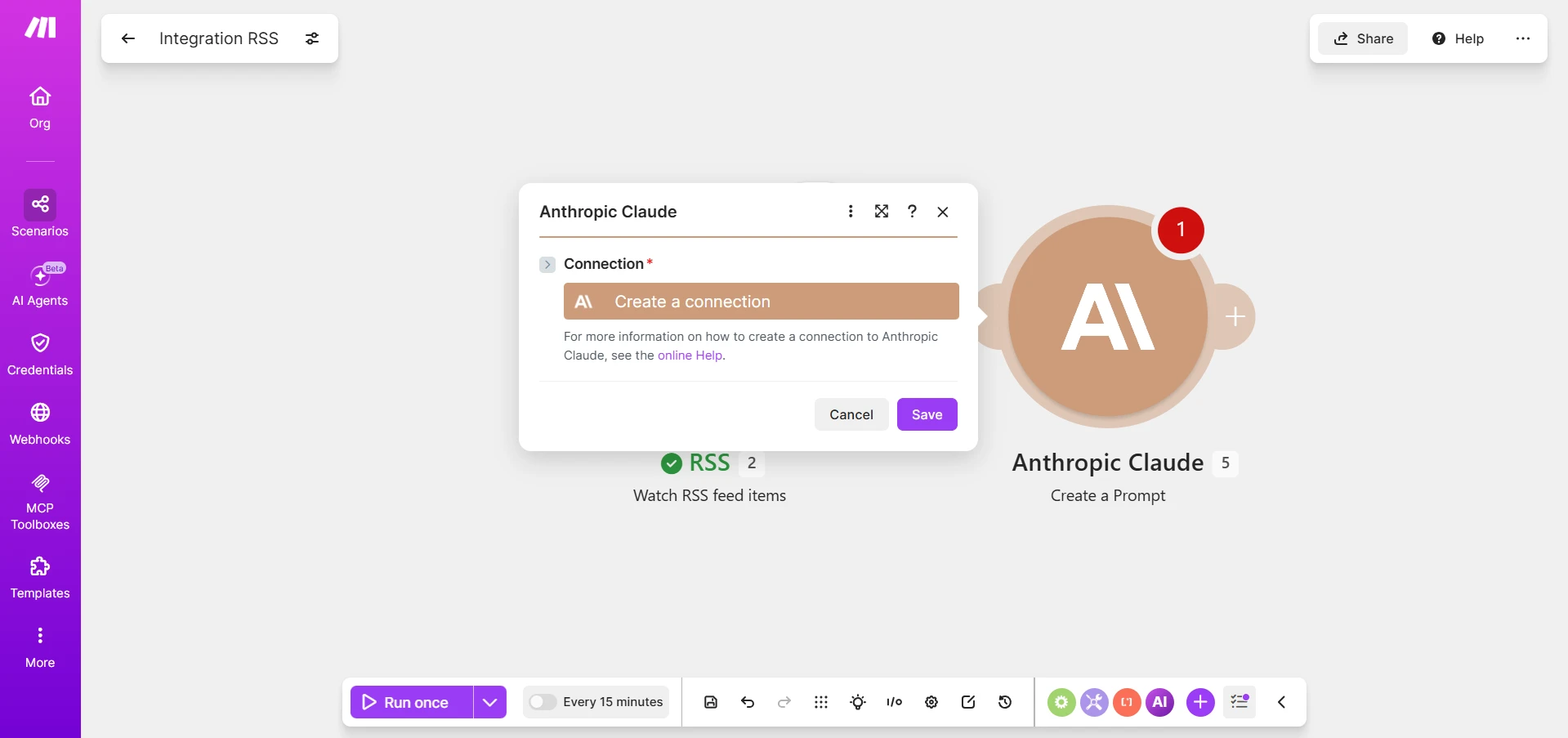
- Hover over the RSS circle → click “+” on the right (Add another module) → Anthropic Claude → Create a Prompt → Create a connection.
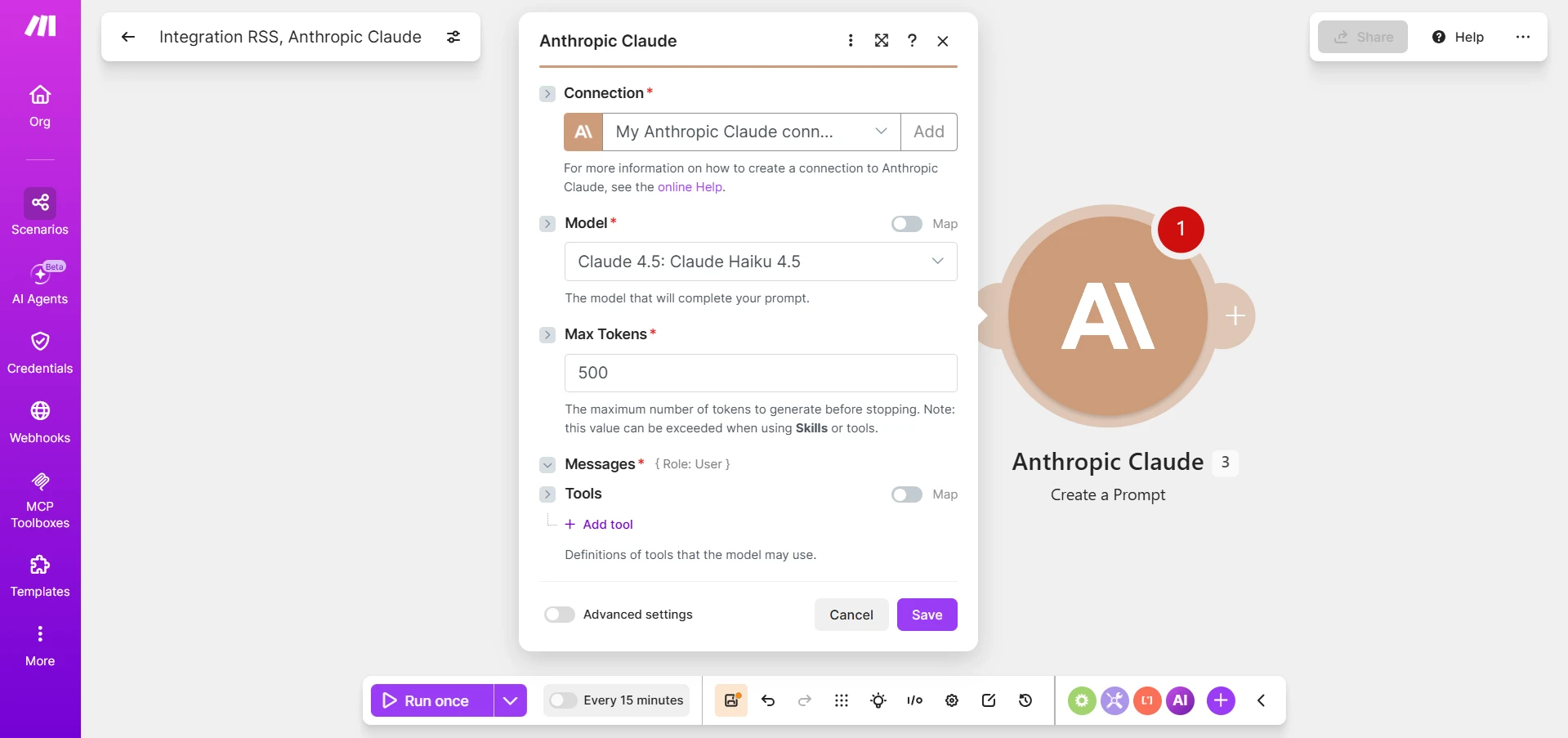
- Create an API key through console.claude.com, copy it and paste it into Make. You can find a step-by-step guide for connecting Claude API in the article about WordPress 7.0, where I connected AI.
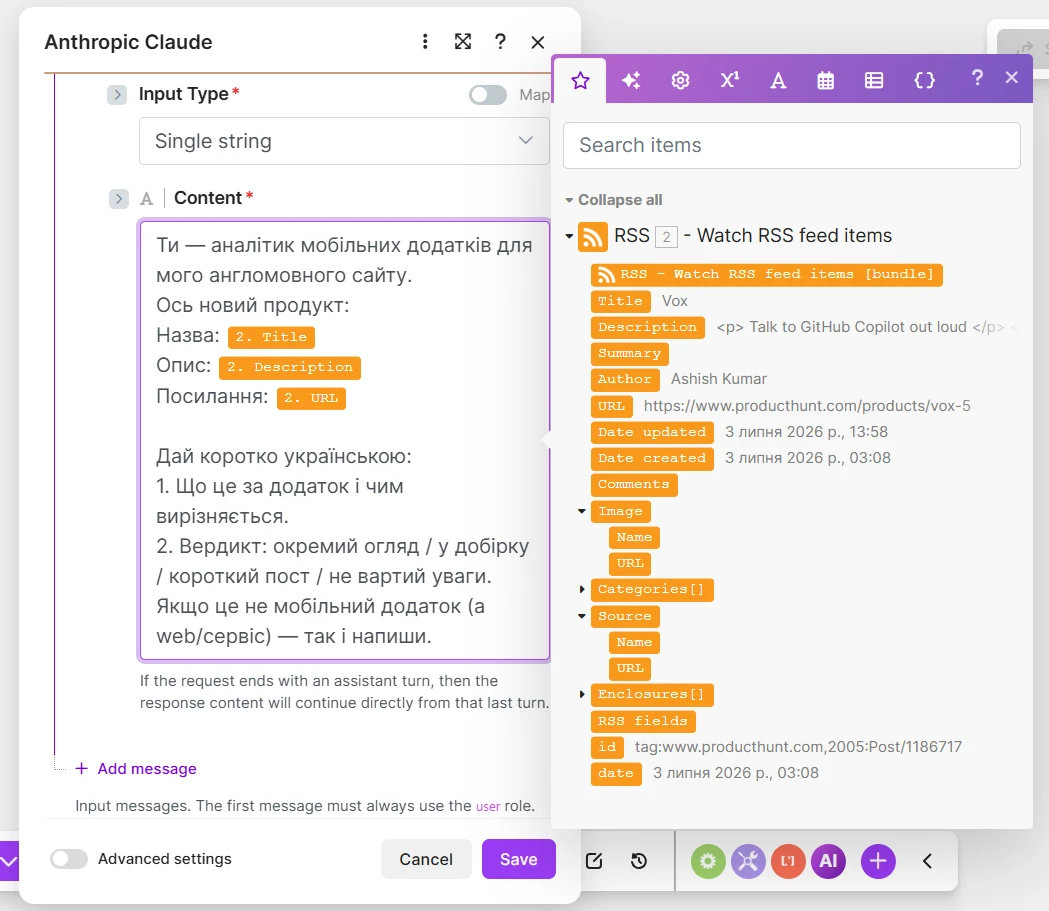
- Be sure to write the instruction in the Content field and substitute the Title and Description variables from the RSS module to receive messages in a readable format.
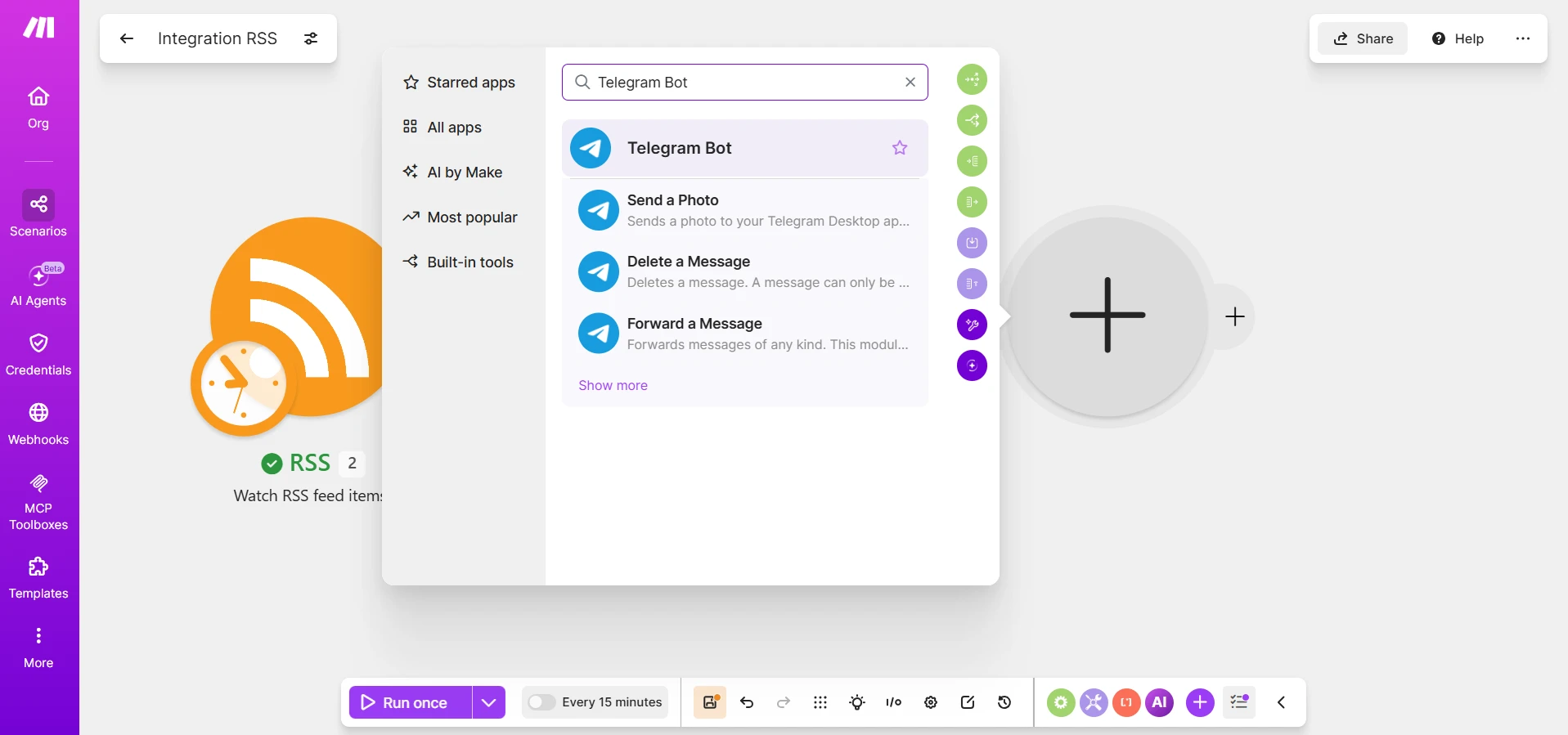
- To receive information, we will use Telegram. So again click on the plus → Telegram Bot → Send a Text Message or a Reply.
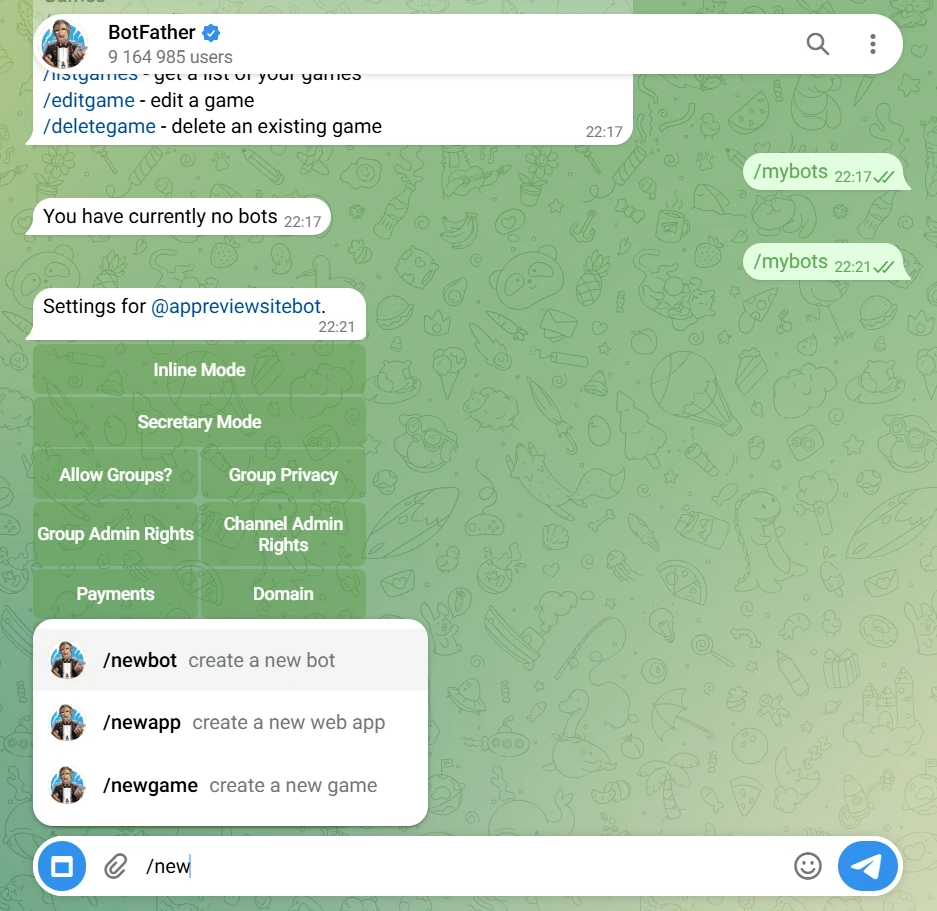
- To connect, you will need the Telegram bot @BotFather: find it in the search and type /newbot, after which create your own bot. And be sure to find it in Telegram and click Start; otherwise, it won’t be able to respond to us. Also, write to the bot @userinfobot → Start → it will show a number (ChatID).
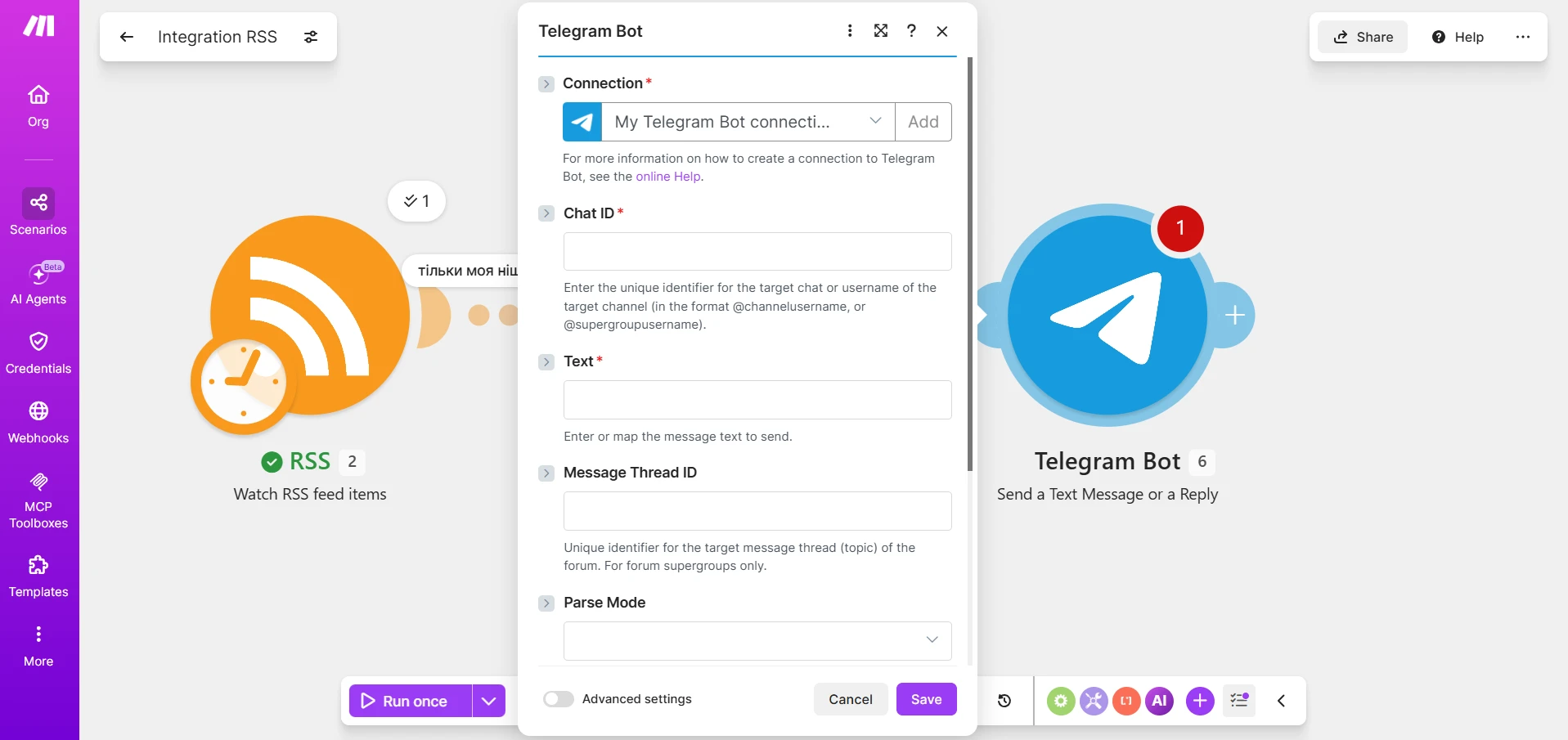
- Copy the received token → return to Make → paste it into Telegram Bot, and in the Text field, select the variable from Claude — Text Response.
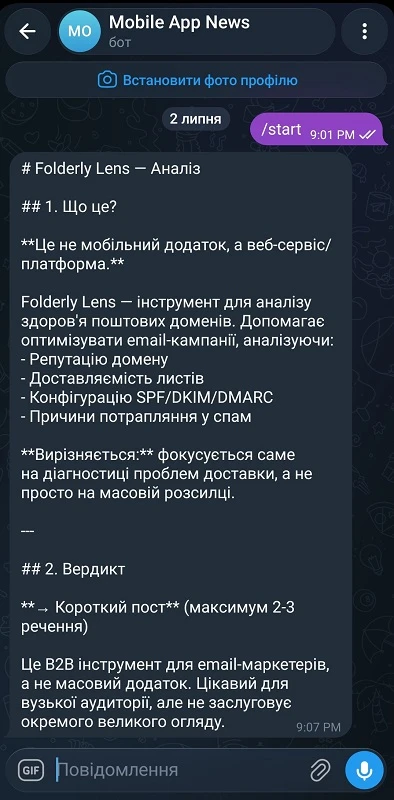
You have set everything up! Just click Run once and check for errors at each stage and whether the message arrived in Telegram. For example, I immediately received a message in the format we set up.
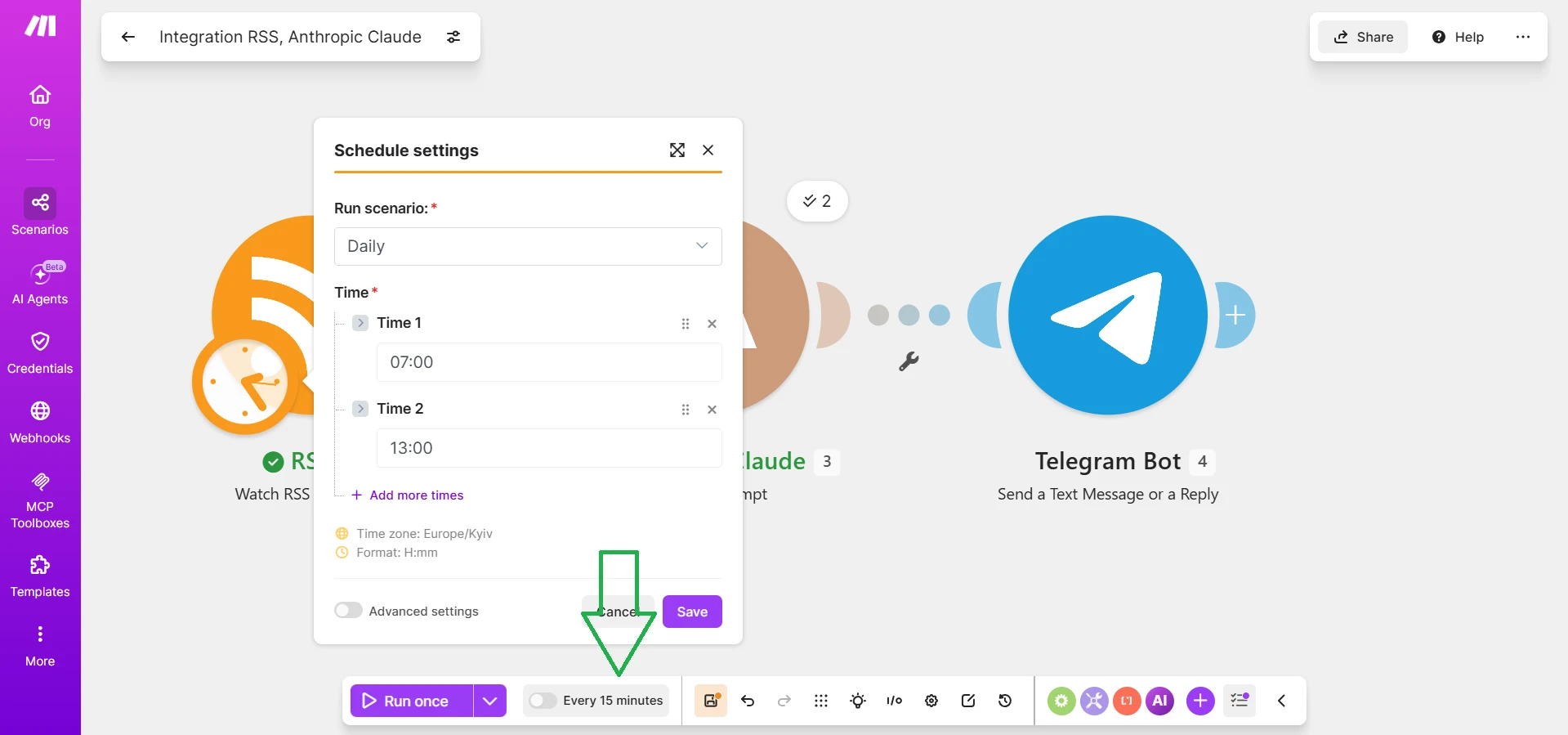
Now to automate the process. Under the Run once button, switch the Scheduling toggle to ON, choose the frequency (once a day or hour — no more frequent), and save the scenario. Now the robot works by itself, even when the computer is turned off, because the scenario runs on Make’s servers.
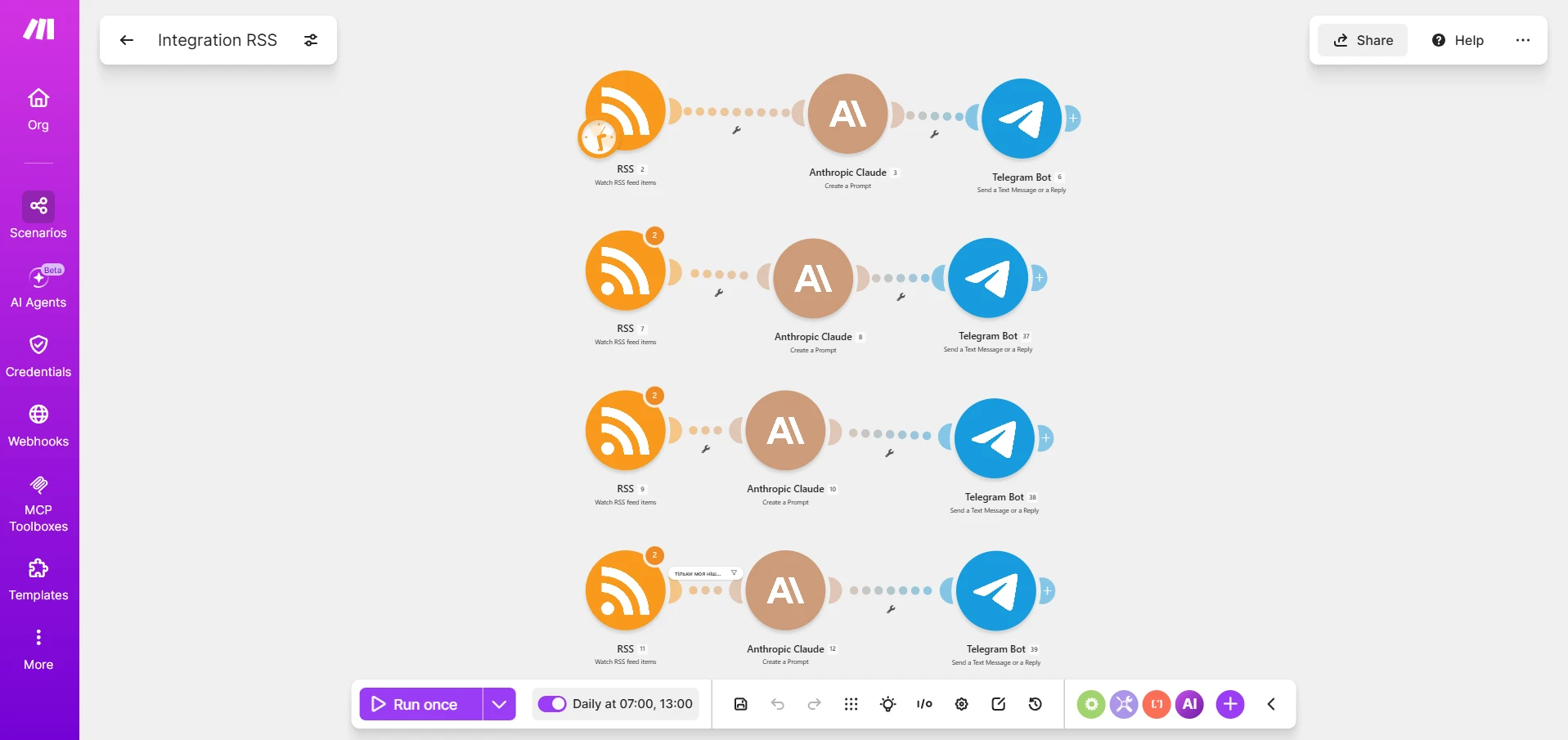
However, we created a simple version with one source and one niche to understand the logic of Make from scratch. But you can add multiple sources at once. One RSS module only monitors one link, so a separate starting module is needed for each new source. Just hold Shift, select all three circles → Ctrl+C and Ctrl+V, and then replace the RSS in the corresponding module with the new source.
Moreover — the last module doesn’t have to be Telegram. You can set Google Sheets, and Claude will maintain a table of found news with columns for “date,” “source,” “verdict.” You can connect Notion instead of a table and immediately fill the working database of the content plan. Or you can add a second AI module that will also translate or adapt the text for a specific publication format after Claude.

And the most interesting thing — during the entire testing period, Claude through the API spent $0.02. The next day, after testing, the automation worked twice, so the expenses rose to $0.04.
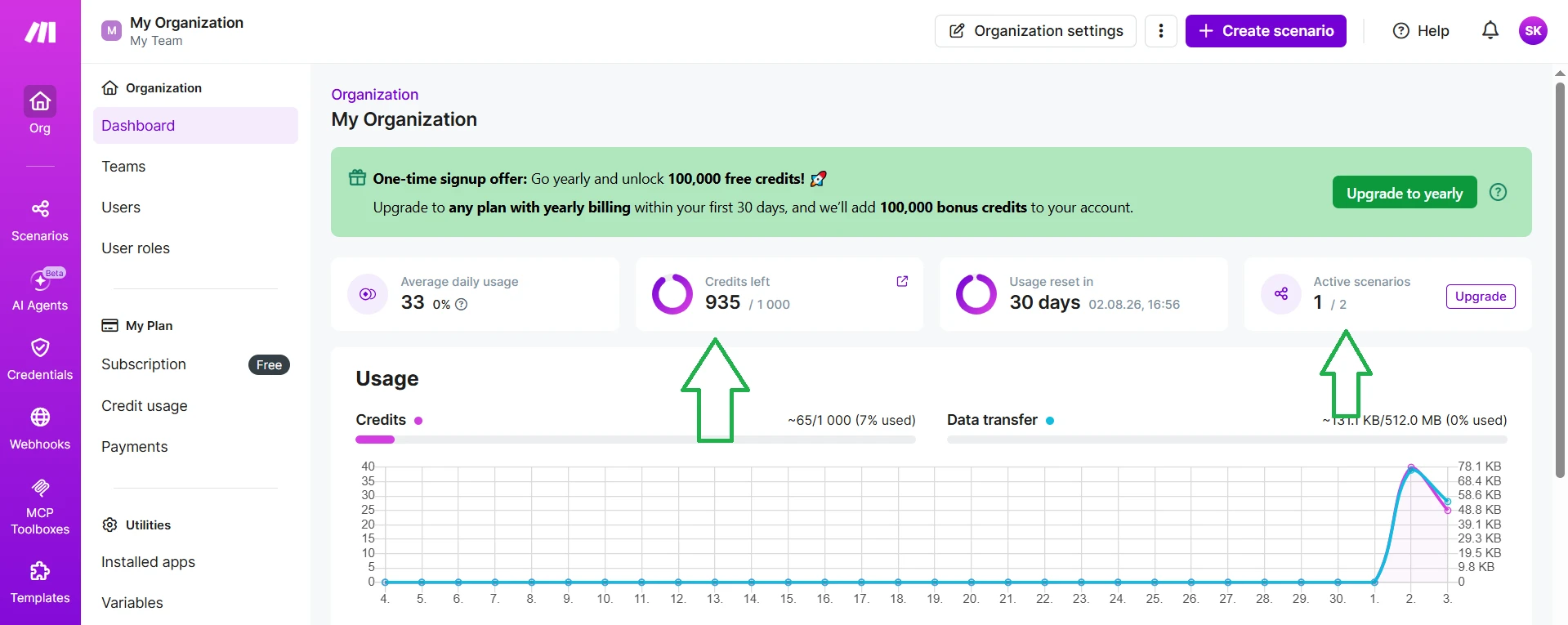
Make used 40 credits out of 1000 on the free plan during the same period. So the next day there were expenses, resulting in 935 credits remaining from 1000 free. The scenario was inactive during testing, but later I activated it, so in the Active scenarios column, it shows “1/2.”
At my testing level (one niche, one or two scenarios, schedule once a day), the free Make plan is more than enough. And here there is indeed an advantage over Google Information Agent for $100 per month or even $20 if the project team decides to launch this functionality on the PRO plan. My own system that performs the same task for one niche cost me two cents in API, plus the free Make plan.
If you want an unlimited number of operations and not pay for the service itself, consider tools like n8n or Activepieces. Both offer unlimited scenarios and executions — you only pay for the infrastructure. The setup is more complicated than in Make: you need to buy a VPS, set up Docker, and understand at least at a basic level JSON, Linux CLI, JavaScript. However, in terms of expenses, it is more profitable, especially when you have thousands of operations daily: a cheap virtual server with 2 GB of RAM will suffice, which is significantly cheaper than, for example, Make Pro, where you need to pay $21 monthly for the same 10,000 credits.
How to create an information agent: comparison of methods
If you need to start quickly and for free — Google Alerts or RSS Readers will do. If you need ready conclusions and don’t mind pressing a button daily — a free chatbot will handle it well. If you want full autonomy without setup — Gemini Scheduled Actions for $19.99 per month will cover most typical tasks. For businesses that need sentiment analysis and social media monitoring, not just news, professional services like Brand24 or Semrush Media Monitoring will be suitable. And if you are ready to figure out the logic once and want full control for minimal money — Make.com.
| Tool | What it is | Autonomy | Free | Paid version price |
|---|---|---|---|---|
| Google Alerts | Notifications based on word matches | Reactive, email notification | Yes | — |
| RSS Readers (Feedly, Inoreader) | News feed from sources | Passive reading | Yes | from ~$8-10/month |
| Chatbot (manual request) | Analysis on command | Manual launch | Yes | — |
| Gemini Scheduled Actions | Scheduled tasks | Autonomous on schedule | No | from $19.99/month (AI Pro) |
| Semrush Media/Brand Monitoring | Monitoring mentions + sentiment | Autonomous, reports | No | from $39-79/month |
| Brand24 | Reputation analysis | Autonomous, reports | 14-day trial | from $149/month |
| Make.com + Claude API | Custom chain-agent | Fully autonomous | Yes (1000 credits) | from ~$9/month + API tokens |
| Google Information Agents | Background AI agent 24/7 | Fully autonomous | No | from $99.99/month (AI Ultra) |
However, despite all the alternatives, Information Agents have something that no homemade automation will provide: they work directly within the familiar Google search, without registering in separate services, without API keys, without understanding modules and filters. You write a sentence in natural language — the agent is already working. When the feature reaches the AI Pro plan for $19.99 per month, this entry barrier will completely disappear, and the agent will become an alternative for a business owner or marketer who doesn’t want to deal with builders like Make.
But as of today, while the feature costs $100 per month, the alternatives in this article are not a temporary replacement but rather fully self-sufficient tools with their advantages. Even if you later want to use Google Information Agents, you can simply add it to your toolkit as another, more convenient way not to miss important information.