

- How I tested competitor analysis services
- Similarweb — comprehensive analysis of competitor traffic
- Ubersuggest — keyword search and top pages of the competitor
- Screaming Frog — analysis of the structure and content of the competitor's website
- Wappalyzer — identification of competitor technologies
- Visualping — monitoring changes on competitor websites
- Which service to choose for competitor analysis in 2026
The best way to create a strategy for promoting a website and adjust it in a timely manner is to look at competitors. You don't need to visit every web resource and study it for hours, as there are competitor analysis services that provide information about traffic volume and sources, technologies, optimization, and content. I tested online platforms and software on my English-language internet project and the websites of two competitors, compared their figures with my own analytics data, and selected five tools that are worth using in 2026.

How I tested competitor analysis services
I tested the services from October 8 to 12, 2026, on three websites in the same niche — applications for meditation and mental health. For testing, I chose my own web resource with 125 visitors per month, RoutineBase — 16,200, Choosing Therapy — over 900,000.
I only used free plans. To check the accuracy of the platforms, I compared the data for my website with figures from Google Analytics 4, Google Search Console, and Bing Webmaster Tools.
| Service | Task | Free | Paid from |
|---|---|---|---|
| Similarweb | Traffic, sources, market, AI traffic | 3 checks per day | $125 per month |
| Ubersuggest | Keywords and top pages | 3 searches per day with an account | $29 per month |
| Screaming Frog | Structure and content | 500 URLs per scan | $279 per year |
| Wappalyzer | Technologies | 50 checks per month | $10 per month |
| Visualping | Change monitoring | 5 pages, 150 checks per month | $14 per month |
Semrush, Ahrefs, SE Ranking, and Serpstat also show keywords and backlinks of competitors, and I truly consider them the best. However, I have already detailed them in articles about position checking and external link search, so I selected services that cover other tasks.
I also tested the HubSpot AI Search Grader, which evaluates how a brand is perceived by ChatGPT, Perplexity, and Gemini, but I cannot recommend it. The tool relies on the training data of models, rather than live search.
I also checked SparkToro for audience analysis of competitors, but did not include it in the review. The service only works with English-speaking audiences in the USA, Canada, and the UK, so it is not suitable for a Ukrainian website.
I also did not add the Treo service for comparing website speeds: it shows the same Core Web Vitals data from Chrome UX Report as the free PageSpeed Insights, and there is no data at all for small websites. But one conclusion from the test is worth knowing: in Choosing Therapy and RoutineBase, the server response time (TTFB) is 1.1 seconds, while Google's norm is up to 0.8 s. And it depends on hosting, caching, and CDN, so here you can outperform even a stronger competitor.
Similarweb — comprehensive analysis of competitor traffic
Similarweb — is a service for assessing the traffic of any website: how many visits it receives, where users come from, from which countries, and under which queries. Paid plans start from $125 per month, and advanced modules, including full keyword research, position tracking, and brand visibility in AI, are included in business packages priced upon request. There are two free useful tools for competitor analysis: Website Traffic Checker with 3 checks per day without registration and AI Traffic Checker for analyzing traffic from chatbots.
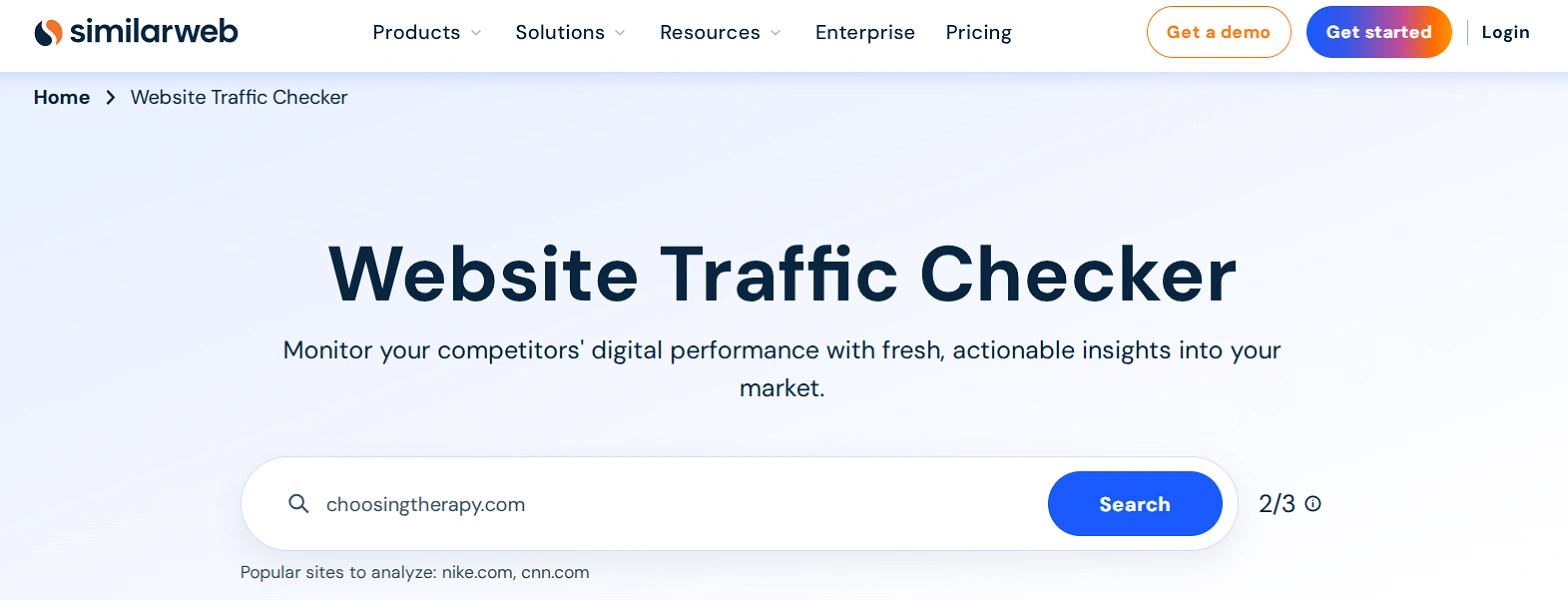
To analyze competitor traffic on Similarweb, open Website Traffic Checker, enter the domain, and click Search. The service provides the following data:
- the number of visits over the last three months and changes from the previous month;
- bounce rate, number of pages per visit, and average visit duration;
- the top five countries for desktop traffic;
- gender and age of the audience, its interests, and other web resources it visits;
- the top three sources of desktop traffic;
- five keywords that bring visitors from desktop;
- websites that send traffic and social networks;
- external links from the web resource.
- technologies used by the competitor.
To see how much traffic a competitor receives from chatbots, go to AI Traffic Checker and paste the website address. After that, you will see:
- traffic from chatbots over the last three months;
- three chatbots from which the competitor receives the most visits;
- total number of AI visits and their share in the website traffic;
- prompts related to the theme of the web resource.
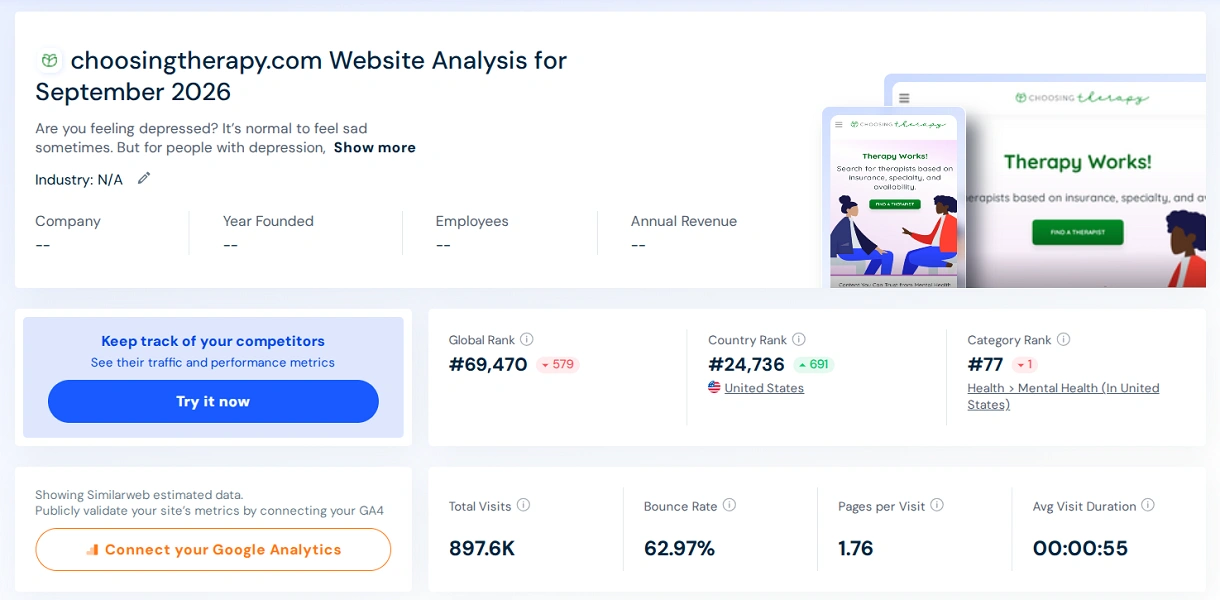
The advantage of Similarweb is detailed data about large competitors. For example, for Choosing Therapy, the service showed that 55.72% of desktop traffic comes from the USA, and in the list of similar sites, there were competitors I had not tracked. Among 15.7 thousand queries, telemedicine brands Hers and BlueChew made it to the top, meaning the competitor receives traffic from reviews of paid services.
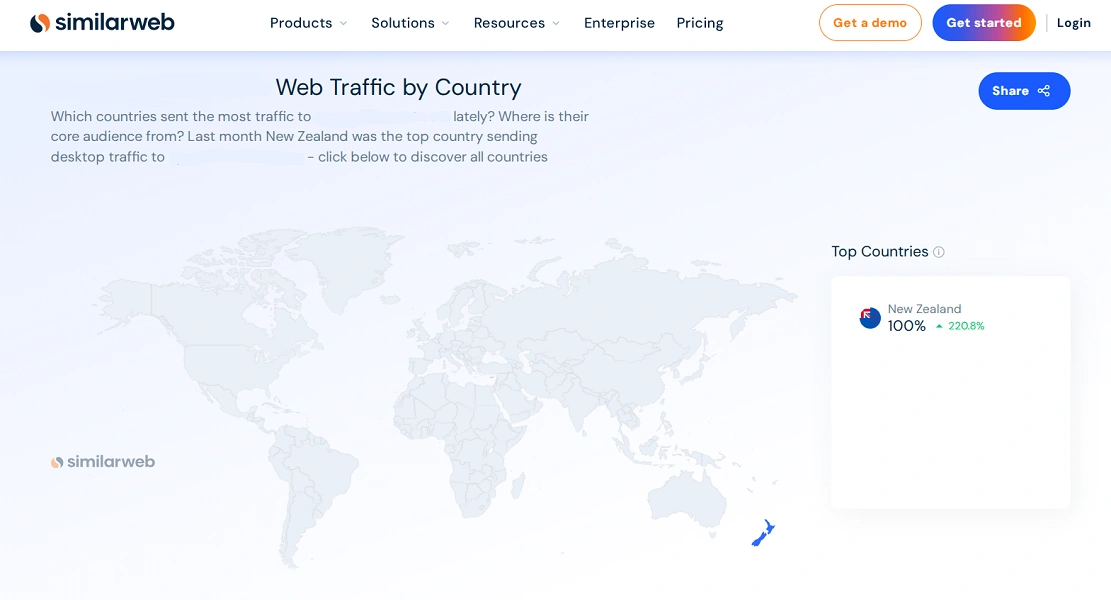
The disadvantage of Similarweb is the inaccuracy of data for small websites.
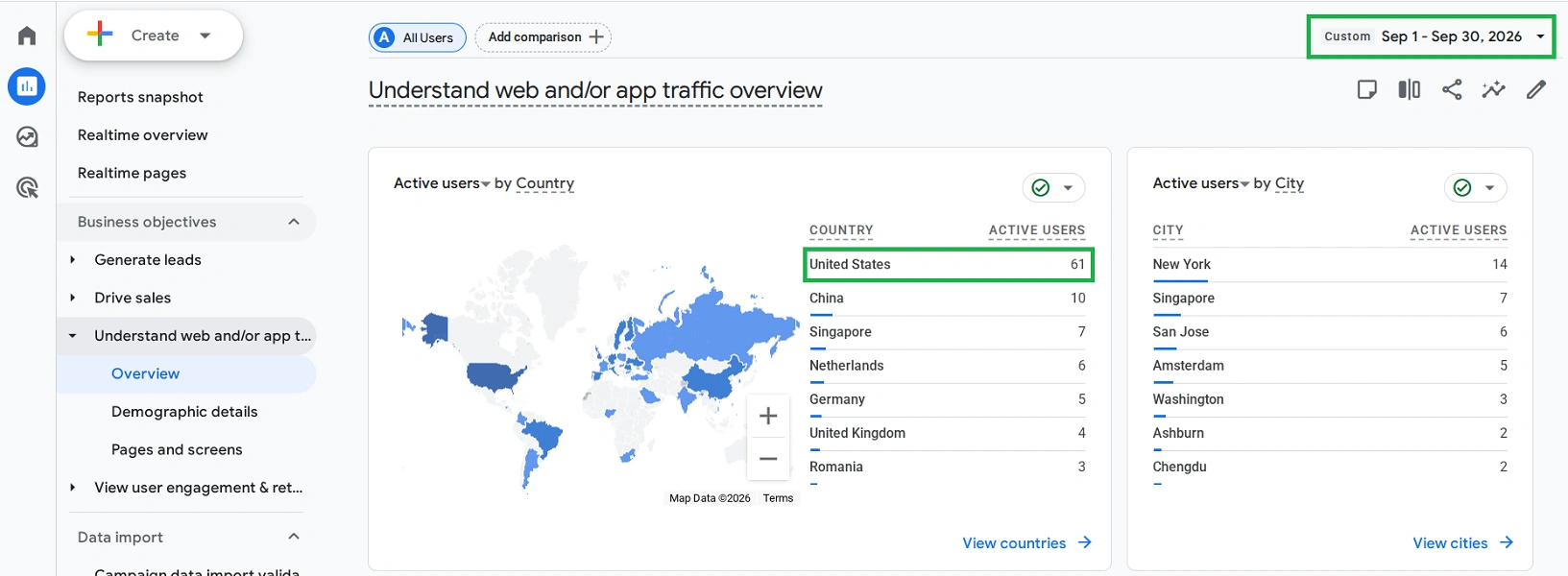
I checked my web resource and compared the data with Google Analytics 4 for September:
| Metric | Similarweb | GA4 |
|---|---|---|
| Visits / sessions | 906 | 125 |
| Change from August | -13.63% | +10.6% |
| Main country | New Zealand | USA |
| Main source | Direct visits | Organic search |
The traffic is overstated by 7 times, and the country, source, and even the direction of dynamics are defined incorrectly.
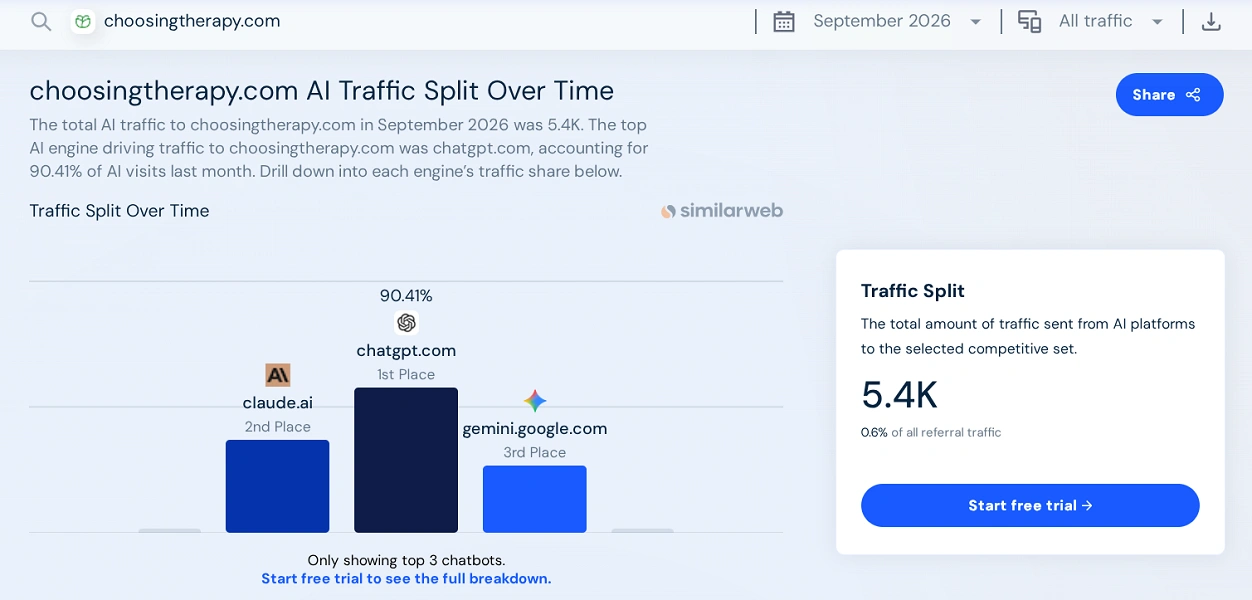
AI Traffic Checker has the same accuracy problem. For Choosing Therapy, it showed 5.4 thousand visits from chatbots for September, of which 90.41% came from ChatGPT.
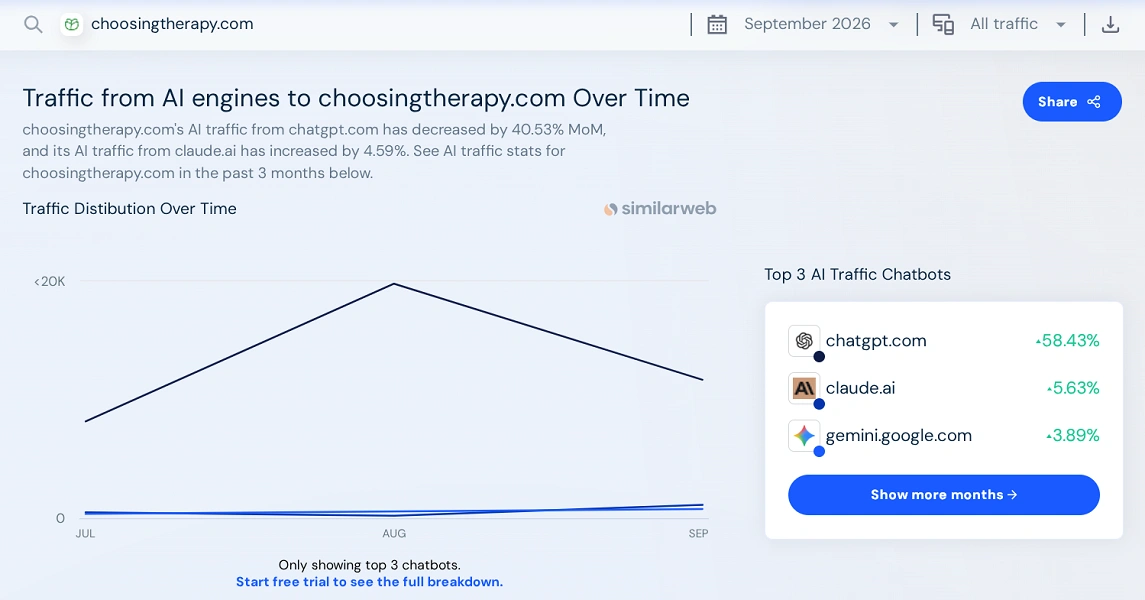
But in the neighboring block for the same month, the share of ChatGPT is already 58.43%, and it is impossible to determine what this figure actually means.
Also read: Review of the SimilarWeb service
Ubersuggest — keyword search and top pages of the competitor
Ubersuggest — is a service by American marketer Neil Patel for analyzing keywords, top pages, and backlinks of any website. Paid plans cost from $29 to $99 per month, for example, the Individual plan for $29 provides 150 reports per day, up to 2,000 top pages, and 20,000 competitor keywords. Free without registration, 1 search per day is available, and with a free account — 3 searches per day and 10 credits per month for AI responses and keyword metric updates.
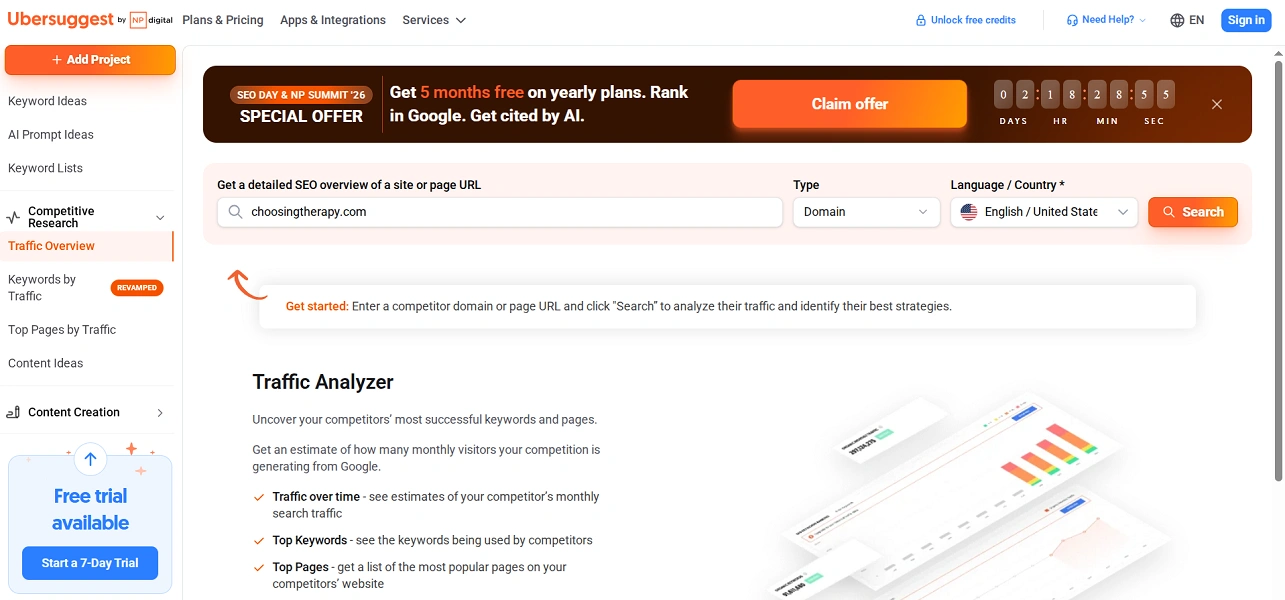
To analyze a competitor in Ubersuggest, expand the Competitive Research section in the left menu and open Traffic Overview. Enter the domain name, select the language and country, for example, English / United States, and click Search. The service provides the following data:
- organic traffic for the previous month and a graph of its dynamics;
- the number of keywords, Domain Authority, and the number of backlinks;
- traffic distribution by countries and languages;
- top pages with visit estimates and the number of backlinks for each;
- top keywords with frequency, position, and visit estimates;
- query intent, keyword difficulty, and cost per click (CPC) in the Keywords by Traffic report.
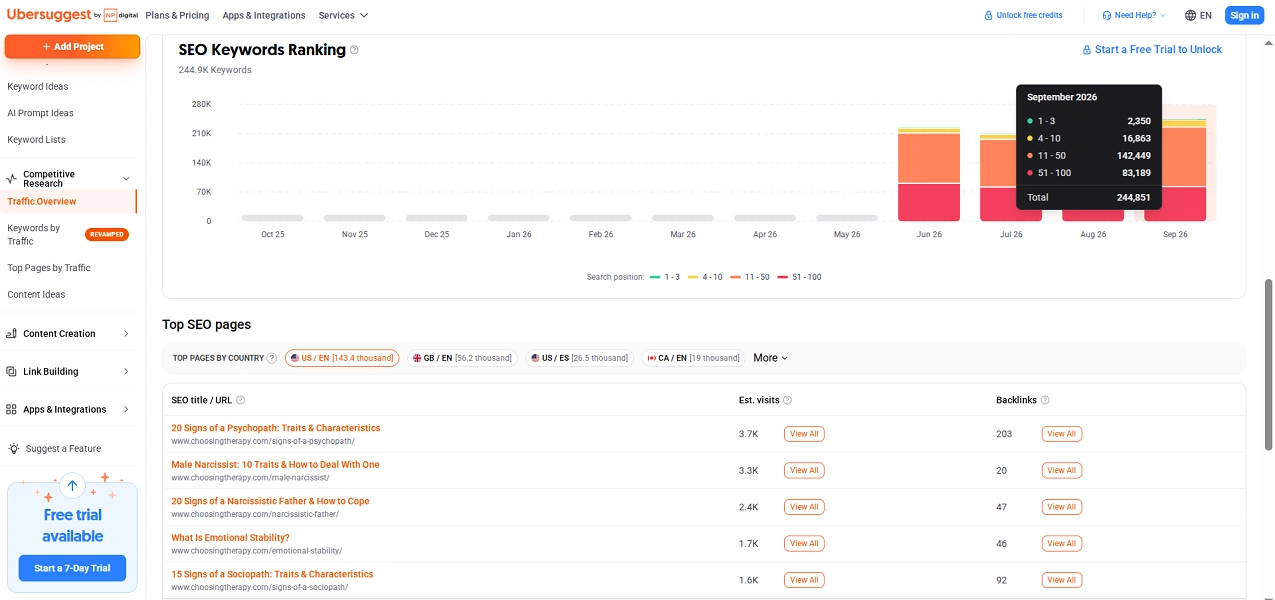
The most important thing — top pages. In Choosing Therapy, the top spots are occupied by articles about the signs of a psychopath, a narcissistic man, and a narcissistic father, rather than reviews of applications or therapy. This is the main lesson of the analysis: a competitor in the search results is not always a competitor in the site model.
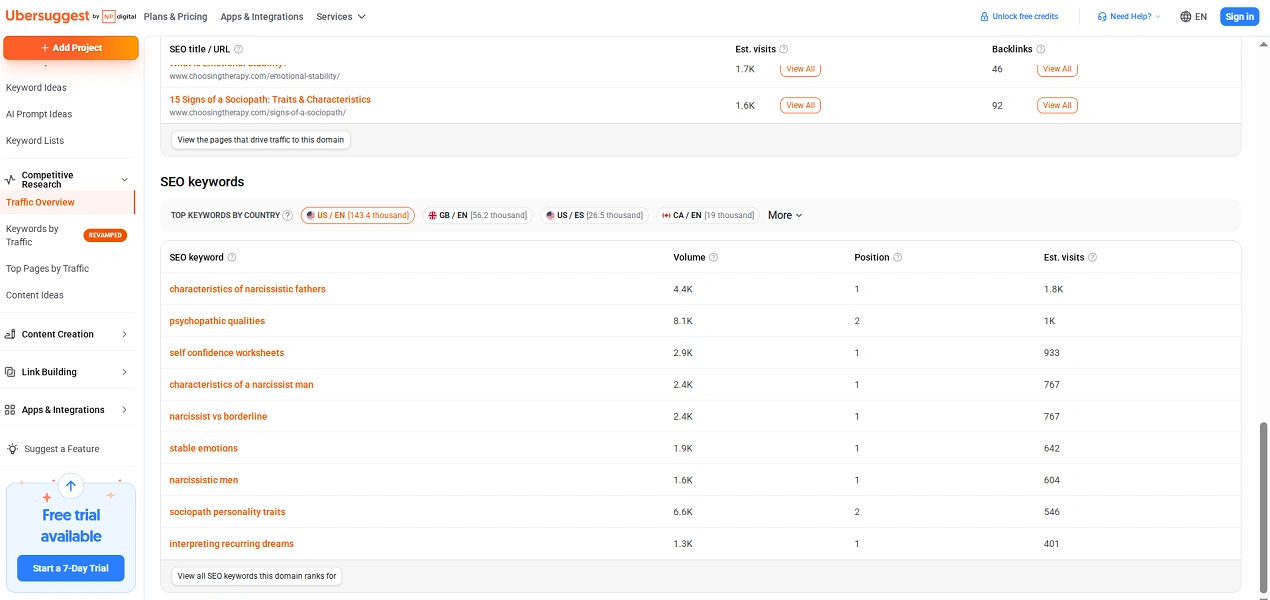
Top keywords can be viewed in Traffic Overview, not in the separate Keywords by Traffic report. In the overview, it is visible that Choosing Therapy ranks 1st for the query "characteristics of narcissistic fathers" with a frequency of 4.4 thousand and receives 1.8 thousand visits from it.
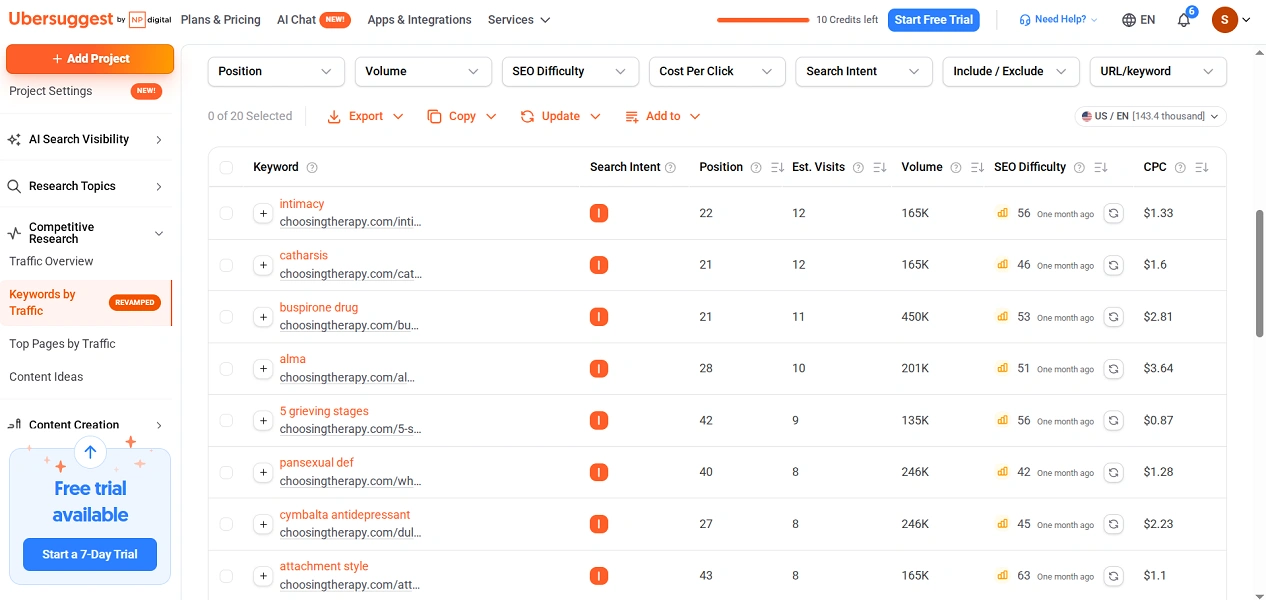
And Keywords by Traffic shows 20 keywords for free, with a maximum of 12 visits. These are high-frequency queries in positions 21-58, and the most valuable keywords are hidden by the service. However, the cost per click is visible here. For example, "cognitive behavioral therapy for anxiety" costs $10.68 per click. Advertisers only pay this much for queries that bring clients, so the CPC indicates which topics of the competitor are commercially the most valuable.
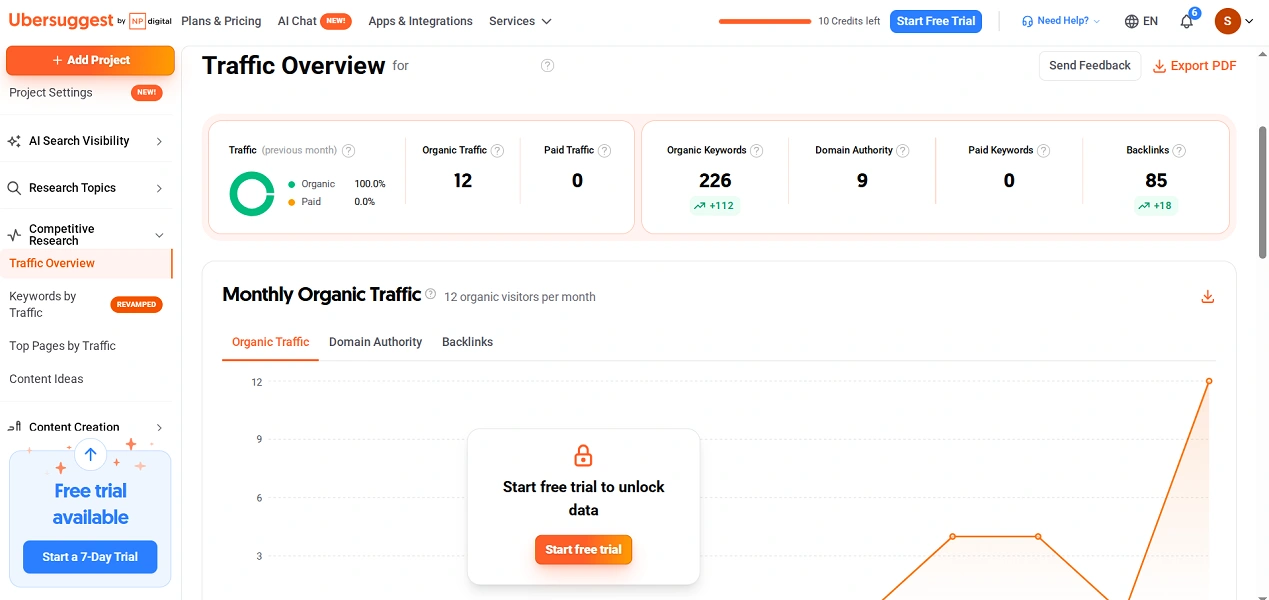
For my site, Ubersuggest turned out to be closer to reality than Similarweb. The service showed 12 organic visits per month, while Google Search Console showed 3 clicks. So Ubersuggest also overstated traffic, but by four times, not seven. Moreover, my main source of organic traffic is Bing, which the service does not account for.
Also read: What are keywords and how to choose them
Screaming Frog — analysis of the structure and content of the competitor's website
Screaming Frog SEO Spider — is a program for analyzing website structure, which scans the site just like a search robot and collects data about each page. The program works on Windows, macOS, and Linux, and the free version scans up to 500 URLs at a time. The paid license for $279 per year removes the limit and opens JavaScript rendering, microdata checking, and scan saving.
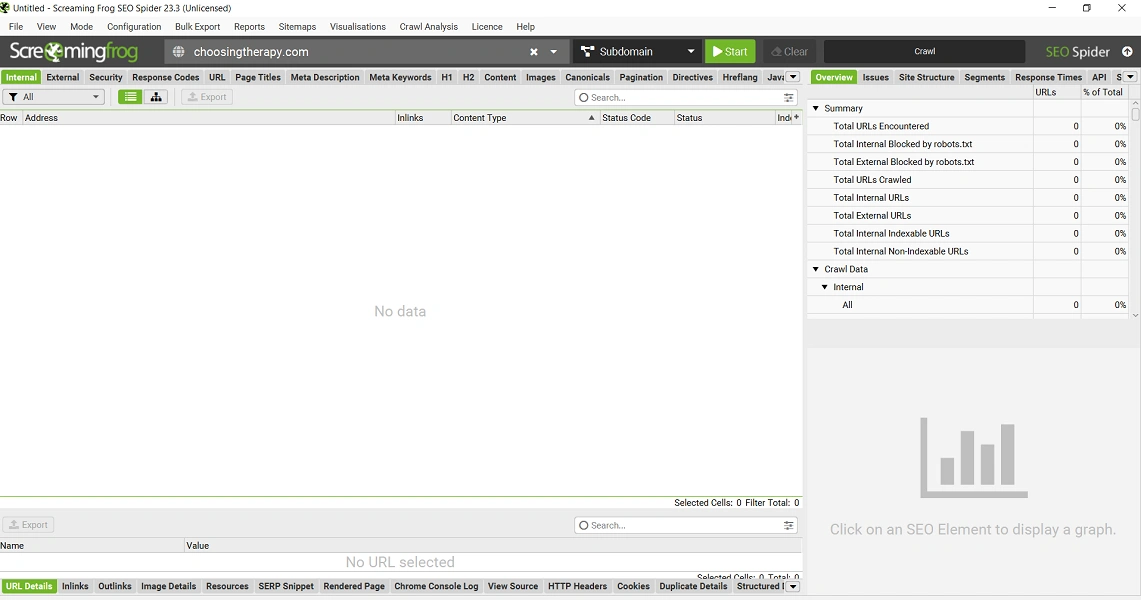
To analyze a competitor's site, download the free version from the official site, open the program, paste the address in the field at the top, and click Start. The duration of the scan depends on the size of the web resource: it took me about 3 minutes for 500 pages. After that, I received the following data:
- the number of pages and how many of them are indexed;
- the number of internal links to each page;
- title tags, meta descriptions, H1 and H2 with length and errors;
- the number of words and readability score for each page;
- visualization of the website structure.
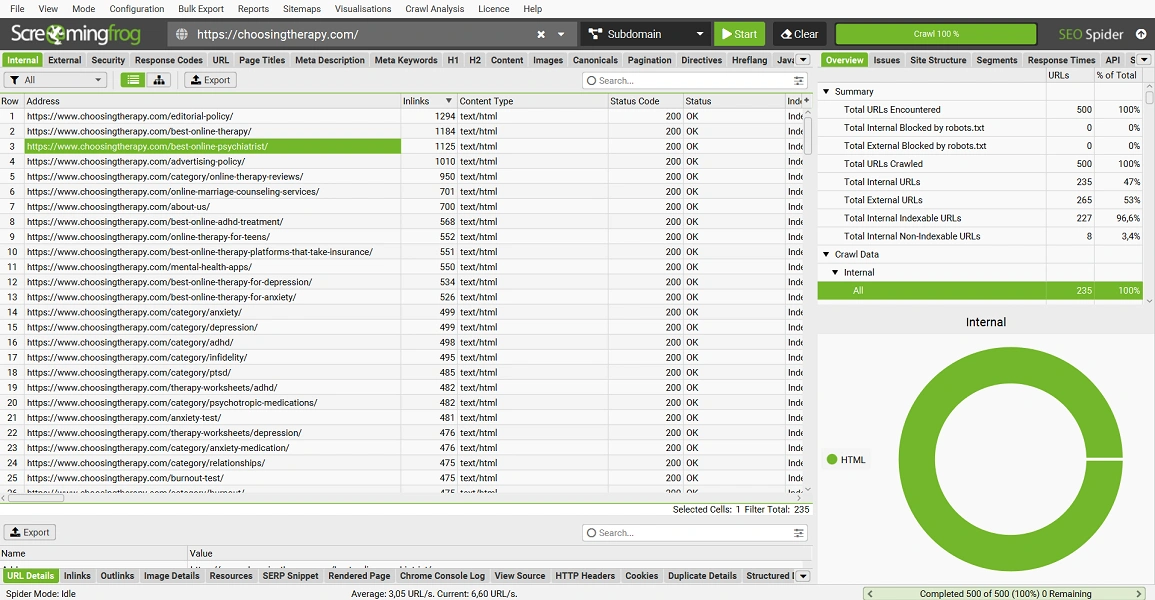
The most useful thing — is the Inlinks column on the Internal tab. Sort it by the highest value to see which pages the competitor links to most often. In our case, at the top of the list are the editorial and advertising policies, the "About Us" page, which can be skipped since links to them are in the footer of every page. However, right after them are the selections of best online therapy, best online psychiatrist, and best online ADHD treatment, meaning those materials that the competitor promotes most actively.
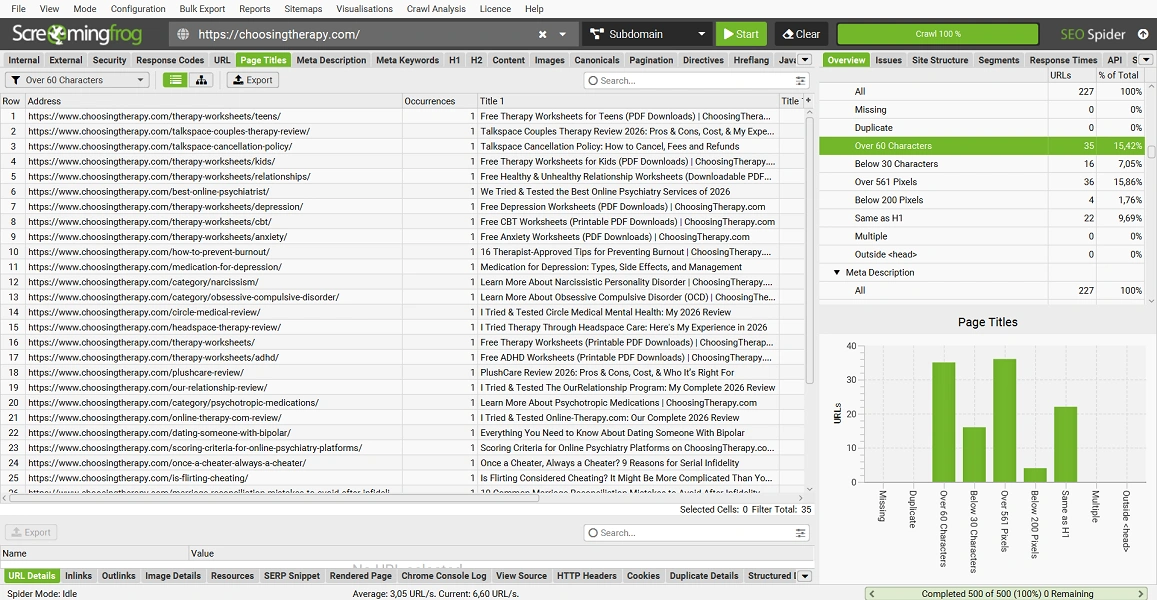
On the Page Titles tab, you can see the template the competitor uses to write article titles. And the filters show its weaknesses: on the H2 tab with the Missing filter, I found 56 pages without any H2, and on the Page Titles tab with the Over 60 Characters filter — 45 overly long titles. Such pages are easier to bypass in the search results if your article is on the same topic.
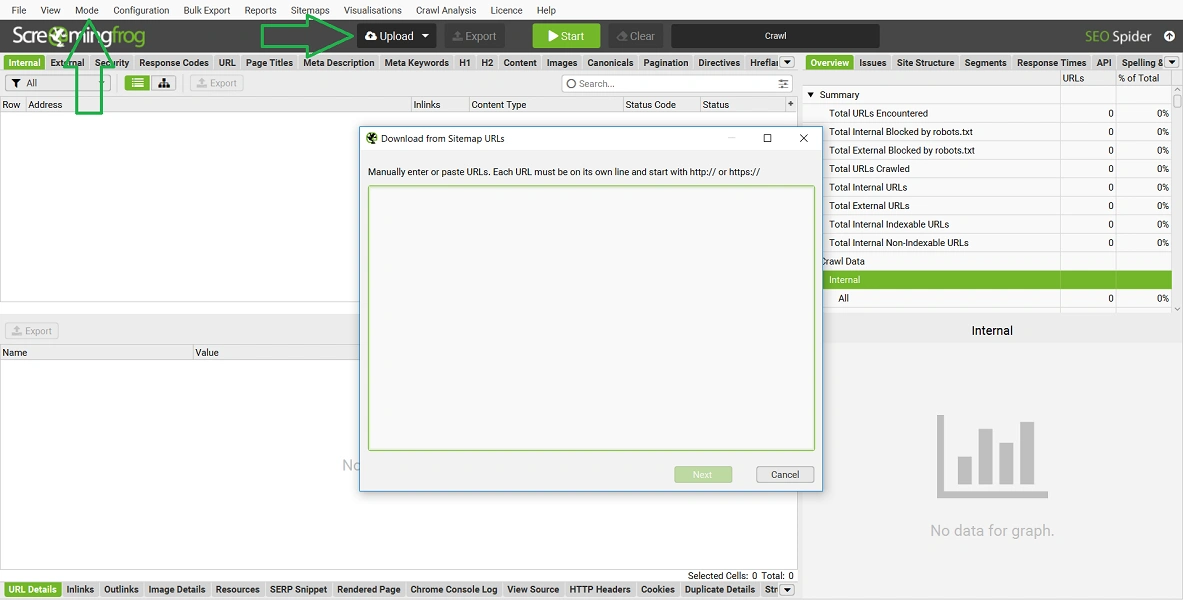
If the competitor's site is larger than 500 pages, scan only the necessary section. Select Mode → List, then Upload → Download XML Sitemap and paste the address of the sitemap, which can usually be found in the robots.txt file. In large projects, the sitemap is often divided by sections, so you can download only reviews or the blog.
Wappalyzer — identification of competitor technologies
Wappalyzer — is a service for identifying website technologies: CMS, plugins, analytics, caching, and email marketing. The Plus plan for $10 per month increases the limit to 200 checks and adds company data, contacts, and social networks. Free after registration, 50 checks per month are available, as well as a browser extension.
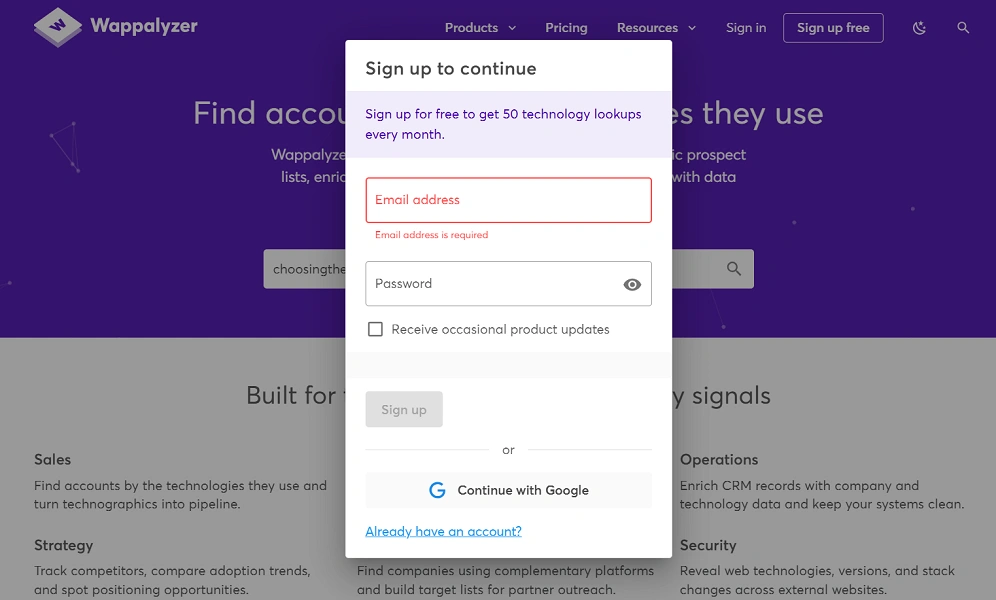
To analyze a competitor's technologies, enter the domain on the main page of Wappalyzer, select the site from the suggestions, and register via email or Google. The service provides the following data:
- CMS and its version;
- caching and CDN tools;
- analytics, tags, and email marketing;
- language, PHP version, and certificate data.
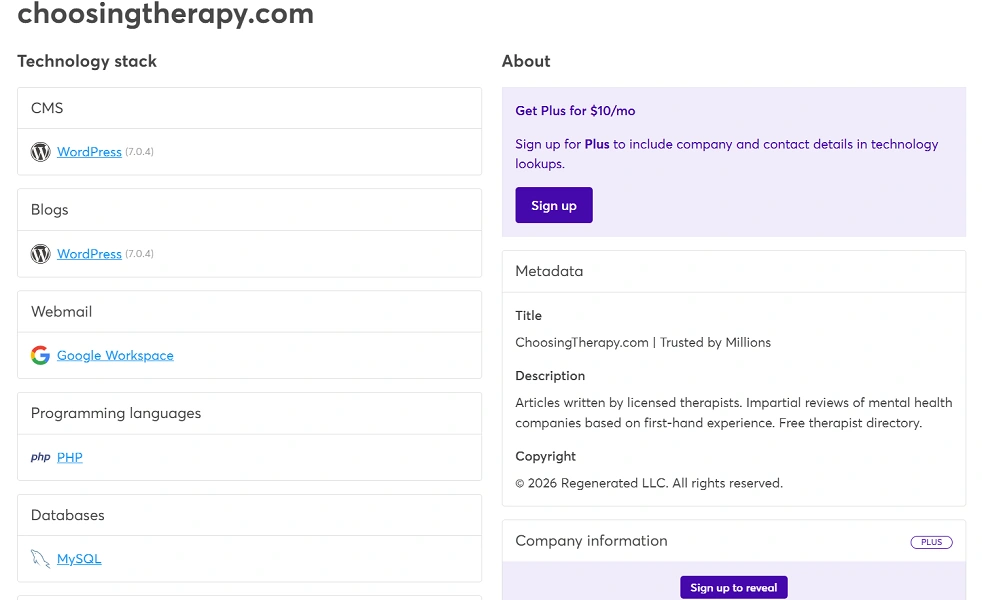
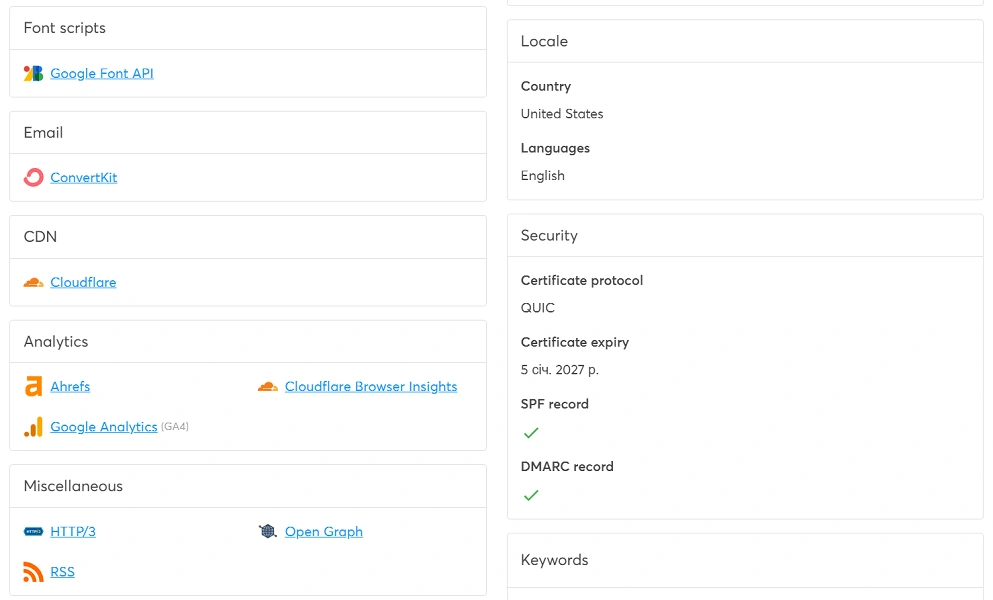
The main advantage — is versions, not just names. Choosing Therapy runs on WordPress 7.0.4 with two caching plugins, NitroPack and WP Rocket, as well as Cloudflare. ActiveCampaign is used for mailing, analytics — GA4 and Hotjar. RoutineBase uses MailerLite and runs on PHP 7.4.33, whose support ended in November 2022.
For my site, the service initially wrote "No results found" and put it in the queue for analysis. The result came to the email the same day but ended up in the "Promotions" tab in Gmail. Wappalyzer found 16 technologies, and all of them were correct: WordPress 7.1.3, PHP 8.3, LiteSpeed server, Cloudflare, GA4, Google Tag Manager, ConvertKit for mailing. The service also correctly identified the country — the USA, unlike Ubersuggest. However, it did not find any plugins, although Rank Math, LiteSpeed Cache, and Wordfence are working on the web resource.
The WordPress theme was not identified by the service for either site, and it does not see affiliate links if they are regular URLs without scripts. Data about competitors can be outdated: for my web resource, Wappalyzer showed WordPress 7.1.3, while for Choosing Therapy — version 7.0.4 and an expired certificate.
Also read: Testing WordPress updates: important discoveries after the release of Armstrong 7.0
Visualping — monitoring changes on competitor websites
Visualping — is a service for monitoring changes on pages: it regularly checks the page and sends notifications with an AI summary of what has changed. Paid plans start from $14 per month: 10 pages, 1,000 checks, frequency up to every 15 minutes. Free, 5 pages and 150 checks per month are available, so you can only monitor four pages daily.
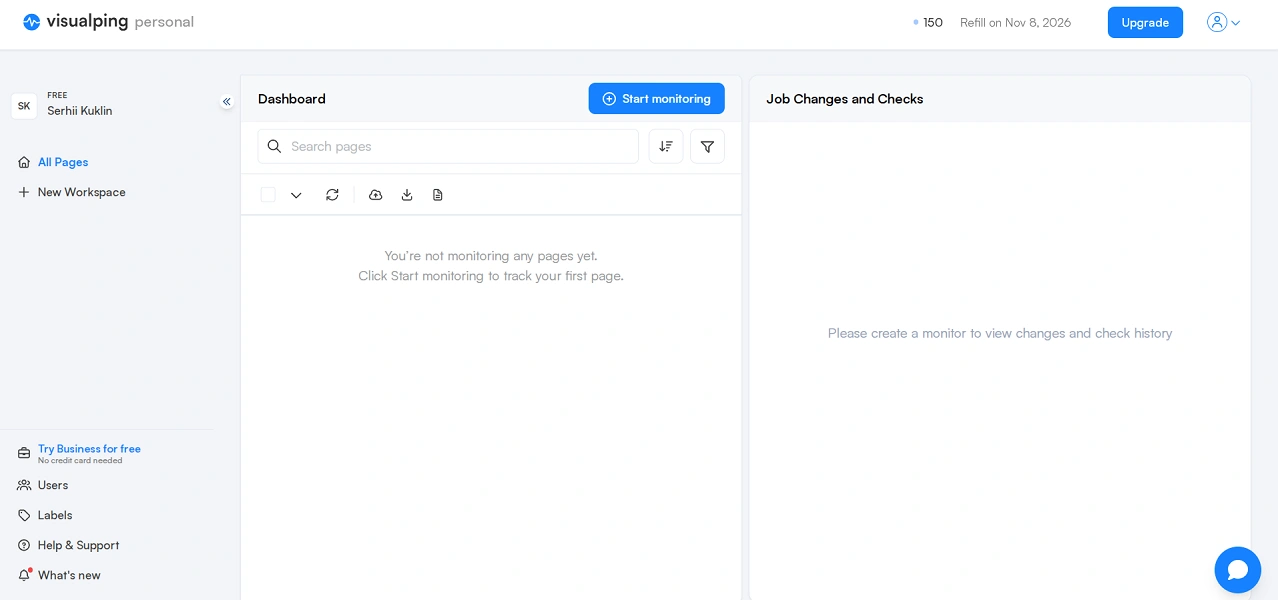
To monitor a competitor, register, click Start monitoring, and paste the page address. In the Alert me when field, select a condition, such as Any important changes, set the check frequency, and click Start monitoring again.
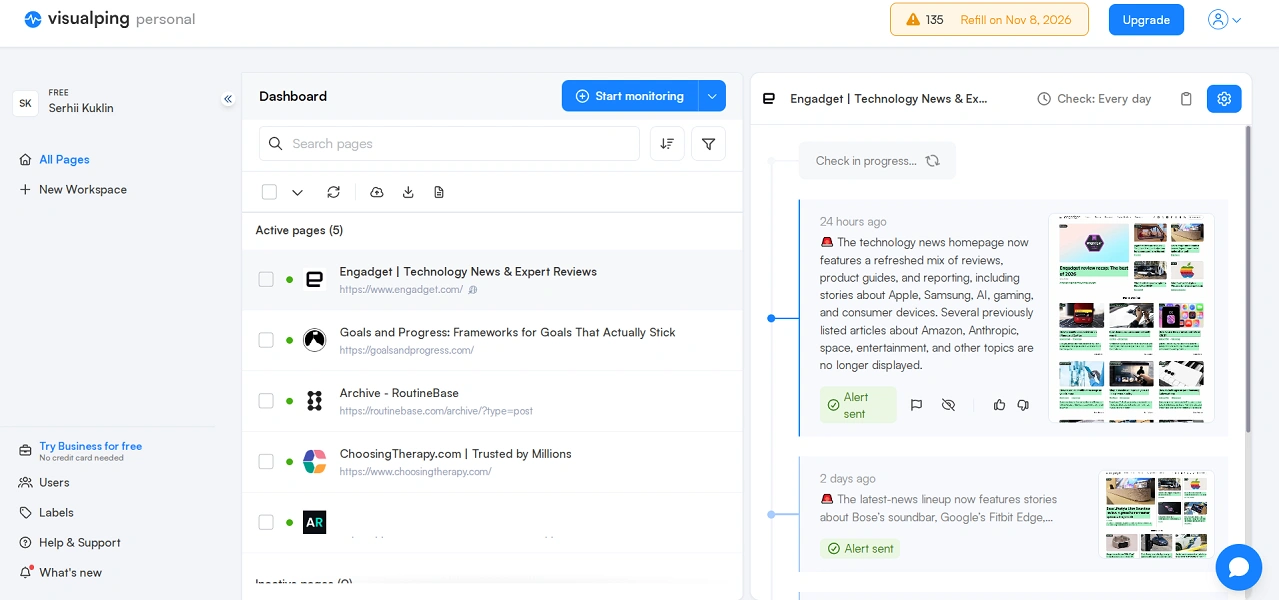
After a few days, Visualping notified me of a new article in the RoutineBase archive. The main page of the news site Engadget, which I added for comparison, was marked as IMPORTANT daily by the service: over a day, it found 148 changes, although the news had just been updated. So for a small competitor, monitor the main or archive page, and for a large media outlet — the page of the required section.
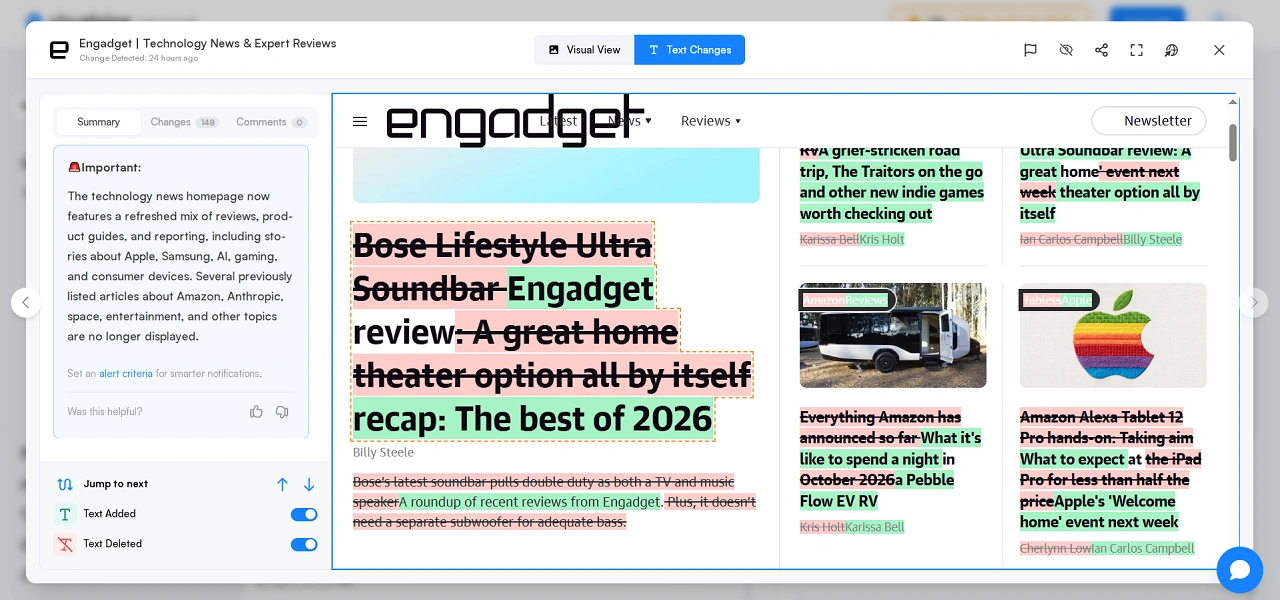
Overall, Visualping is suitable for those who want to learn about new articles from competitors without daily manual checks. Other ways to monitor competitors, including using AI agents, I discussed in the article about information agents.
Which service to choose for competitor analysis in 2026
To understand the overall picture of a large competitor, including traffic, its sources, and market, use Similarweb. For finding pages and keywords that bring traffic to the competitor, use Ubersuggest. Screaming Frog is great for analyzing the structure of the web resource and the pages that the competitor promotes, Wappalyzer — its CMS, hosting, and services, and Visualping — tracking new publications with an AI summary.
However, do not start using competitor analysis services chaotically. Start with the three sites you see at the top for your queries. First, check them through Similarweb and Ubersuggest to eliminate those that only intersect with your topic, like Choosing Therapy with mine. Thoroughly scan real competitors in Screaming Frog and Wappalyzer, and set their archives to monitor in Visualping. This will take a few hours, but you will know what competitors do better than you and how to surpass them.