- Why Rank Tracking Got Harder in 2026
- What Are the Best Services for Checking Your Website's Rankings in 2026?
- Google Search Console: A Free Starting Point for Real Data
- Bing Webmaster Tools: Tracking Rankings in Bing and AI Systems
- Google Rank Checker: A Completely Free Rank Checking Tool
- SEO Checker: The Cheapest Way to Check Your Rankings
- SE Ranking: A Full-Featured Tracker with AI Tracking
- Serpstat: A Ukrainian Service That Requires a Card
- Mangools SERPWatcher: The Simplest Interface for Beginners
- Which Service Should You Choose for Checking Your Site's Rankings?
In September 2025, Google removed the &num=100 parameter, which used to let you pull a hundred search results in a single query. AI has made things even harder, answering more and more queries directly in the search results instead of sending people to click through. So I decided to personally test the best rank tracking tools for 2026 on my own English-language website. That let me see, firsthand, why these tools return different numbers for the same set of 11 keywords, which ones actually deserve to be called the best, and what to do with that information once you have it.

Why Rank Tracking Got Harder in 2026
Rank tracking used to be a simple technical operation: a tool would send Google a request with the &num=100 parameter, pull back a hundred results, and scan them for your domain name. In September 2025, Google dropped support for that parameter. Now, rank tracking platforms have to load ten separate search results pages one after another instead of making a single request, which drives up the cost of collecting the data.
The impact went beyond the tools themselves. An analysis of 319 sites by technical SEO specialist Tyler Gargula, covered by Search Engine Land, found that 87.7% of sites lost impressions in Google Search Console, and 77.6% saw a drop in the number of unique queries they ranked for. Actual rankings hadn't changed — what disappeared from the data were the impressions that the monitoring tools themselves used to generate.
The second shift matters even more: ranking position is no longer the only metric that counts, because the search results page itself stopped being just a list of links. A SparkToro study based on Similarweb data, also reported by Search Engine Land, found that in the first four months of 2026, 68.01% of US searches ended without a single click to an external site.
The reason: AI Overviews sitting above the regular results, plus AI Mode. A Pew Research Center study covering 68,879 searches found that when a page includes an AI-generated answer, users click through to a standard search result in only 8% of cases, compared to 15% on pages without one. And only 1% click a link inside the AI answer itself.
Add three algorithm updates in half a year on top of that: the March 2026 Core Update, which rolled out from March 27 to April 8; the May 2026 Core Update, from May 21 to June 2; and the August anti-spam update. Rankings in 2026 aren't a fixed number. They're a moving target you need to track over time, across more than one tool.
Related reading: How to Pull a Website Out of a Traffic Drop-Off After the Spam Update and AI Overviews
What Are the Best Services for Checking Your Website's Rankings in 2026?
The best free tools for tracking your own site are Google Search Console and Bing Webmaster Tools. The cheapest option for tracking your own site, competitors, and clients is SEO Checker, which charges per check. SE Ranking and Serpstat offer the most complete feature sets. And the easiest tool for a beginner is Mangools SERPWatcher.
| Service | Type | Free | Cost | Features |
|---|---|---|---|---|
| Google Search Console | Official analytics | Yes, forever | $0 | Real clicks and impressions, your own site only |
| Bing Webmaster Tools | Official analytics | Yes, forever | $0 | Bing data plus a separate AI citation report |
| Google Rank Checker (SE Ranking) | Rank checker | 5 checks per day | $0 | No sign-up, no saved history, one keyword at a time |
| SEO Checker | Rank tracker | None | From $1.20 per 1,000 checks | Pay per check, credits never expire |
| SE Ranking | Rank tracker | 14-day trial, no card required | $103.20-129/month | SERP positions, tracks AI Overviews, AI Mode, ChatGPT |
| Serpstat | Rank tracker | 7-day trial, card required | $129/month | Unlimited competitor domains, full SEO suite |
| Mangools SERPWatcher | Rank tracker | Free account with 50 credits + 10-day trial, no card required | From $29.90/month | Simplest interface, very slow checks |
I tested these rank tracking tools on my own website, which targets a US audience. I used the same settings across every tool: Google as the search engine, United States as the region, English language, desktop results, a scan depth of 100 positions, and the dates August 22-24, 2026.
Google Search Console: A Free Starting Point for Real Data
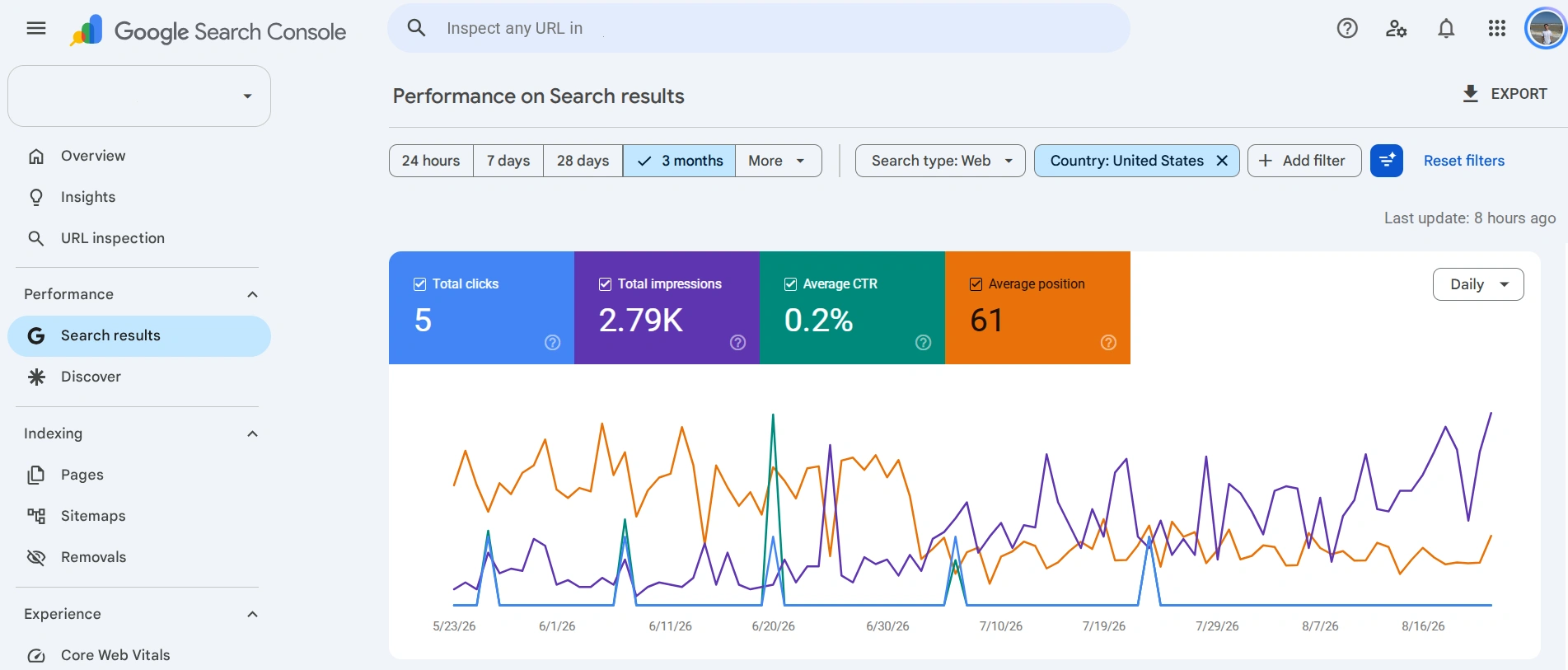
Google Search Console is a free tool straight from Google that shows you how the search engine actually sees your site. It gives you hard facts: how many times your pages showed up in search results, how many times people clicked on them, and for which exact queries. To get started, all you need to do is verify ownership of your site.
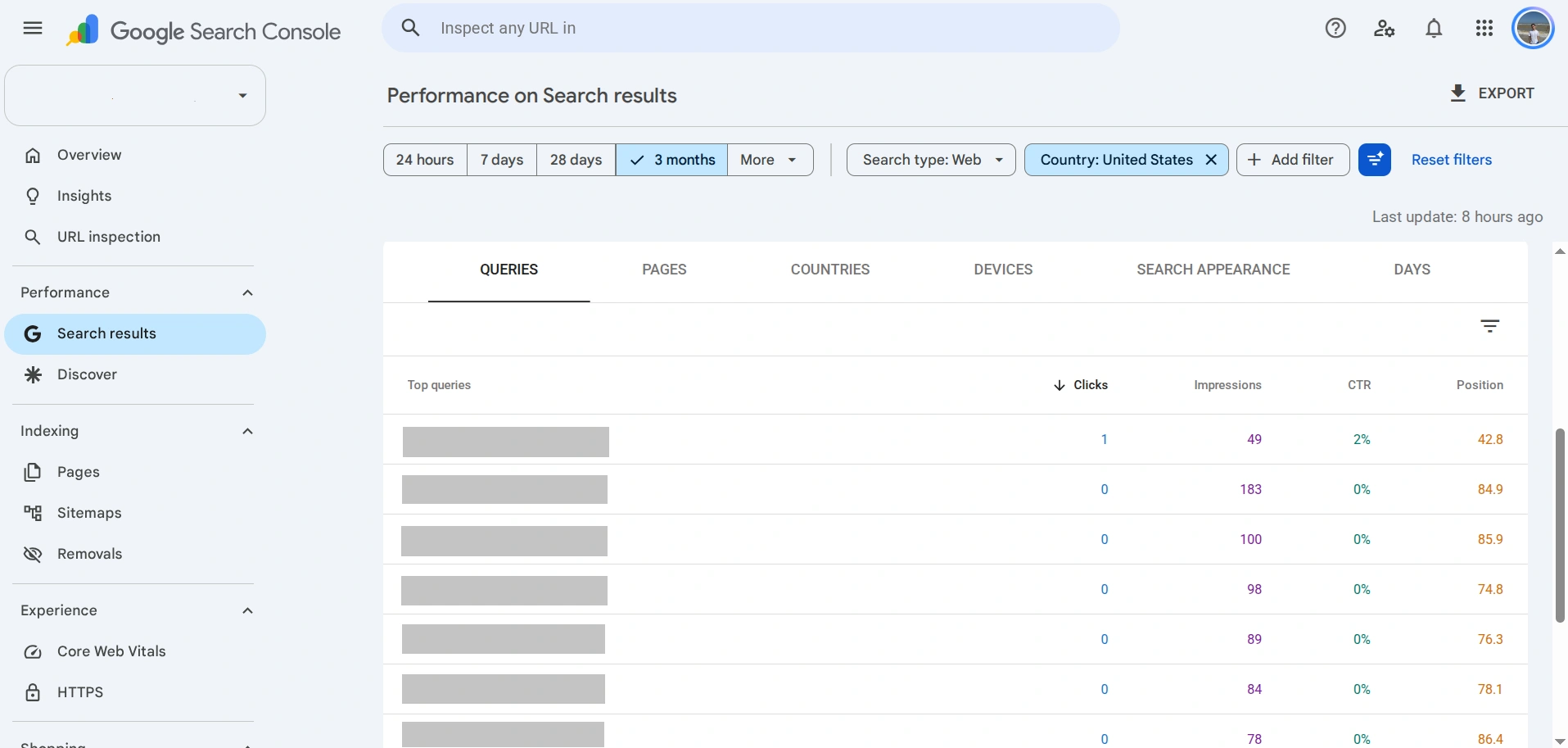
The main work happens under Performance → Search results. There you'll find four metrics: clicks, impressions, CTR, and average position.
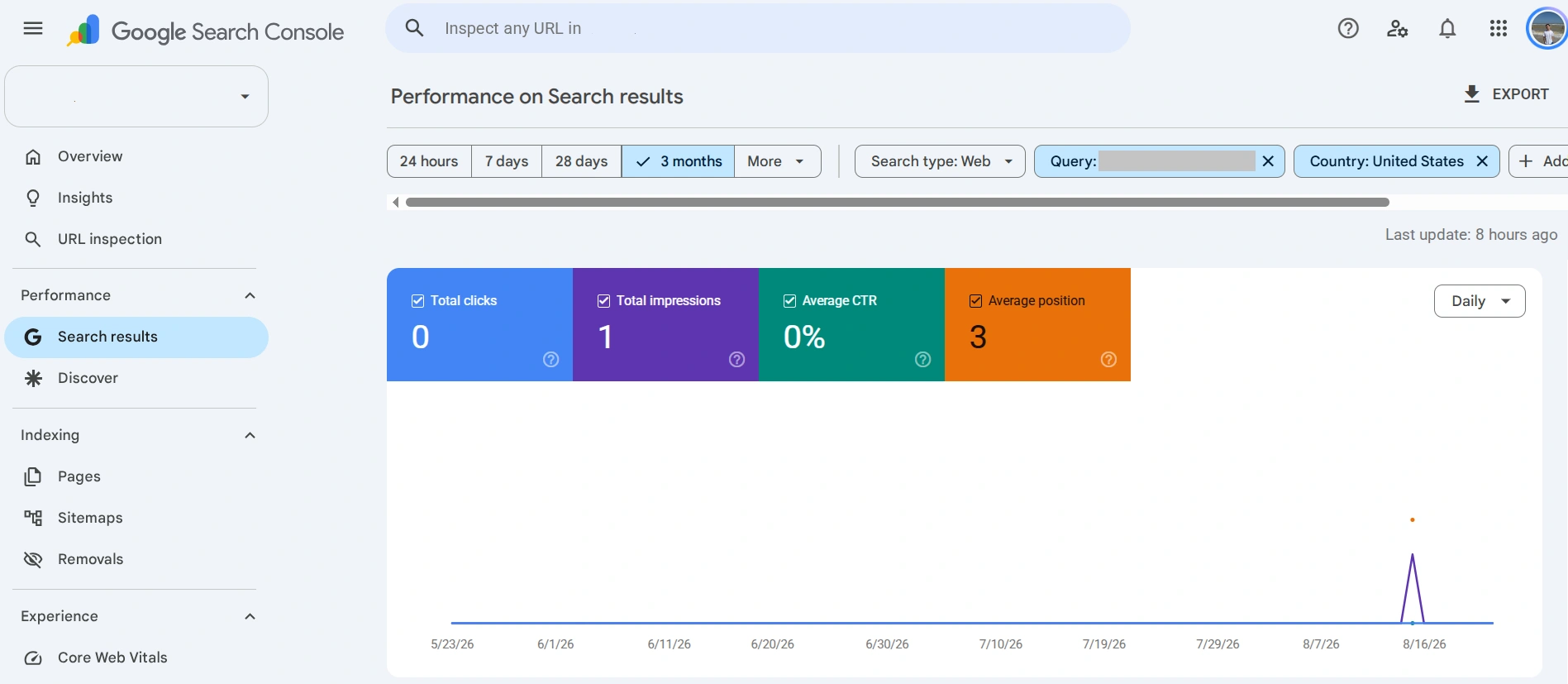
When you're going through your keywords, pay close attention to impression counts. One query in my list had an average position of 3, which looked like my best result over the past three months. But when I clicked into that keyword, it turned out to have just 1 impression, 0 clicks, a 0% CTR, and an average position of 3 — with the three-month graph showing a single data point somewhere around August 14.
Related reading: What Is a Website SEO Audit and How to Conduct It Yourself
Bing Webmaster Tools: Tracking Rankings in Bing and AI Systems
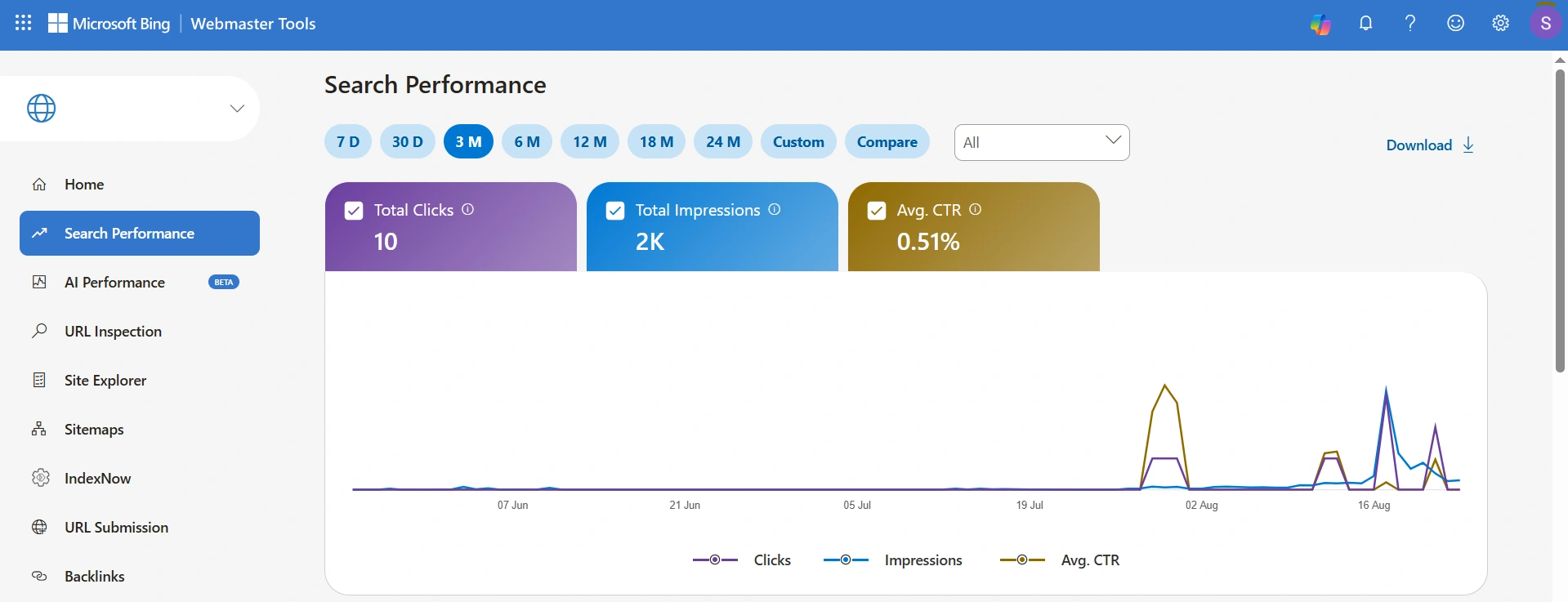
Bing Webmaster Tools is a free counterpart to Google Search Console for the world's second-largest search engine. It works the same way: verify ownership of your site, and you get a dashboard with reports on clicks, impressions, CTR, and average position for your queries.
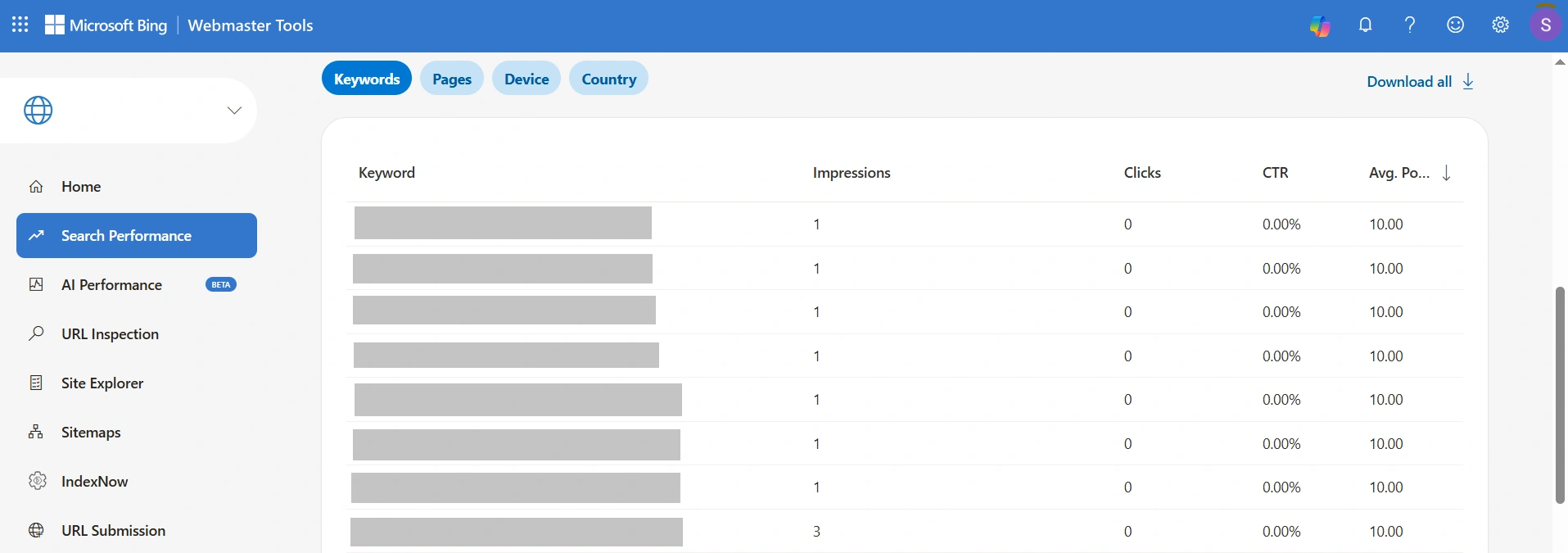
As a rank-checking tool, Bing Webmaster Tools falls short of Google Search Console. For example, I sorted the table by average position in descending order, and the worst value out of all 166 queries came out to exactly 10.00.
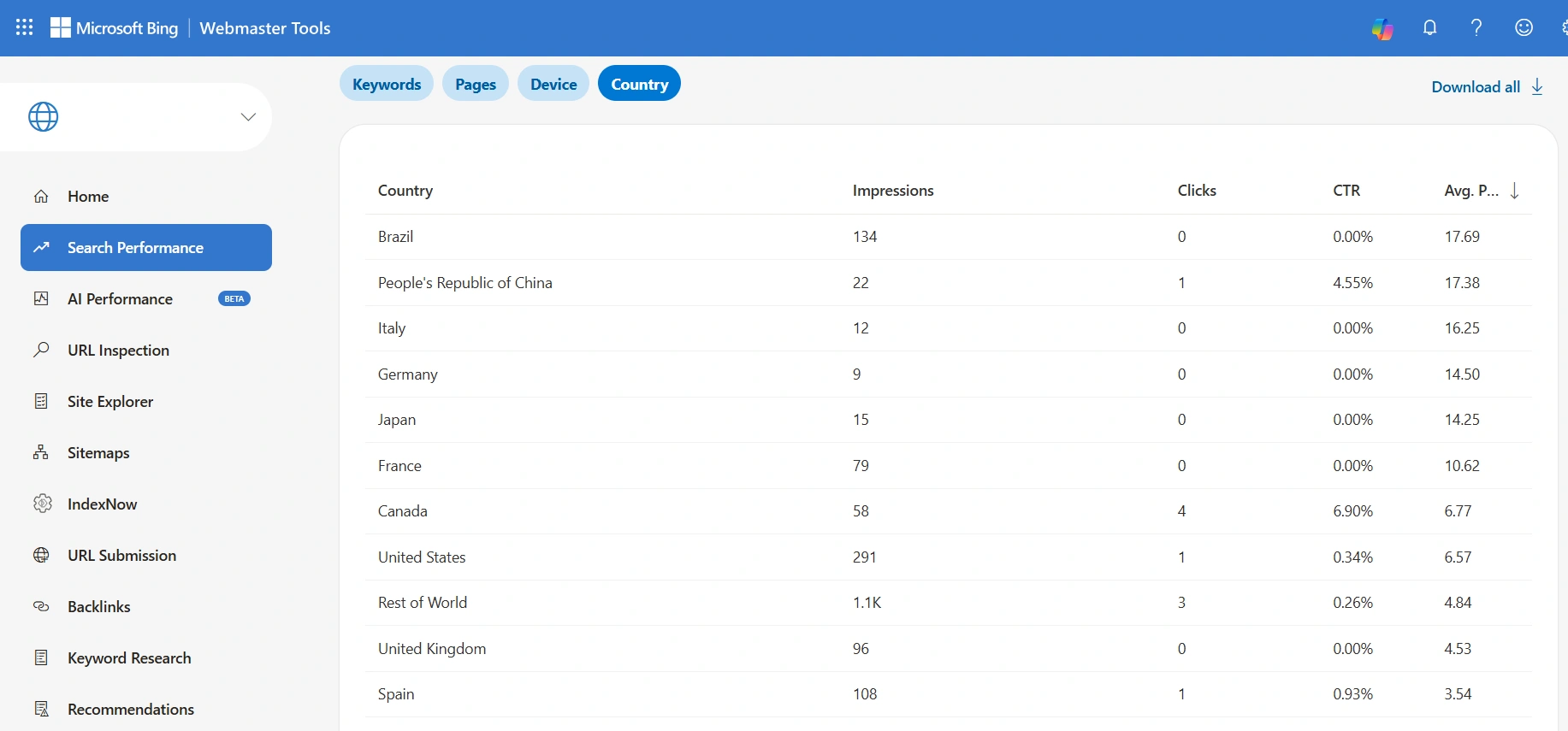
In reality, the site ranks lower than that, and a neighboring tab proves it. Broken down by country, that same site shows an average position of 17.69 in Brazil and 16.25 in Italy. So the data on deeper positions does exist somewhere in the system — Bing just doesn't expose it at the individual query level.
There's no country filter: "Country/Region" in Bing Webmaster Tools is only a breakdown dimension within the list, not a filter that switches the whole report. Microsoft has confirmed that it's working on adding filters to Search Performance reports, but for now, you have to export the data and filter it manually.
Google Rank Checker: A Completely Free Rank Checking Tool
The most convenient fully free option for a one-off ranking check is Google Rank Checker from SE Ranking: no sign-up required, 5 checks per day, and you can pick the country, city, language, and device type.
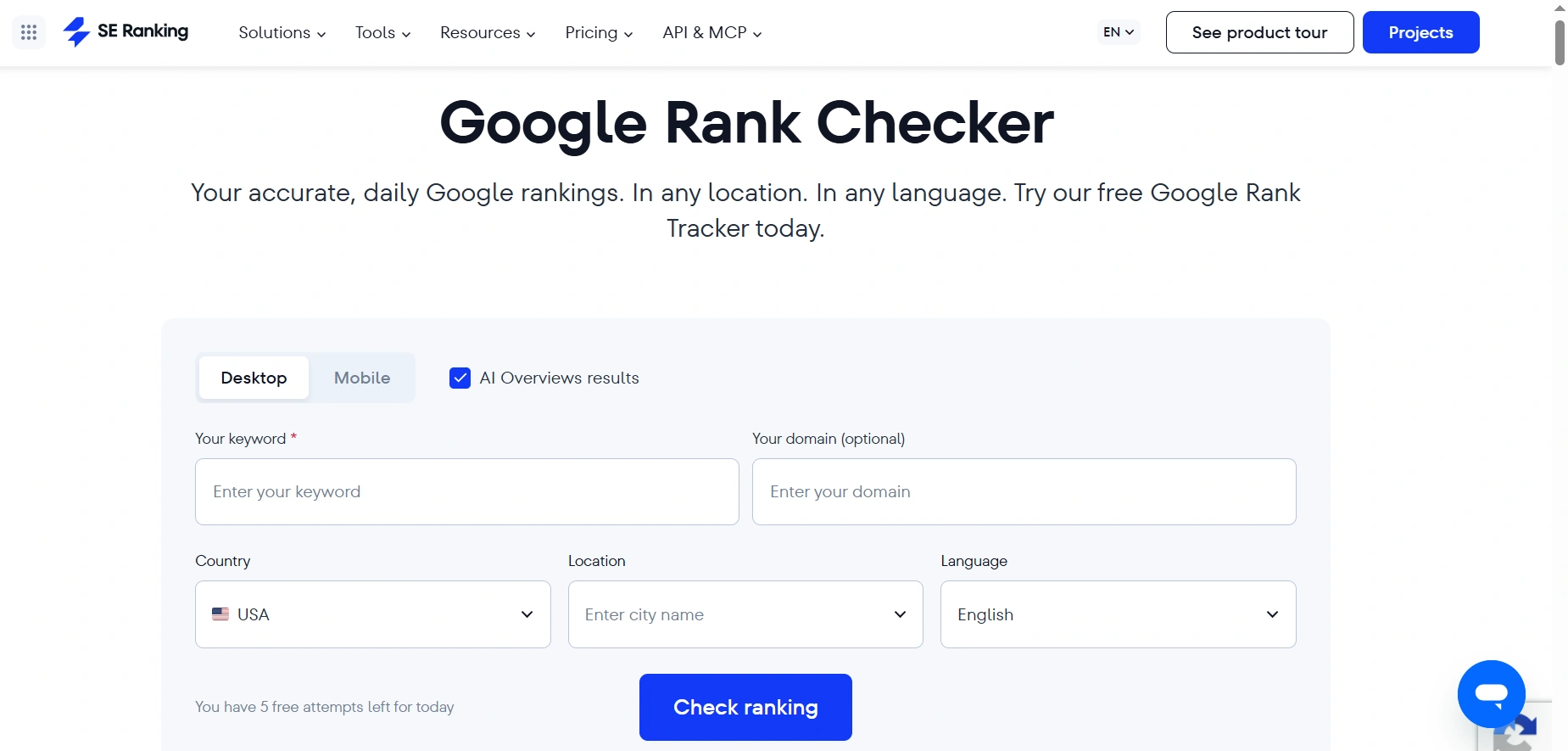
You just go to the Google Rank Checker page and select a device, toggle AI Overviews results on or off, then enter your keywords and domain, along with country, city, and language.
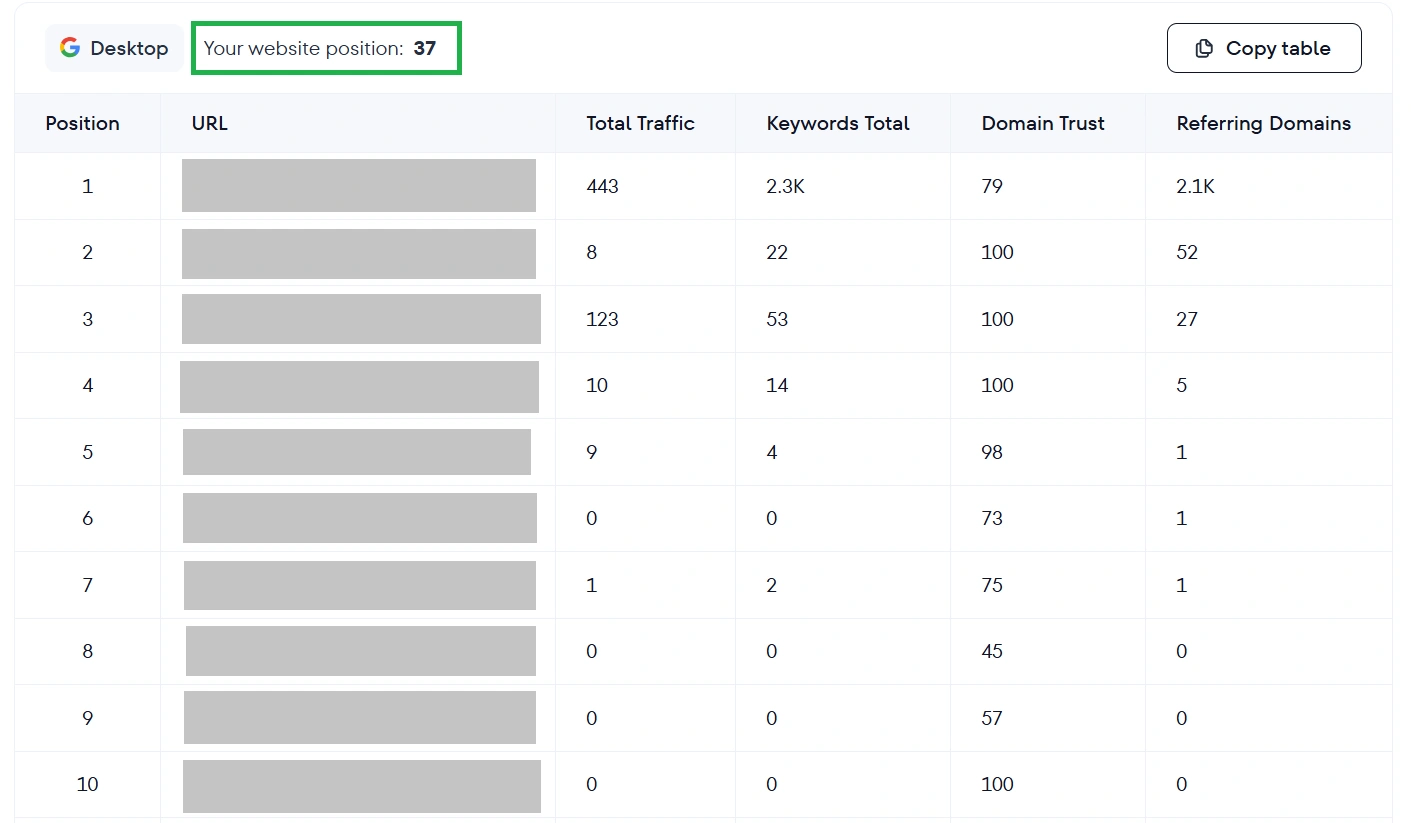
The result is a lot more useful than a single number. At the top, the tool shows Your website position: 36, and below that, the entire search results page for that query. For each URL in the screenshot, you can see its position, page title, Total Traffic, Keywords Total, Domain Trust, and Referring Domains. So you're not just seeing where you rank — you're seeing exactly who's ranking above you, and how strong those domains actually are.
Related reading: How to Improve Your Website's SEO with Yoast SEO
SEO Checker: The Cheapest Way to Check Your Rankings
SEO Checker is a Ukrainian service for rank tracking without a traditional subscription. You buy a package of checks and use it at your own pace: 1,000 checks cost $1.20, and the credits never expire. There's no free plan for rank tracking here, but the minimum deposit is just over a dollar.
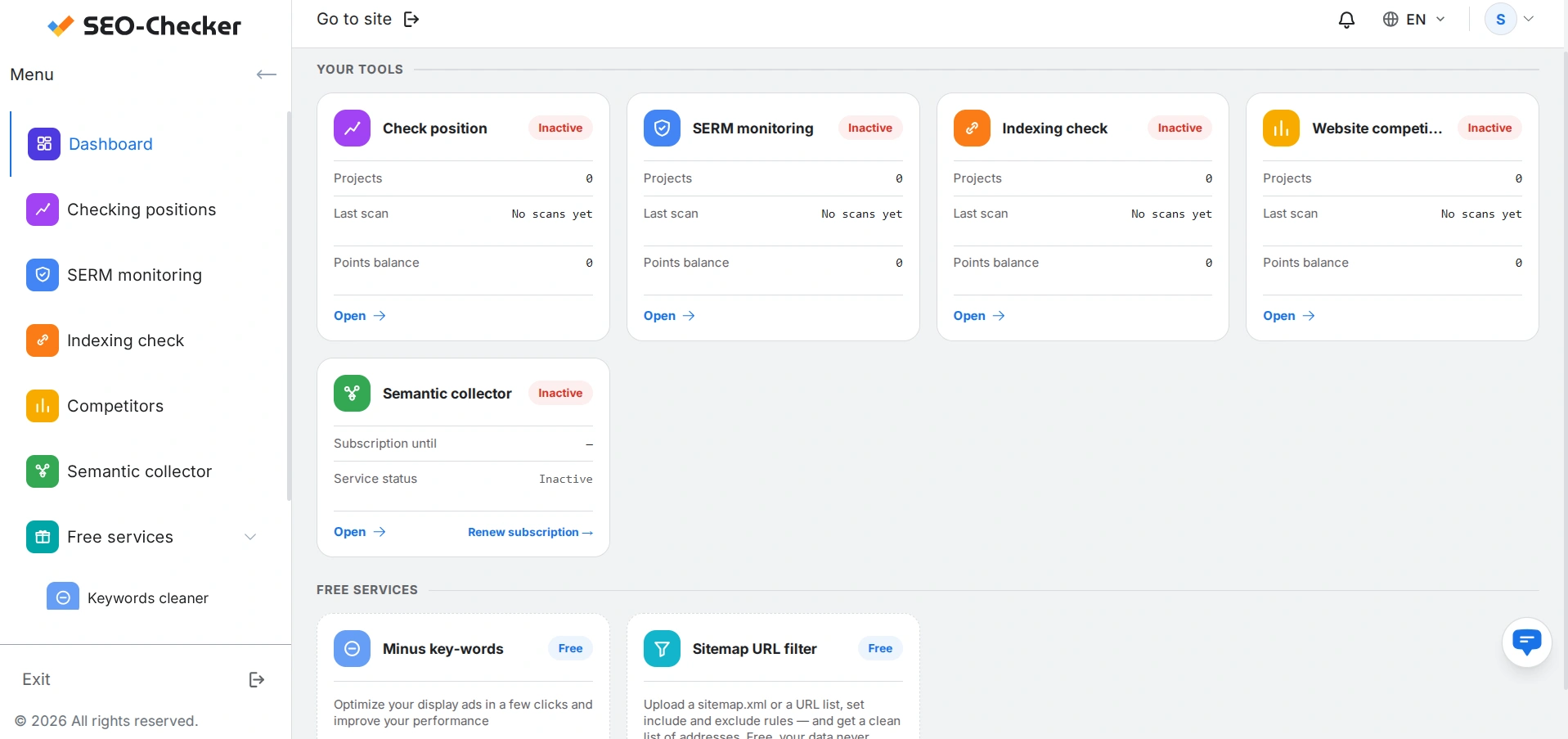
After signing up, you land on a dashboard where rank tracking is just one of several tools: alongside it are SERM monitoring, indexing checks, website competitors, and a semantic collector. There are also two fully free tools: Minus Key-words and Sitemap URL Filter.
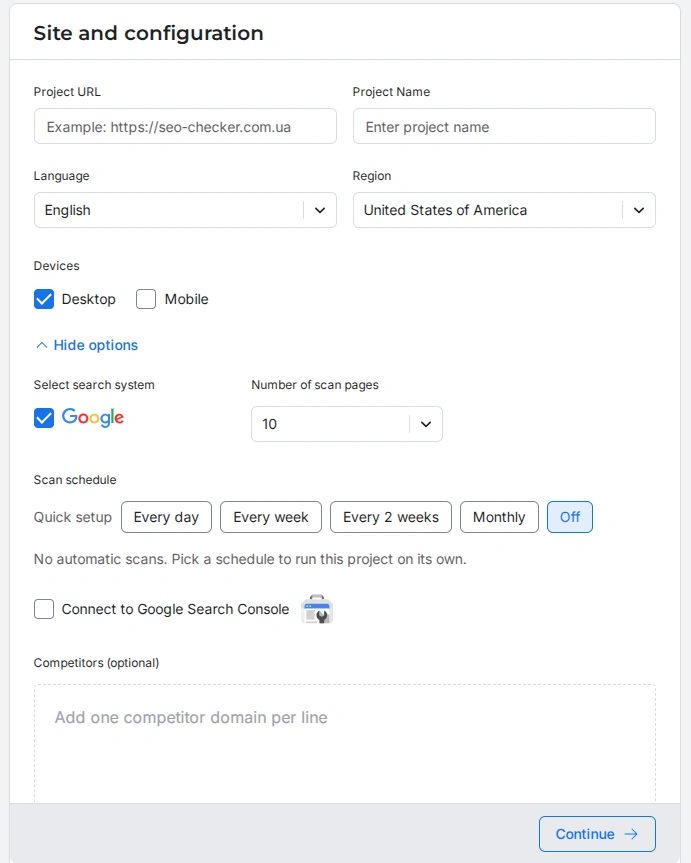
To start tracking rankings on SEO Checker, you first create a project: enter the URL and project name, then set the language and region, devices, search engine, check schedule, and competitors. Pay attention to the number of scan pages: one page equals ten search result positions, so a value of 10 means a scan depth of 100.
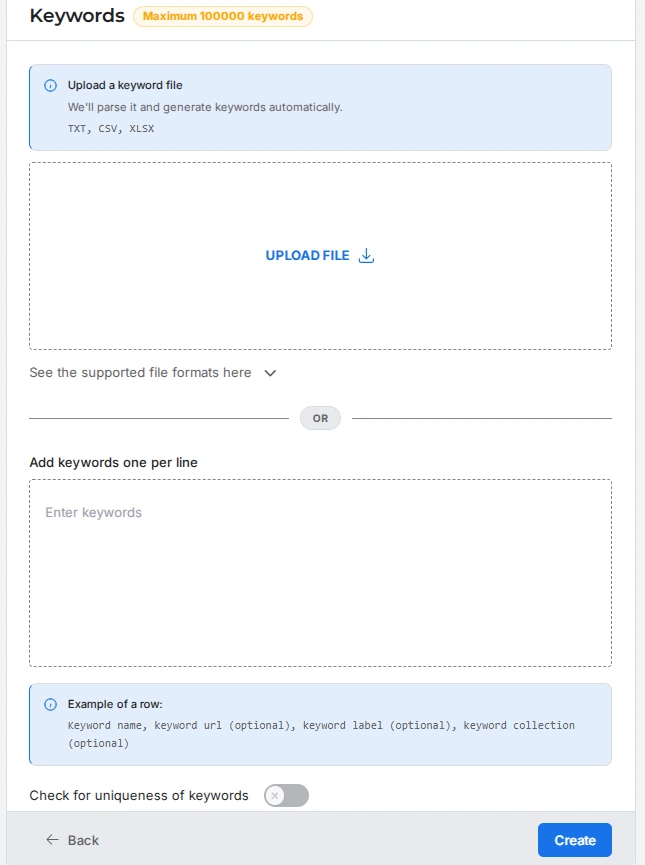
The next step is uploading keywords, either as a TXT, CSV, or XLSX file, or manually. I had 11 keywords, so I just pasted them into the field, one per line, along with their target URLs.
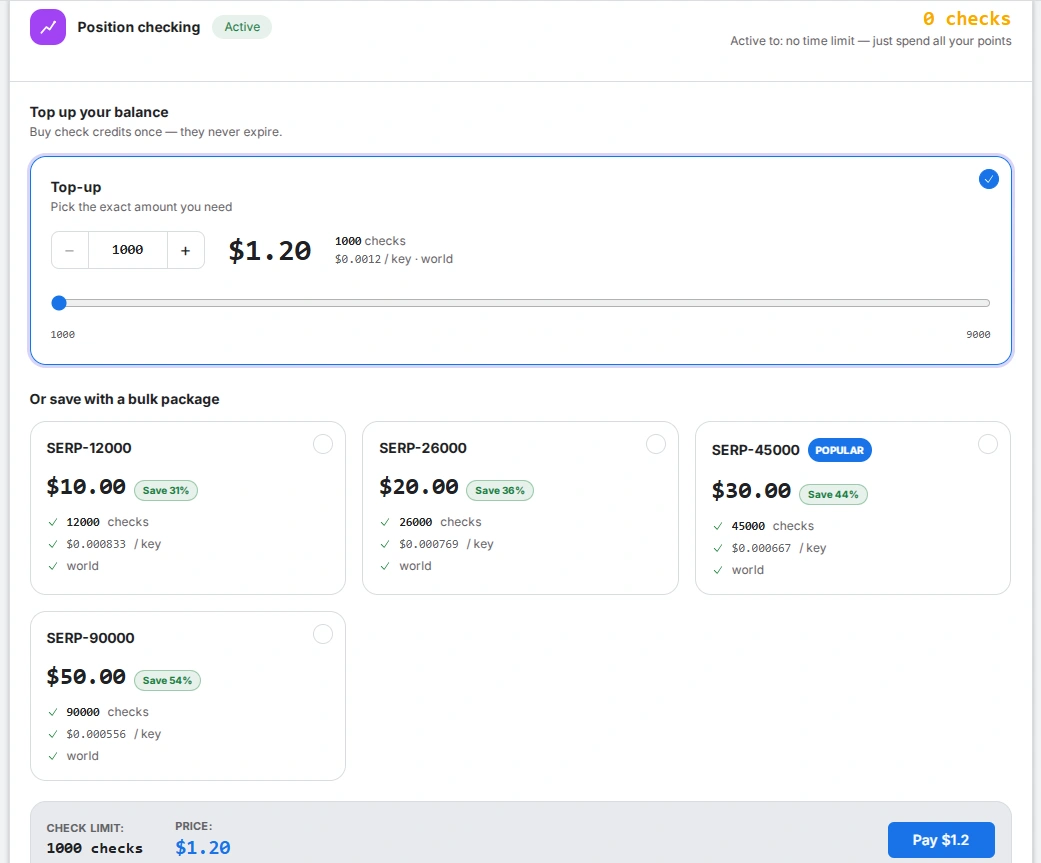
Before you run the check, the service shows a cost estimate. Mine came out to 11 keywords × 1 device × 10 scan pages = 110 credits. Since I was testing, I bought the standard package of 1,000 credits for $1.20. My hryvnia card was charged 53.80 UAH.
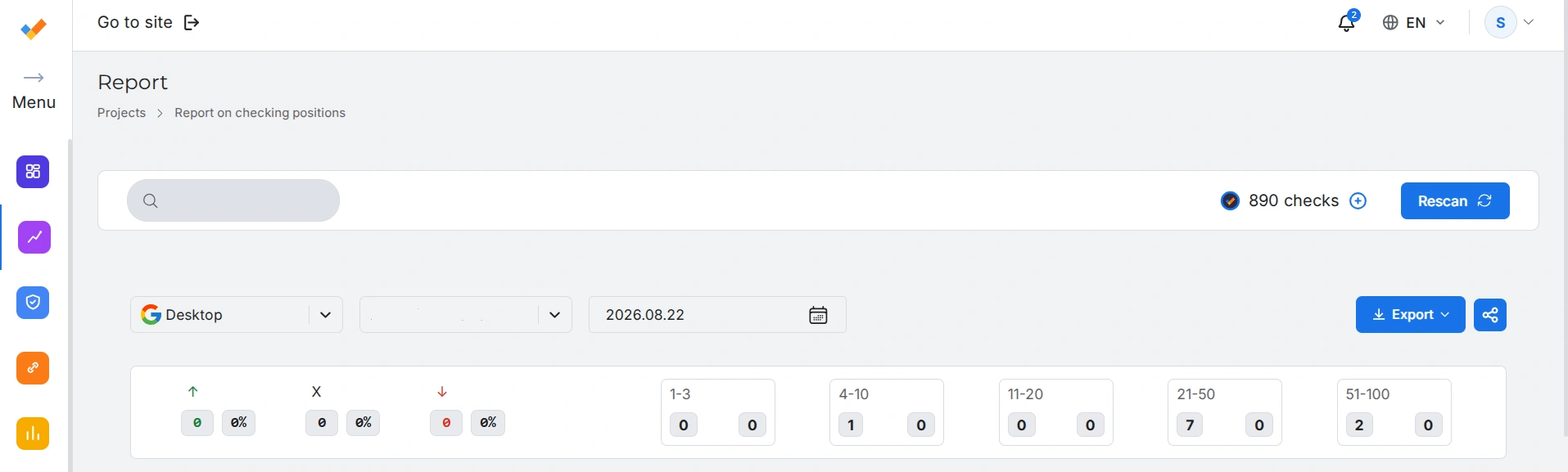
I started the scan at 12:17 PM, and the completion email arrived at 4:45 PM. I went back to the site to check the report and found a page full of data. At the top was a breakdown of keywords by ranking range: one keyword in the top 4-10, seven in the top 21-50, and two in the top 51-100.
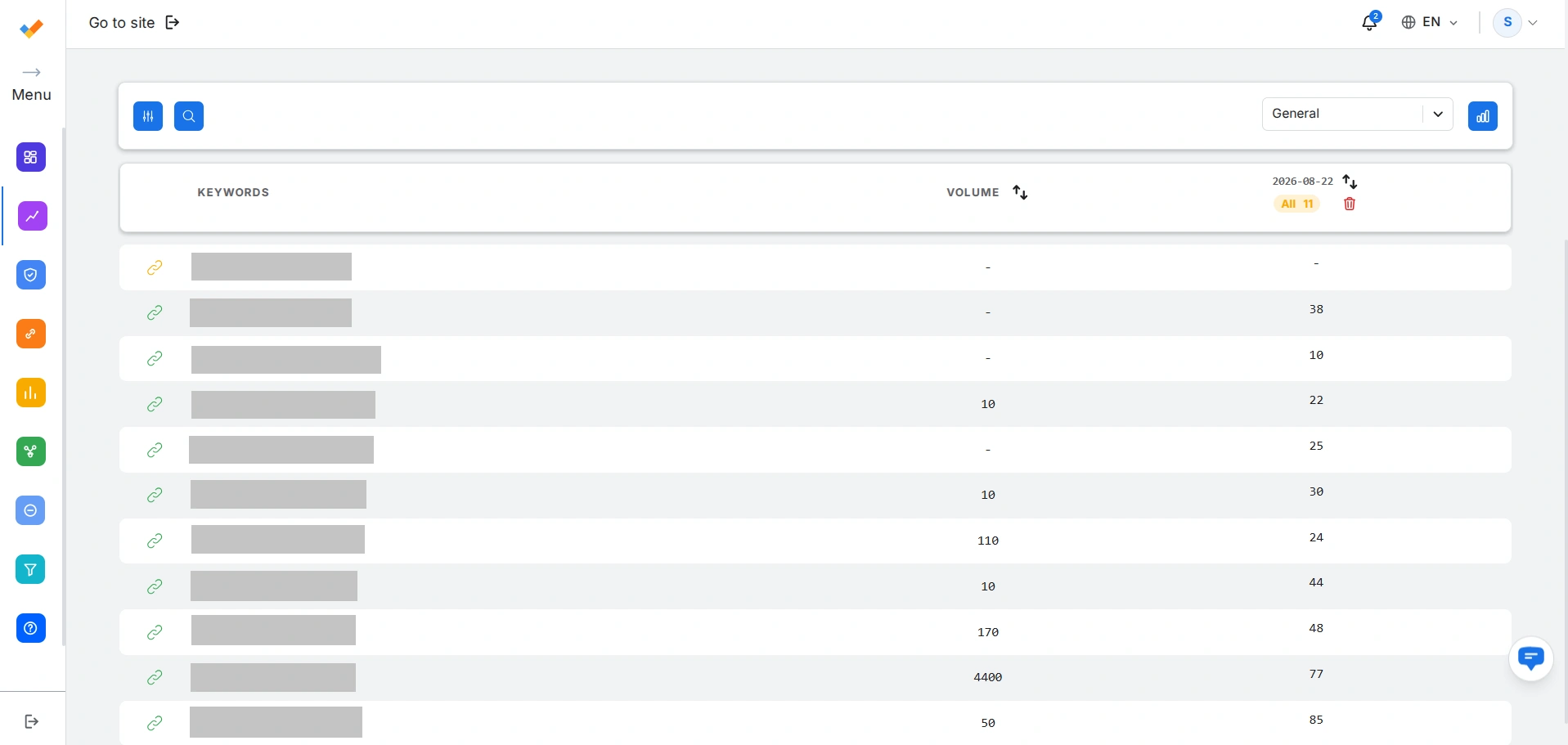
Below that was a table listing the keyword, search volume, target and scanned URL, and position.
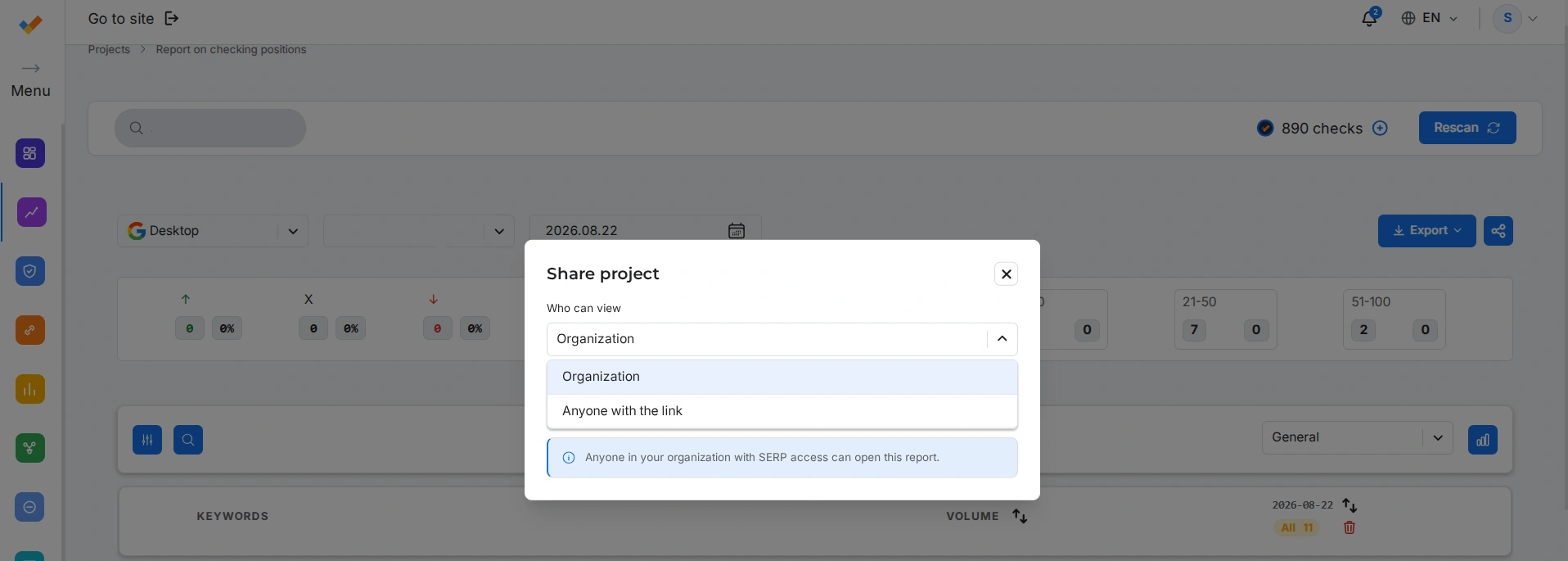
From there, you can export the report as CSV, XLSX, or Google Sheets. You can also share it via the share icon, either with other users in your organization or with anyone through a link.
Overall, SEO Checker is a good fit if you need cheap, no-commitment rank checks: a one-time baseline before starting work, a check after updating articles, or a monthly review. It handles two core jobs: showing you where you stand right now, and tracking movement over time if you run checks at different intervals.
SE Ranking: A Full-Featured Tracker with AI Tracking
SE Ranking is an SEO platform where rank tracking is one of the core modules. There's no free version for tracking, but there is a 14-day trial with no card required — that's the one I used. According to the official subscription page, the trial gives you up to 10 projects, 750 tracked keywords per day, 20 AI prompts per day, and AI-powered competitor research for three domains.
Sign-up is standard: email, password, a short survey about who you are and which tools you plan to use, and your site details. It's better to use an email on your own domain, since that unlocks higher trial limits on the service. After that, you land on your project dashboard.
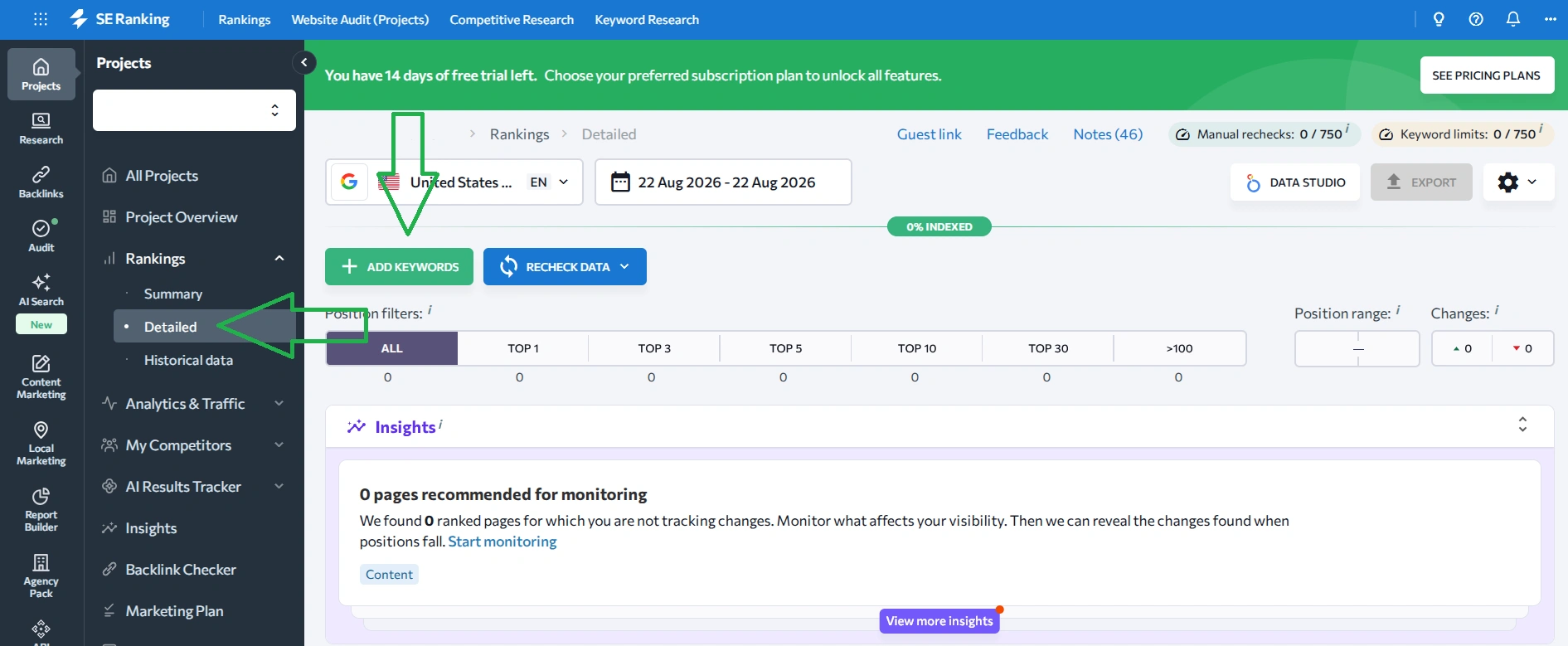
From there, go to Rankings → Detailed and click Add Keywords. Right here you can see the trial limits: Keyword limits 0/750, and separately, Manual rechecks 0/750. Two counters, not a mistake — the first tracks the number of keywords you're monitoring, and the second tracks extra on-demand manual rechecks.
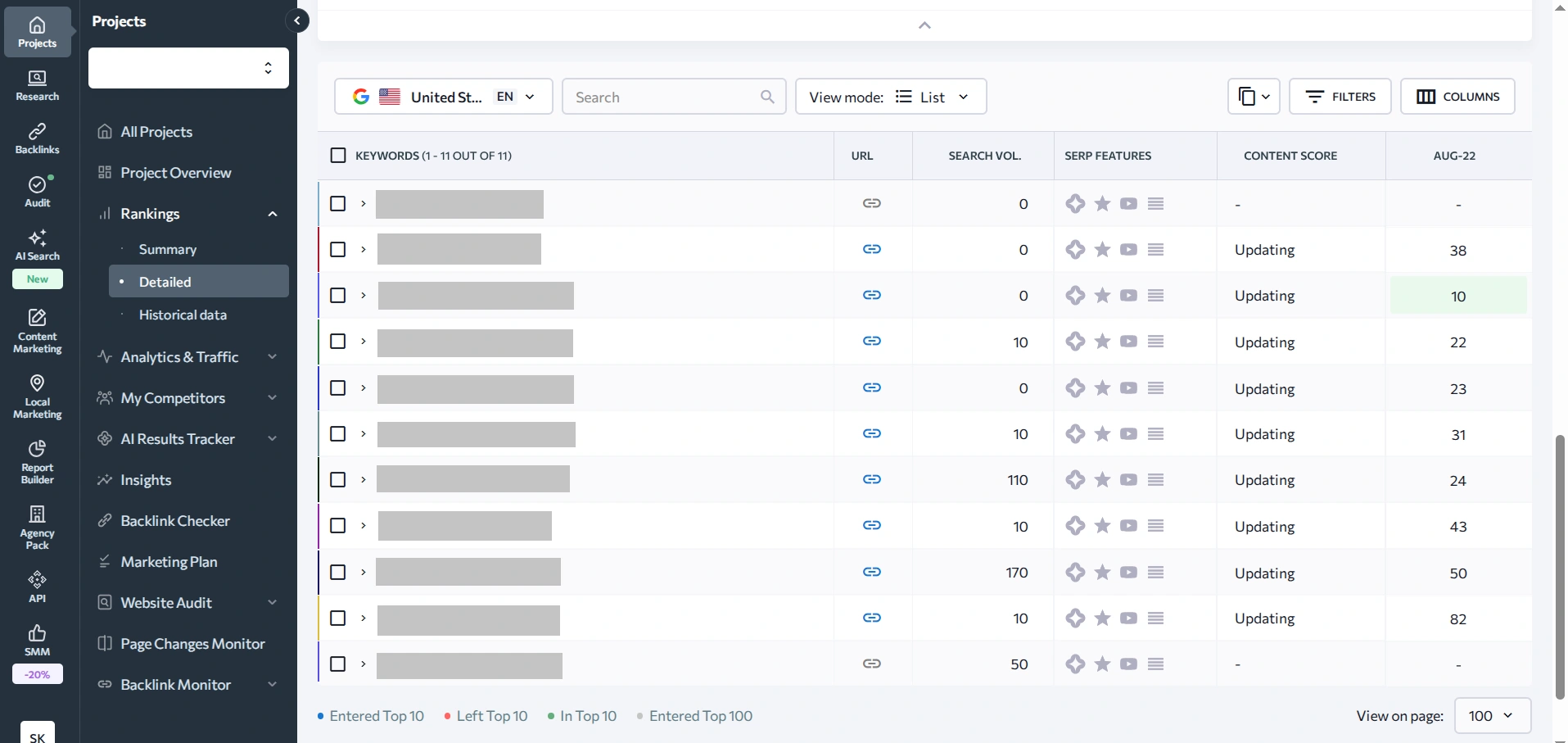
Within two minutes, I had a report with the following data:
- Keywords — your keyword phrases
- URL — the page that's actually ranking
- Search Vol. — the search volume for the query
- SERP Features — icons for special search result blocks: AI Overview, reviews, video, People Also Ask
- Content Score — your content's score for the query compared to competitors
- Date columns — daily positions, with arrows showing change
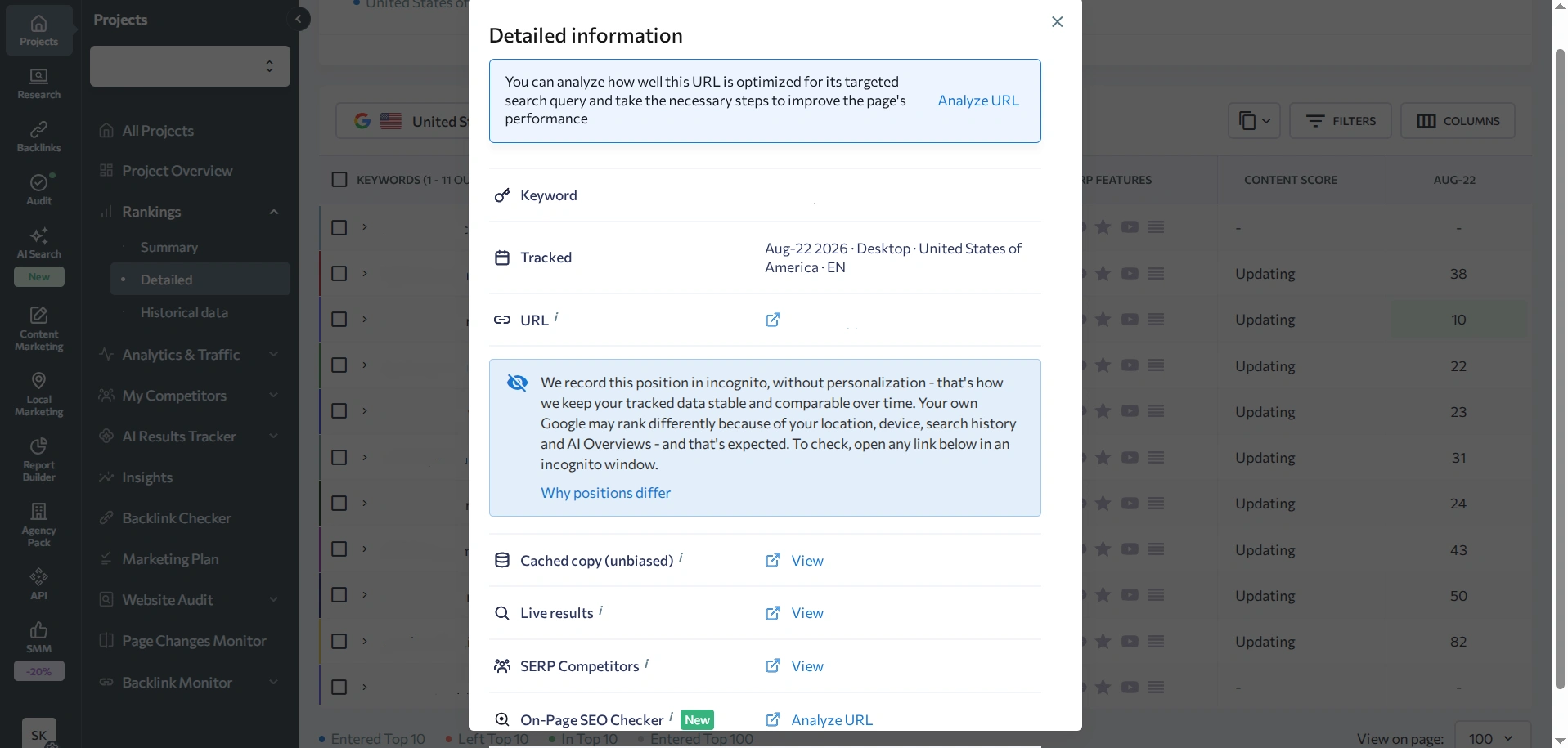
Clicking on a position itself opens a Detailed Information window. Besides the keyword, date, device, and region, the tool includes a direct explanation: positions are recorded in incognito mode with no personalization, so the data stays comparable over time, while your own Google results may look different because of your location, device, search history, and AI Overviews. The same window also links to a cached version of the search results, live results, a list of competitors in the SERP, and a page-checking tool.
Pricing after the trial: the Core plan costs $129 a month, or $103.20 with annual billing. That plan includes 2,000 tracked keywords per day.
Related reading: What is keyword cannibalization and how to find it on a website?
Serpstat: A Ukrainian Service That Requires a Card
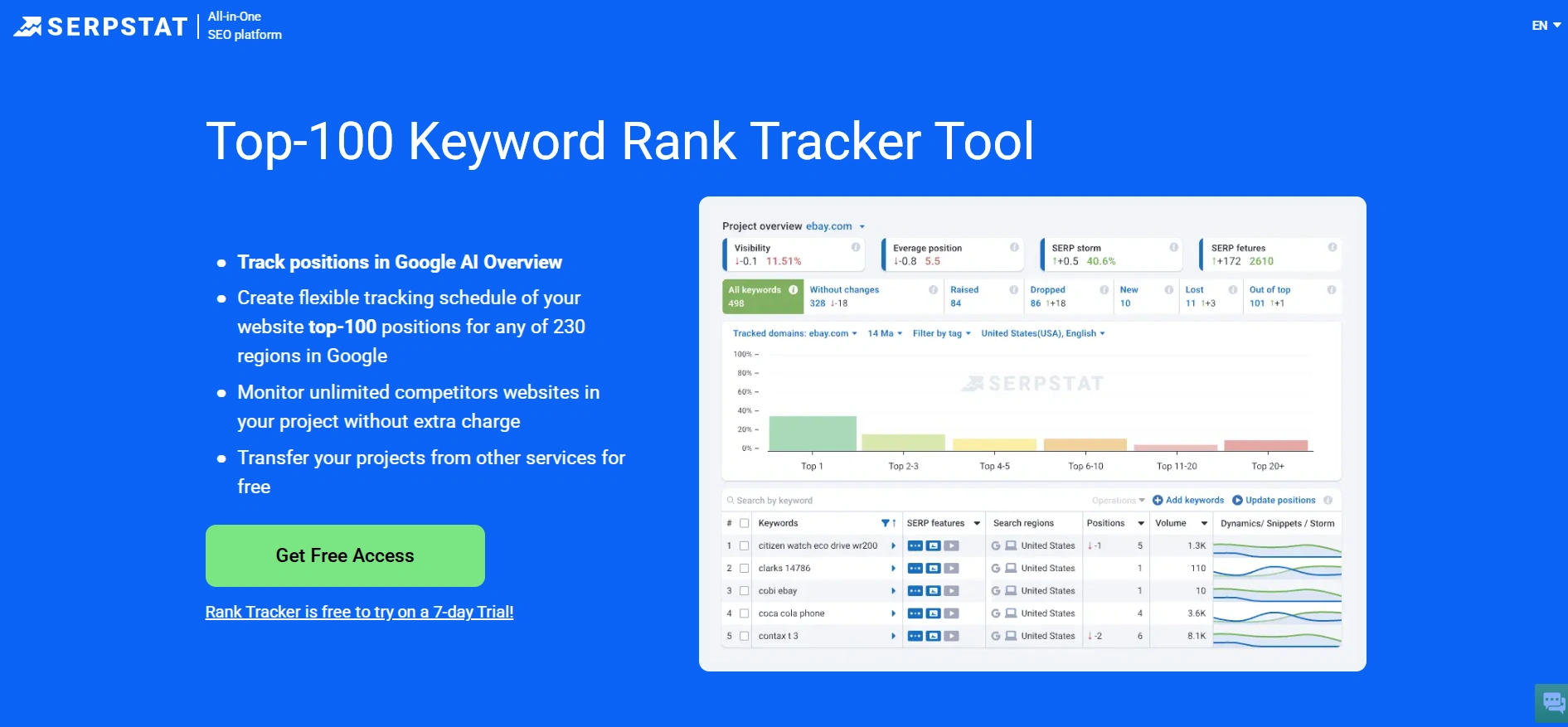
Serpstat is one of the most popular Ukrainian tools for working with websites, rank tracking included. But the trial here works differently from SE Ranking: it lasts 7 days and requires a card on file. When you sign up, $1 gets temporarily held on your card — mine was refunded within a minute.
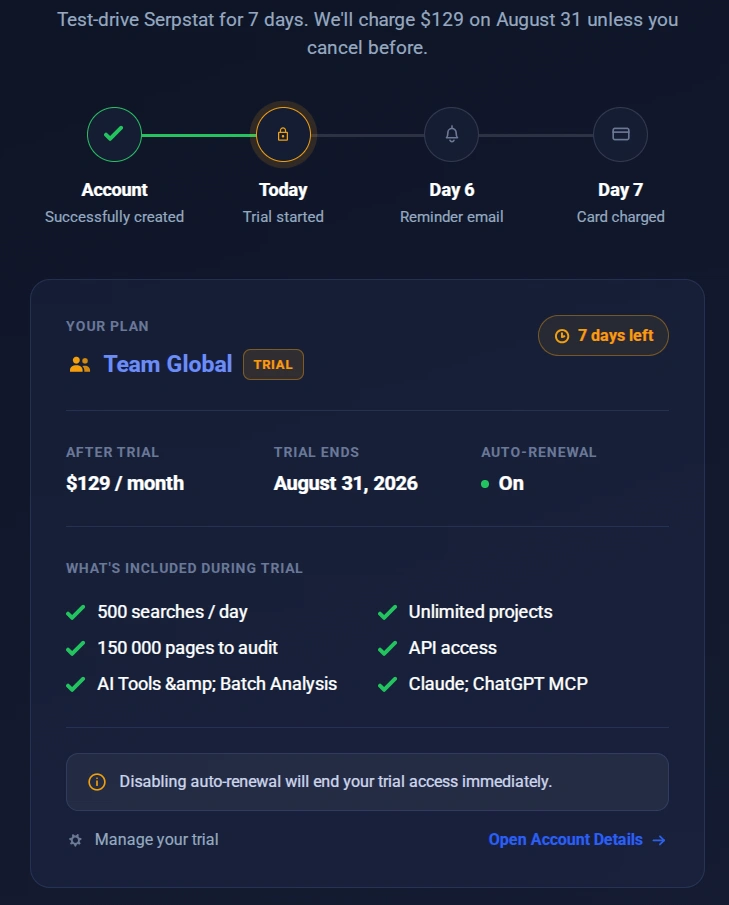
According to the trial page, the trial unlocks the Team plan: 75 tools, 500 daily requests for sites, keywords, and links, 9,999 projects for audits and rank monitoring, 50,000 top-100 Google rank checks, plus access to the API and batch analysis.
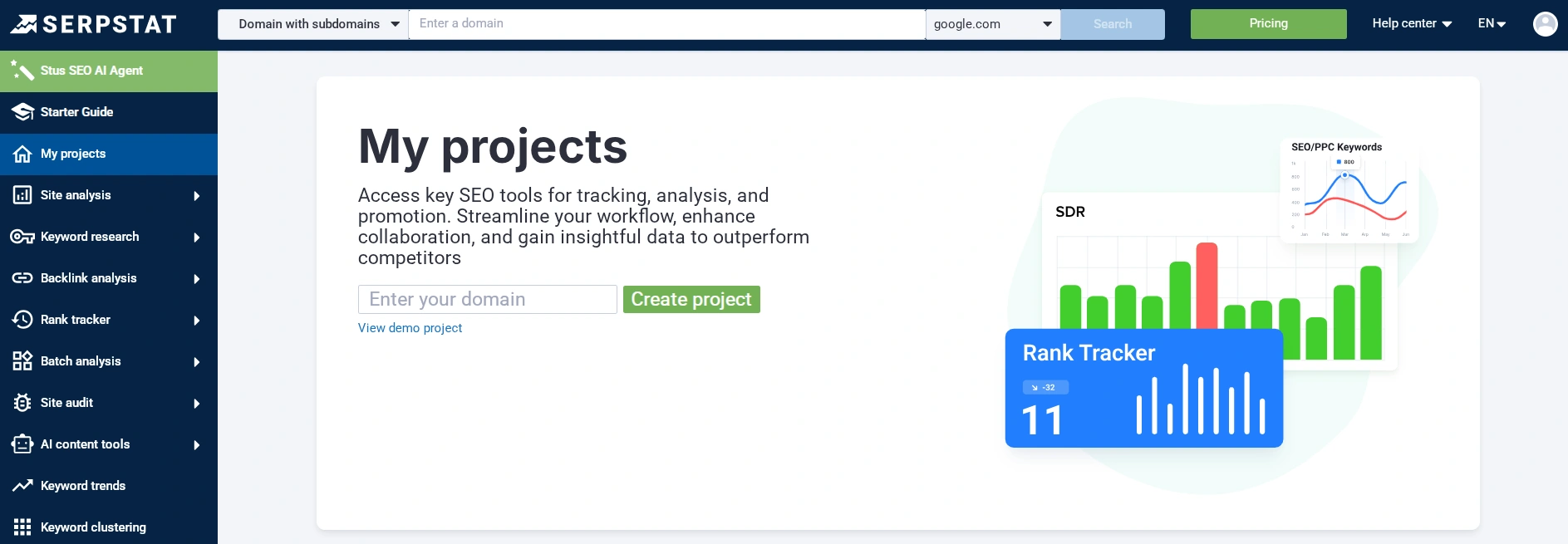
To set up a rank tracking project on Serpstat:
- Under "My Projects," enter your domain and click "Create Project."
- In the window that opens, check the name, group, and two checkboxes: "Run a site audit weekly" and "Run rank monitoring weekly."
- The tool offers to automatically pull up to 200 relevant phrases using AI. This is handy if you don't know where to start, but it costs up to 200 credits per scan. I skipped it, to work with my own keyword set instead.
- In the "Rank Monitoring" section, click "Start Tracking" and add your keywords, either manually or by importing a file, with the option to attach tags and target URLs right away.
- Under "Settings," on the "General" tab, it's worth changing the monitoring frequency. The default is "By day of the week," set to Monday, but the calendar also offers a "Daily" option — without it, your next check won't run for a full week.
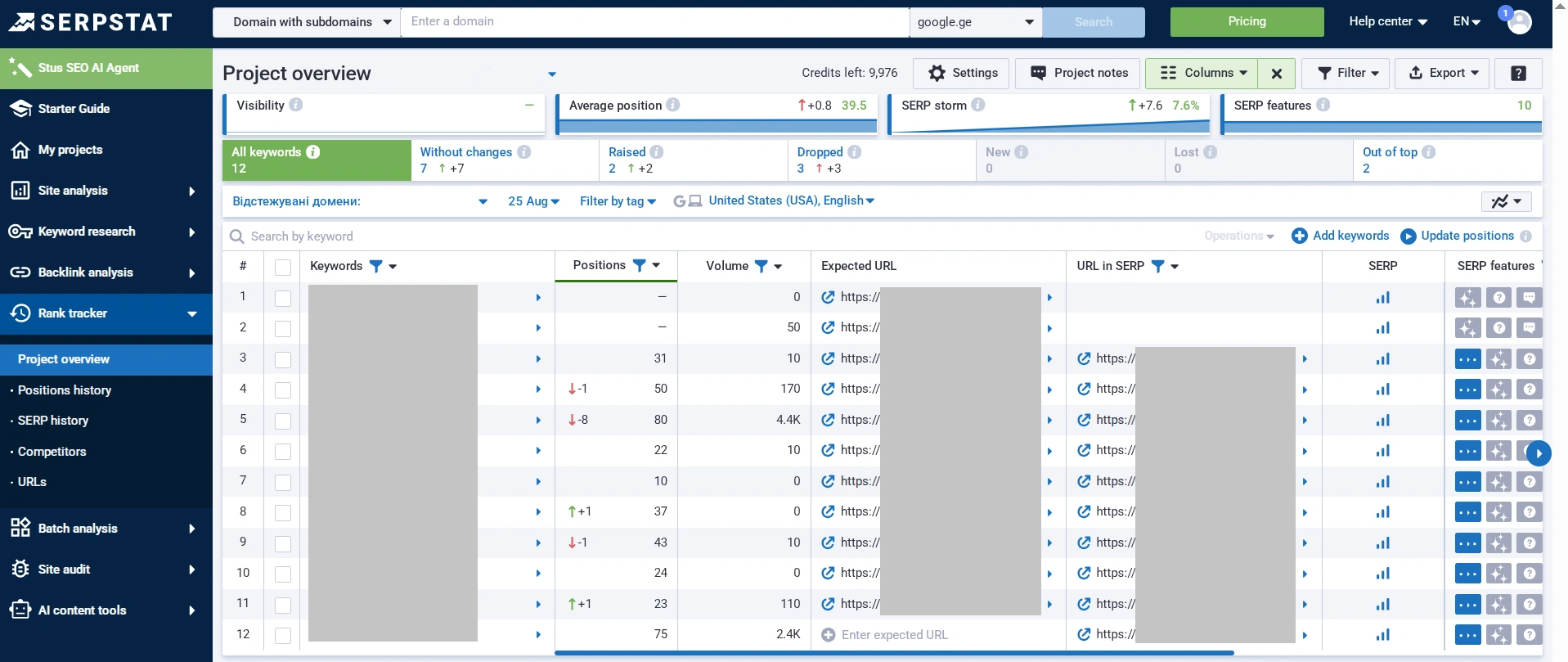
After adding the project and starting the scan, Serpstat took noticeably longer than the other tools. The reports themselves, though, turned out to be substantial. At the top of the project overview screen are four blocks: Visibility, Average Position (39.5 for me), SERP Storm, and Special Elements (10). Next to that is a breakdown by keyword status: no change, positions up, positions down, entered the top, dropped out of the top, and outside the top. Two of my keywords ended up outside the top.
Overall, Serpstat is a good fit for anyone willing to pay for the most thorough rank analysis available. And you're not limited to your own site — you can add an unlimited number of competitor domains too. Just be ready for the lack of a free plan and a card on file with automatic charges.
Mangools SERPWatcher: The Simplest Interface for Beginners
Mangools is a Slovak suite of five SEO tools bundled into one subscription, well known among English-speaking SEO professionals. Rank tracking here is handled by SERPWatcher, and its main advantage is simplicity: instead of a dozen metrics, you get one combined score called the Performance Index.
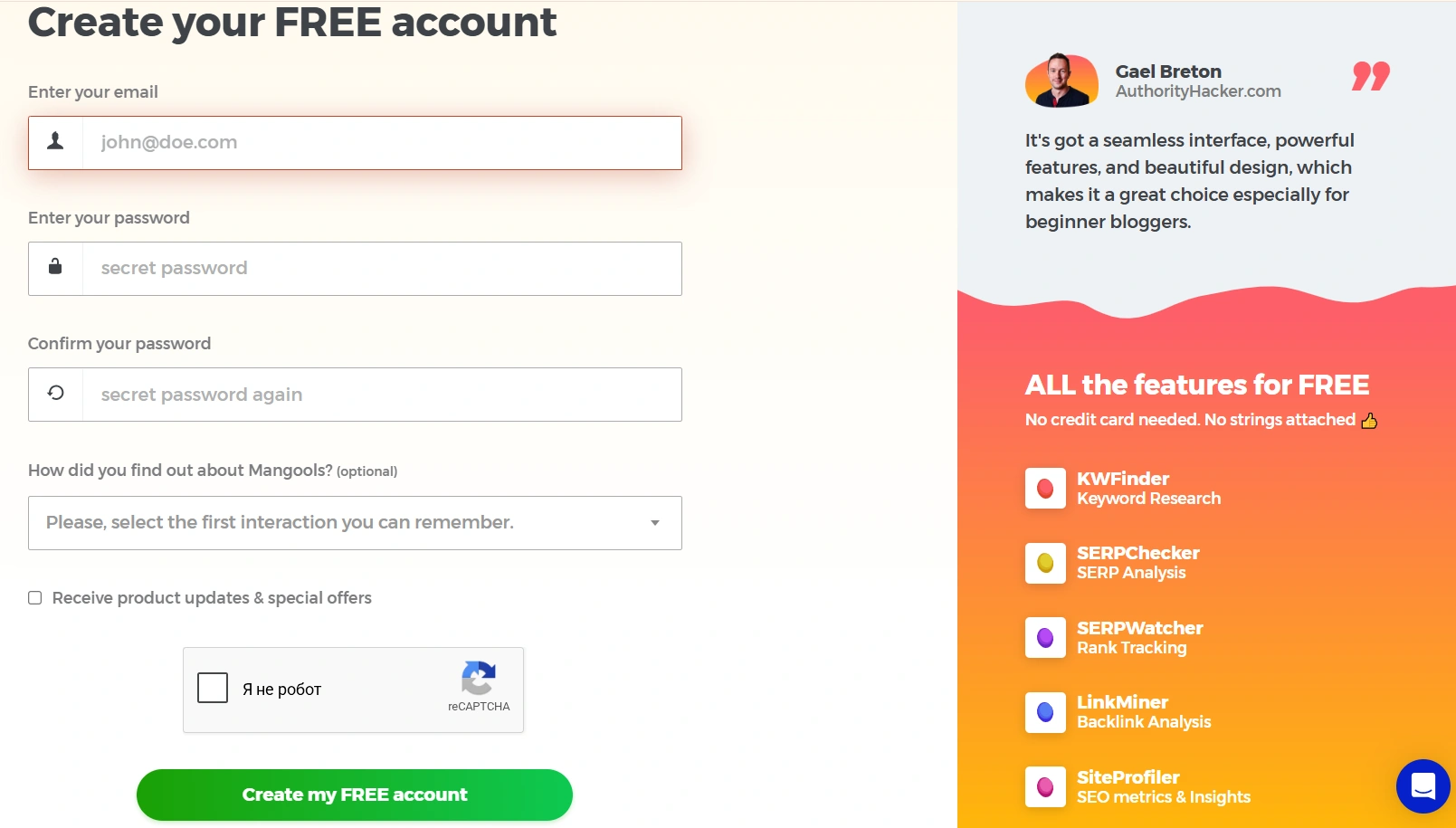
The best part starts right at sign-up. Click Get Started FREE, enter your email and password, and that's it. No surveys, no payment details, no verification. The free account gives you 50 credits, enough to test the tool on a real project. There's also a separate 10-day trial with higher limits, also with no card required, and paid plans start at $29.90/month billed annually (around $49 billed monthly).
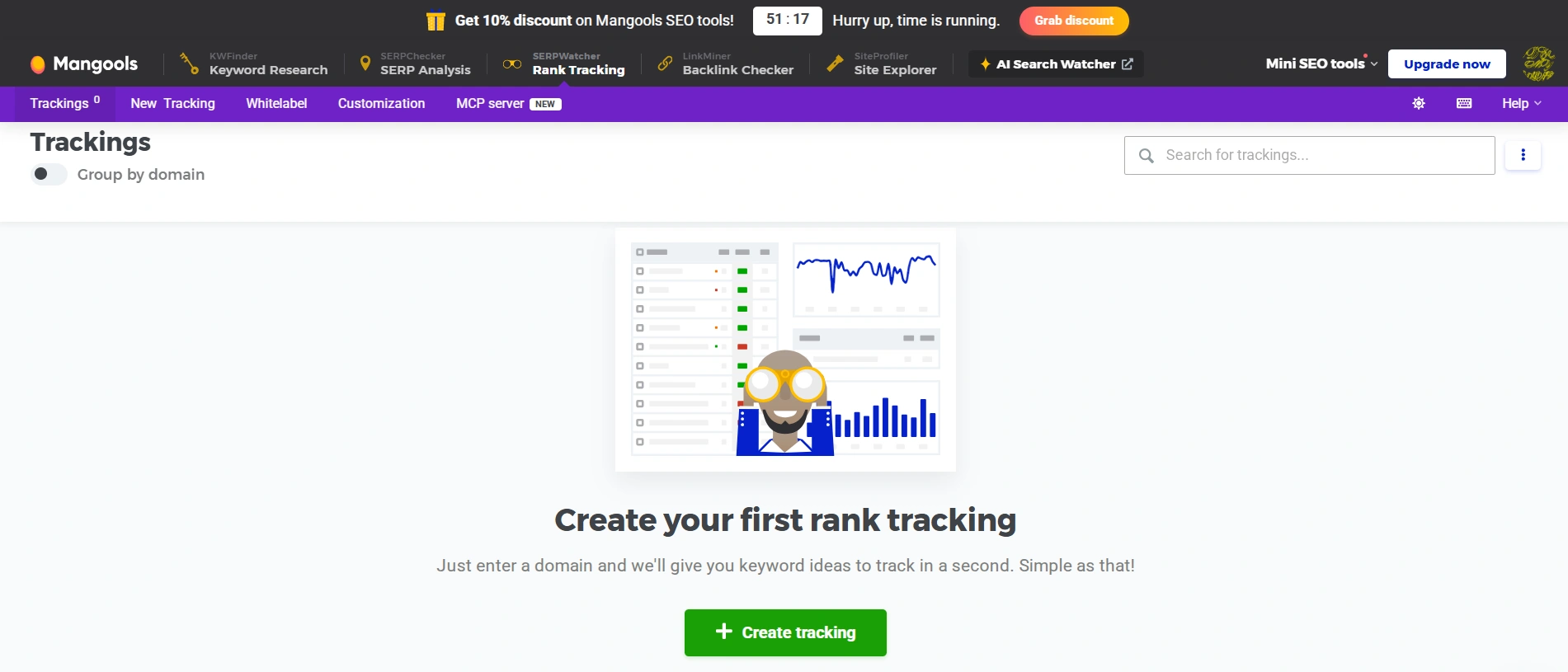
After confirming your email, head to SERPWatcher and click "+ Create tracking."
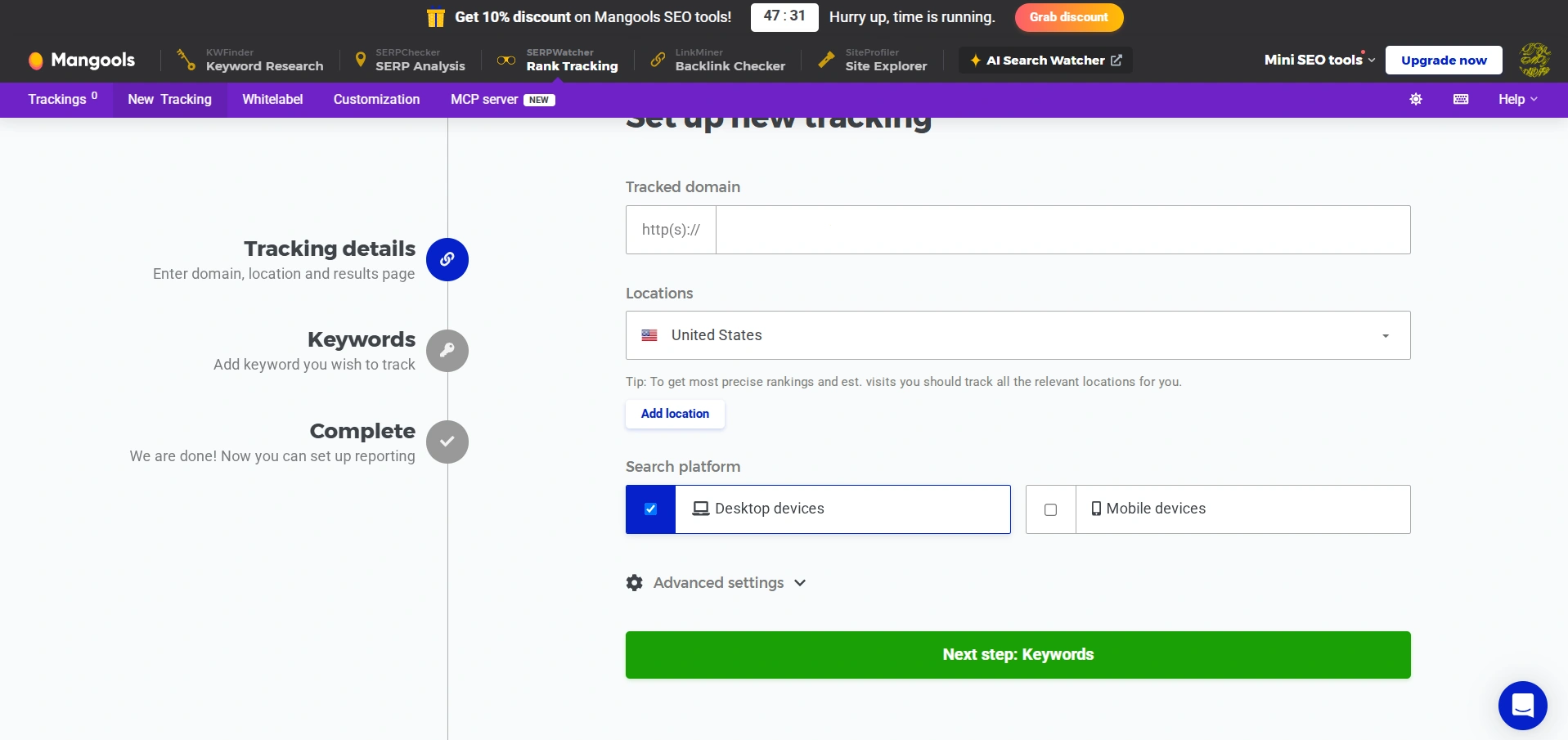
The setup is minimal: domain, one or more locations, platform (desktop or mobile), and keywords.
When you add keywords, Mangools immediately suggests some it found on its own and shows a position for each. You can enter your own manually, upload a file, or import from KWFinder, Google Search Console, or SE Ranking.
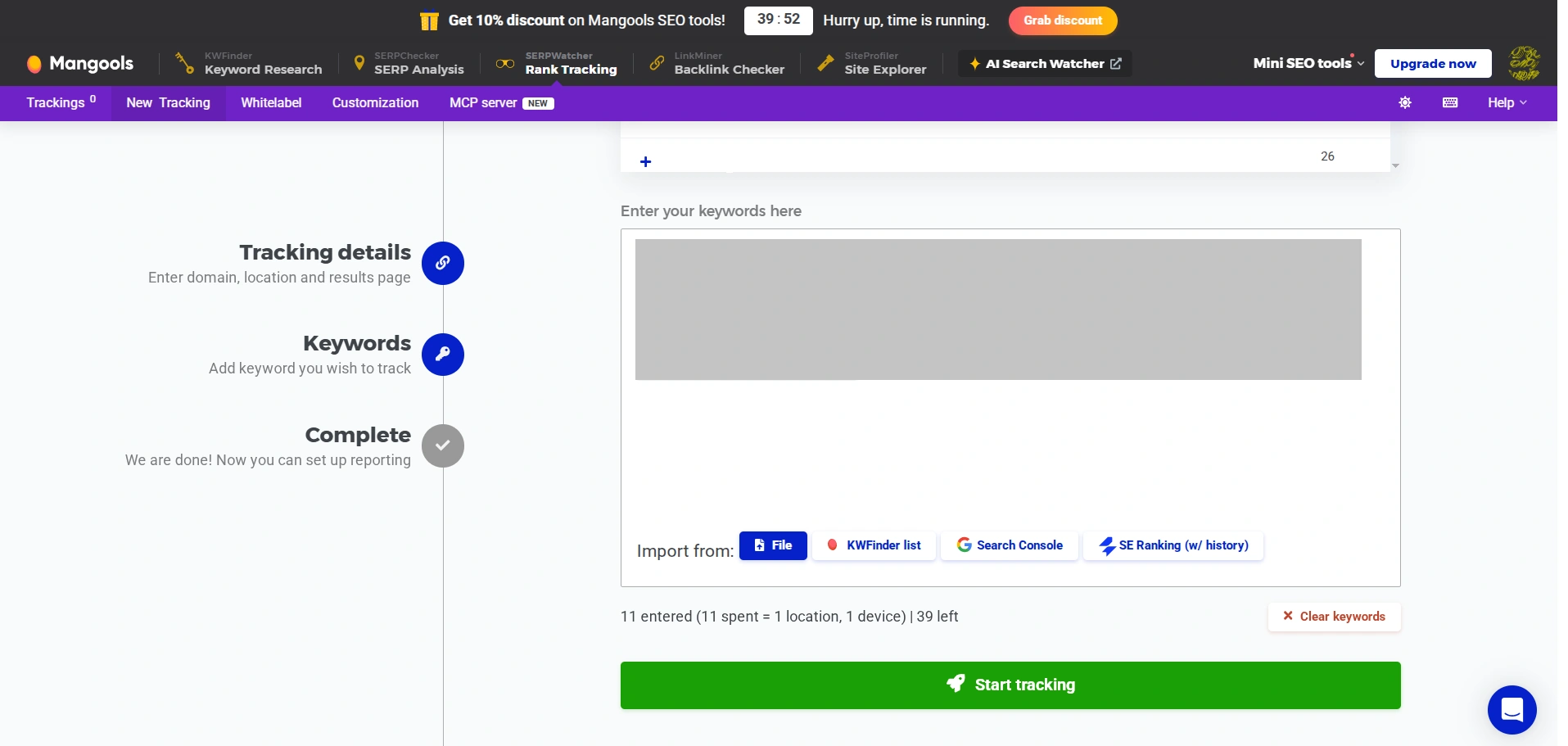
Watch your credit usage right away. My 11 keywords for one location and one device used up 11 credits out of 50, leaving 39. Keep that in mind if you're tracking multiple locations: the same rule applies here as with most trackers, and desktop and mobile are counted separately.
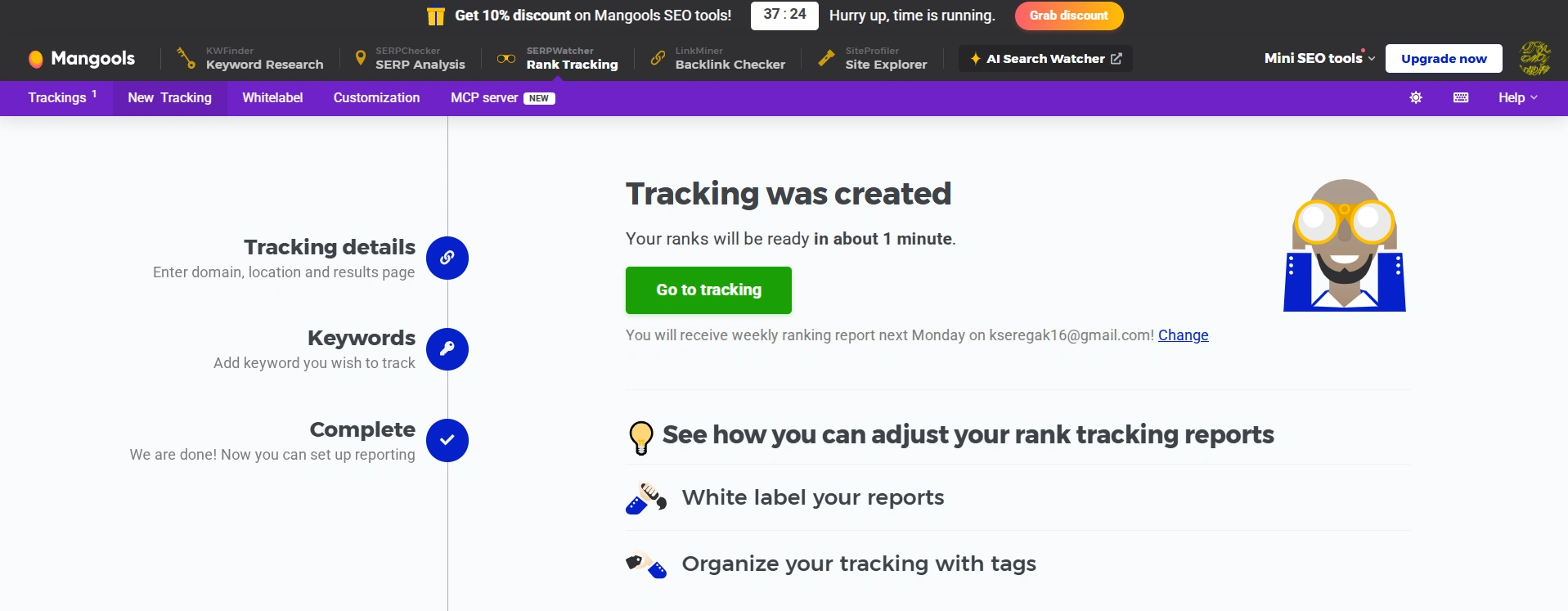
After clicking Start Tracking, the tool said my rankings would be ready in about a minute. Reality looked different: the table first showed a "processing data" message, and the actual scan stretched out over several hours.
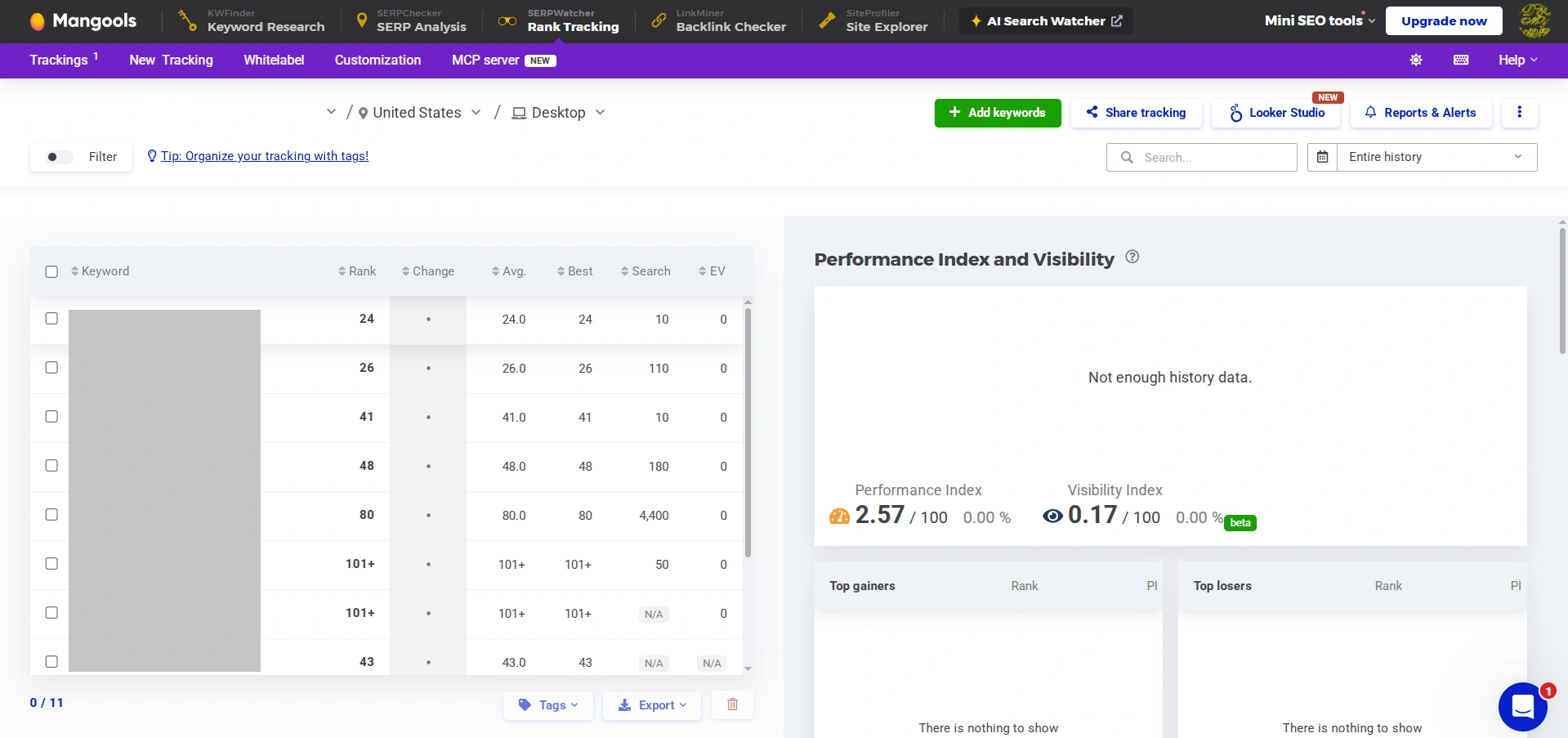
The result, though, turned out to be genuinely useful:
- Rank — the current position. Anything outside the top 100 is shown as 101+, not a dash. A small detail, but it immediately tells a beginner that the keyword is being tracked, the site is just outside the top 100.
- Change — the shift since the last check.
- Avg. and Best — the average and best position over the entire tracking period.
- Search — the search volume for the query.
- EV — an estimate of how many visits that position could bring. It's a rough number, but useful for prioritizing: if EV is zero despite a decent position, the query simply has no demand.
On the right, the tool calculates combined metrics: my Performance Index came out to 2.57 out of 100, and my Visibility Index to 0.17 out of 100. This is the aggregated visibility score you don't get with the other tools: instead of watching eleven separate numbers, you're watching one.
Note: on your first check, the Performance Index, Estimated Visits, and position breakdown blocks will all say "Not enough history data." That's not a bug — the service simply has nothing to compare against yet. The data fills in after your next few checks.
Which Service Should You Choose for Checking Your Site's Rankings?
Let's start with the main table from this test. As a reminder: I checked one site, 11 keywords, Google, US, English, desktop, depth 100.
| Keyword | GSC, 3-mo avg | SEO Checker 8/22 | SE Ranking 8/24 | Serpstat 8/24 | Mangools 8/24 |
|---|---|---|---|---|---|
| First | 3 | — | — | — | 101+ |
| Second | 9 | 38 | 37 | 38 | 43 |
| Third | 9.2 | 10 | 10 | 10 | 12 |
| Fourth | 9.5 | 22 | 22 | 22 | 24 |
| Fifth | 11.5 | 25 | 25 | 24 | 26 |
| Sixth | 13 | 30 | 31 | 31 | 24 |
| Seventh | 19.5 | 24 | 24 | 24 | 26 |
| Eighth | 29 | 44 | 44 | 42 | 41 |
| Ninth | 44 | 48 | 47 | 49 | 48 |
| Tenth | 67 | 77 | 80 | 72 | 80 |
| Eleventh | 91.7 | 85 | — | — | 101+ |
Note: SEO Checker's data was pulled on August 22, while the rest are from August 24. So the three right-hand columns are fully identical in timing, and the first one shows how much positions shifted over those two days.
As you can see, the clean rank checks line up with each other far better than they do with Google Search Console. The gap between the four rank tracking services usually stays within a few positions, and in some cases they land on the exact same number. With GSC, though, the mismatch is systematic: for ten out of eleven keywords, the actual position was worse than the GSC average, sometimes by two or three dozen spots.
So the question remains: which service should you pick for rank tracking:
- If you run a small site and have no budget: Google Search Console plus Bing Webmaster Tools. You get real clicks and impressions from both search engines, plus data on AI citations. Just make sure to check impression counts alongside position.
- If you need a one-off check on a handful of queries: a free checker like Google Rank Checker. Five checks a day, no sign-up, with a choice of city and device.
- If you need regular tracking without a subscription: SEO Checker. From $1.20 per thousand checks, credits never expire, depth of 100. Just be aware you'll only get positions and search volume, with no analytics or explanations attached.
- If you manage a site systematically: SE Ranking. Daily automatic updates, SERP features, competitors, content scoring, and AI tracking all in one dashboard. Pricing starts at $103.20/month billed annually, with a 14-day trial and no card required.
- If you're looking for a fully featured Ukrainian service: Serpstat. You can also track an unlimited number of competitor domains. Just know the trial requires a card, with an automatic $129 charge on day eight.
- If you want the simplest possible interface: Mangools SERPWatcher. You get a free account with 50 credits, no card or surveys required, combined Performance Index and Visibility Index scores instead of a dozen separate metrics, and a 101+ label instead of a dash. Just keep in mind daily rank updates are only available on the most expensive plan, and desktop and mobile checks each draw down your limit separately.
To wrap up, here's my overall take on rank tracking services in 2026. My test showed that no single tool gives you the full picture on its own: Google Search Console inflates positions through averaging, and the trackers themselves disagree with each other by several positions on the same keyword. So build a toolkit around your actual needs, starting with what's already free. Rank tracking is gradually turning into visibility tracking across several systems at once, and the sooner you start looking past a single number in Google's results, the fewer surprises the next algorithm update will bring.