
Anti-phishing code - is an additional security tool that allows you to ensure that the email you received was indeed sent by Cityhost and not by fraudsters.
After setup, this code will automatically be added to all informational emails from our company.
Log in to the Cityhost control panel.
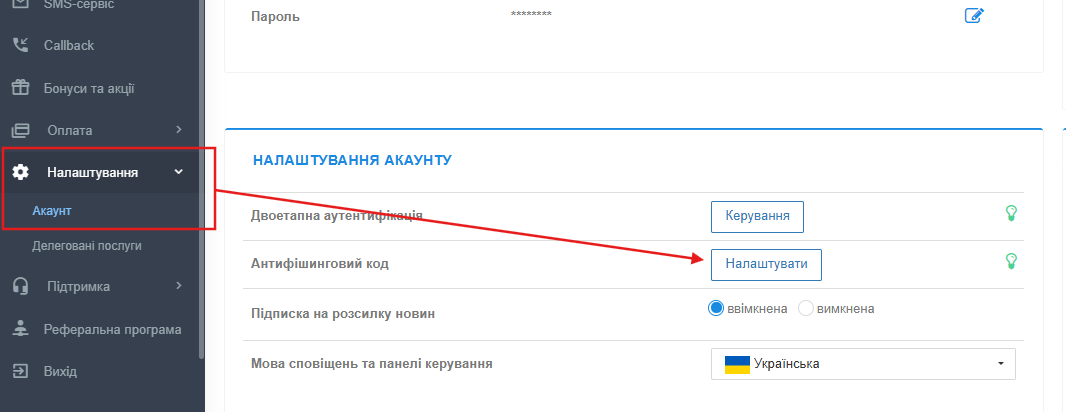
In the left sidebar menu, find and open the section «Settings», then select the subsection «Account» (or simply go directly to https://cp.cityhost.ua/myinfo/
On the «My Data» page, find the block «ACCOUNT SETTINGS».
Next to the item «Anti-phishing code», click the «Configure» button.
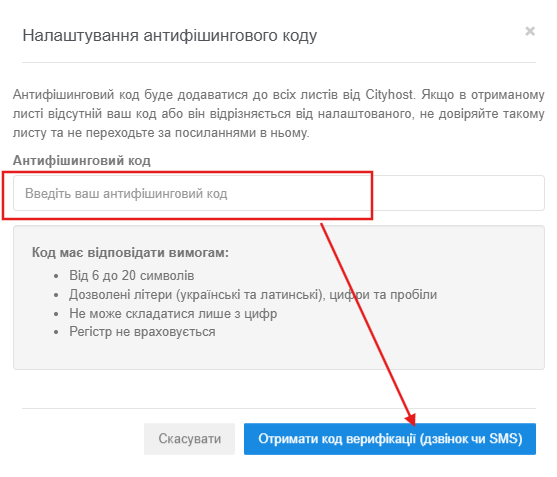
In the «Anti-phishing code settings» window that opens, enter your secret word or combination in the «Enter your anti-phishing code» field.
After entering the code, click the blue button «Get verification code (call or SMS)».
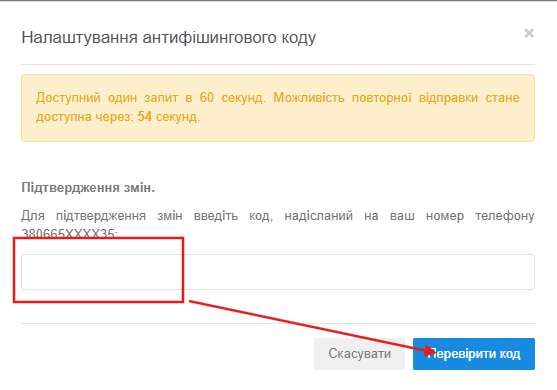
To confirm the changes, enter the code sent to your phone number.
Note: One request is available every 60 seconds. The ability to resend will be available after the timer expires.
Click the «Check code» button.
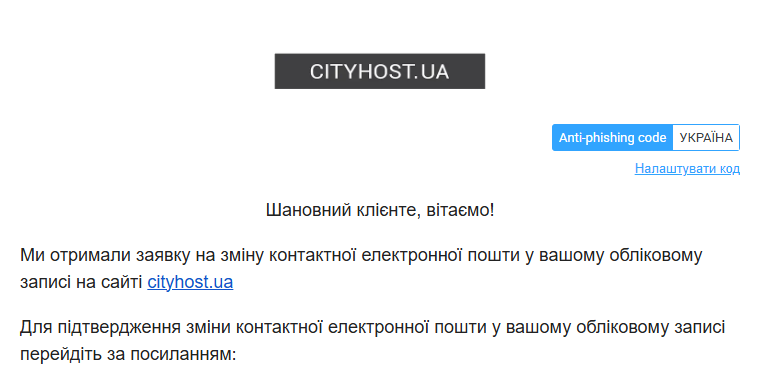
The standard example value is displayed in the emails:
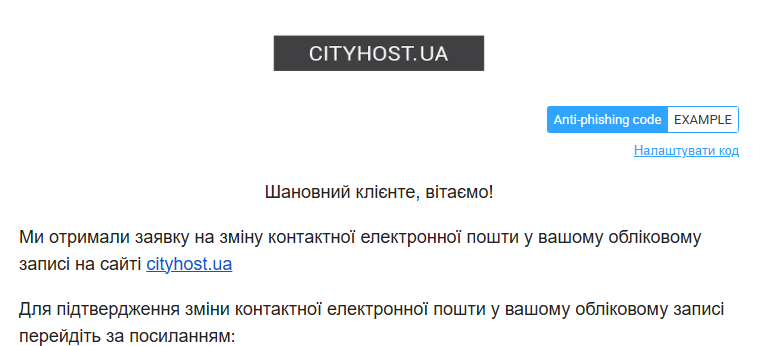
Your personal code is displayed in each official email (for example, UKRAINE):
Security above all! Spend just two minutes setting up to securely protect your account from phishing attacks.
All question categories
CityHost
Services
Contacts


2004 - 2026 "CityHost" - professional
paid hosting in Ukraine.