How to register a .gov.ua domain and host it on our DNS servers
Third-level domain names in the .gov.ua domain are delegated exclusively to:
- • government authorities of Ukraine;
- • local self-government bodies;
- • state organizations (institutions, establishments) that carry out their main activities in the field of public administration.
Before starting the registration, we recommend familiarizing yourself with the Rules of the .gov.ua domain.
Attention! We do not carry out the registration of .gov.ua domains. Registration is performed by the administrator of the .gov.ua domain zone (LLC "Hostmaster"). We, as a hosting provider, offer the service of hosting the domain on our DNS servers and assist with DNS zone configuration.
General procedure for registering a .gov.ua domain
- Familiarize yourself with the Rules of the .gov.ua domain.
- Check the availability of the desired domain name.
- Register a contact identifier on the UANIC website.
- Prepare and send the necessary documents to the domain administration (official letter, extract from the Unified State Register of Enterprises and Organizations, etc.).
- Place the domain name on DNS servers and ensure that the DNS zone is functioning correctly.
- Submit an application for domain name registration.
What you need to do with us
To complete the DNS setup stage, you need to perform the following actions:
1. Create an account
If you do not have an account yet, first register an account in our system - https://cityhost.ua/en/auth/reg/
2. Add the domain to DNS
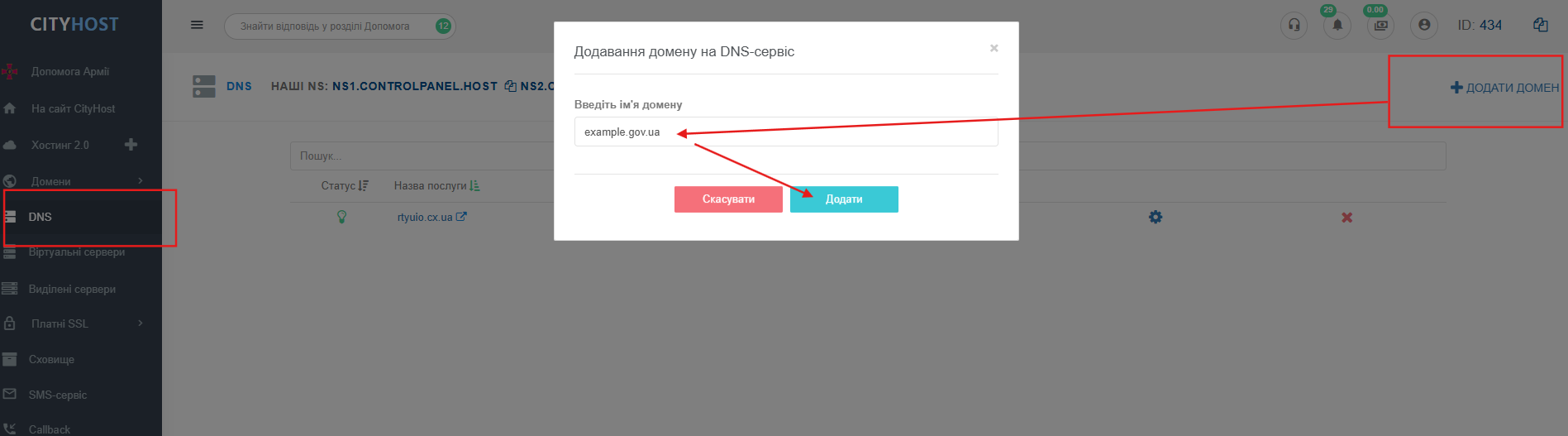
After creating an account, open the DNS section and create a DNS zone for your domain.
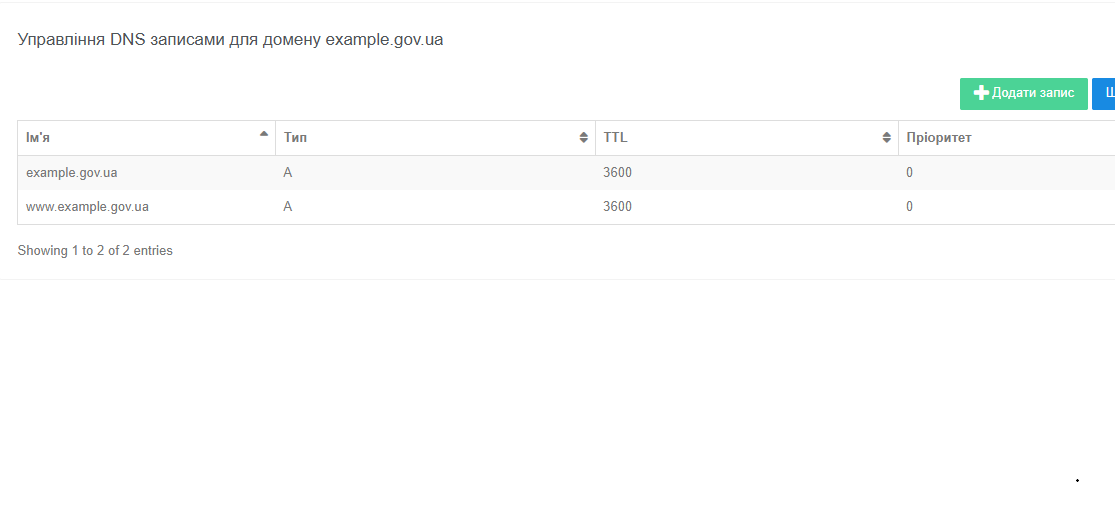
A records will be automatically added:
Attention!
At the domain registration stage, it is sufficient for the DNS zone to be created and technically operational. If necessary, MX, TXT, CNAME, and other records can be added later.
If you encounter difficulties during the creation of the DNS zone or the configuration of records, please contact our technical support service.